
Gestionarea performanței
Odoo oferă instrumente robuste pentru a monitoriza și analiza performanța magazinului dumneavoastră online și pentru a optimiza procesarea e-mailurilor de confirmare a comenzilor în perioadele cu trafic intens.
Monitorizarea datelor
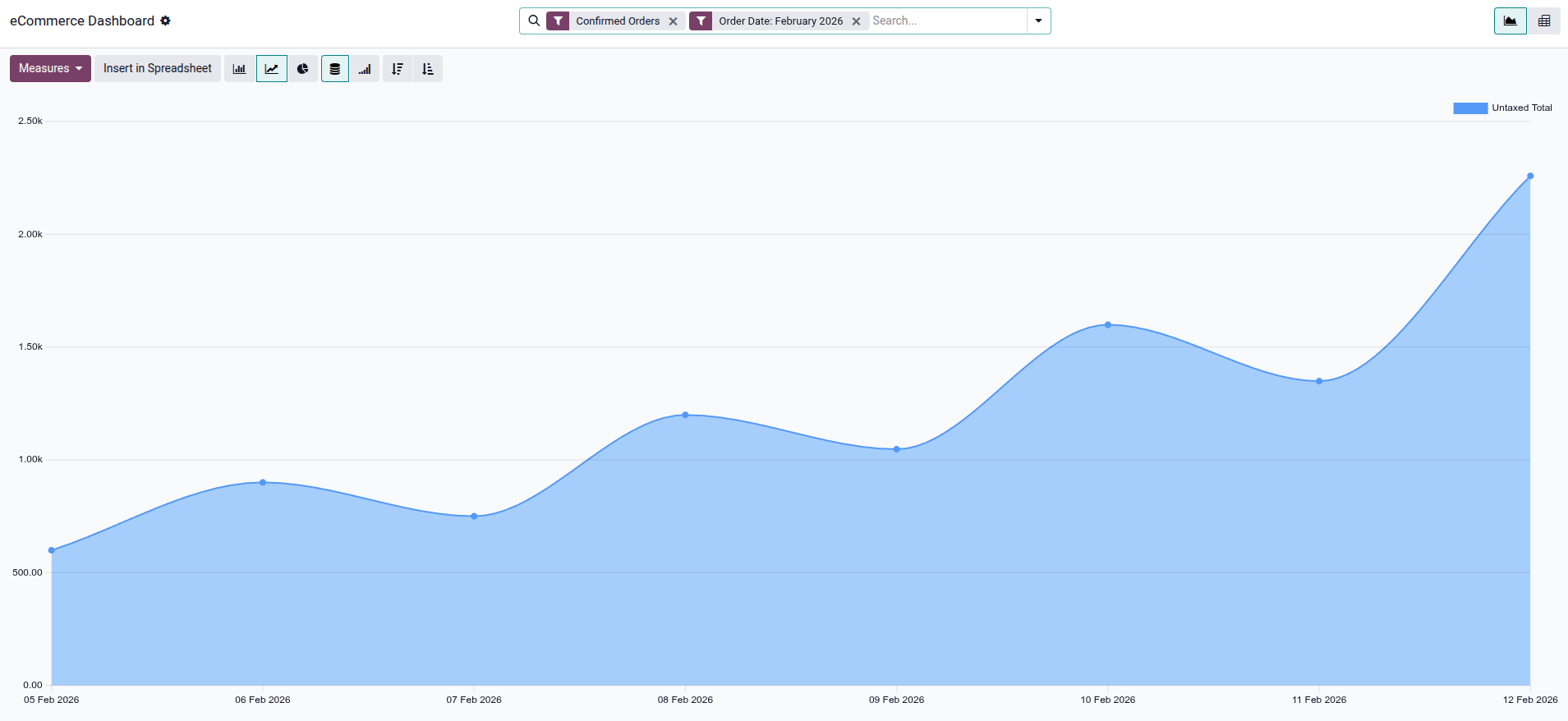
Vizualizarea raportărilor eCommerce vă permite să monitorizați și să analizați performanța vânzărilor online. Pentru a accesa raportul, accesați . Tabloul de bord eCommerce ajută la monitorizarea a tot ce ține de magazinul online, de exemplu, performanța vânzărilor pe produs sau categorie. Implicit, graficul afișează date pentru Comenzi confirmate și luna curentă.
Faceți clic pe butonul Măsuri pentru a selecta metrica de analizat, cum ar fi Reducere %, Cant. facturată, Total fără taxe (implicit) sau Volum. Puteți, de asemenea, să comutați între vizualizările pivot și grafic, și să creați o foaie de calcul făcând clic pe Inserează în foaia de calcul.
Optimizarea cozii de e-mailuri
Pentru website-urile care gestionează vânzări rapide (de exemplu, bilete la evenimente) sau au vârfuri mari de trafic, e-mailurile de confirmare a comenzii pot deveni un blocaj de performanță, încetinind procesul de finalizare pentru alți clienți.
Pentru a îmbunătăți performanța, aceste e-mailuri pot fi puse în coadă și procesate separat de fluxul de confirmare a comenzii. Acest lucru este gestionat de acțiunea programată Sales: Send pending emails, care trimite e-mailurile din coadă cât mai repede posibil.
Pentru a activa trimiterea asincronă a e-mailurilor:
Activați Modul dezvoltator (mod depanare).
Deschideți aplicația Setări și accesați .
Căutați parametrul de sistem sale.async_emails, setați Valoarea la
Trueși faceți clic pe Salvează.Navigați la .
Selectați acțiunea programată Vânzări: Trimite e-mailuri în așteptare.
Asigurați-vă că comutatorul Activ este activat.
Avertisment
Această configurație este recomandată doar pentru site-urile web cu trafic ridicat, deoarece poate introduce întârzieri inutile pentru e-mailurile de confirmare a comenzilor și facturilor pe site-urile web cu trafic moderat.