
パフォーマンス管理
Odoo は、e コマースのパフォーマンスを:ref:`監視および分析 <ecommerce/performance/data-monitoring>`し、トラフィックが多い期間にオーダ確定メールの処理を:ref:`最適化 <ecommerce/performance/email_queue>`するための強力なツールを提供します。
データモニタリング
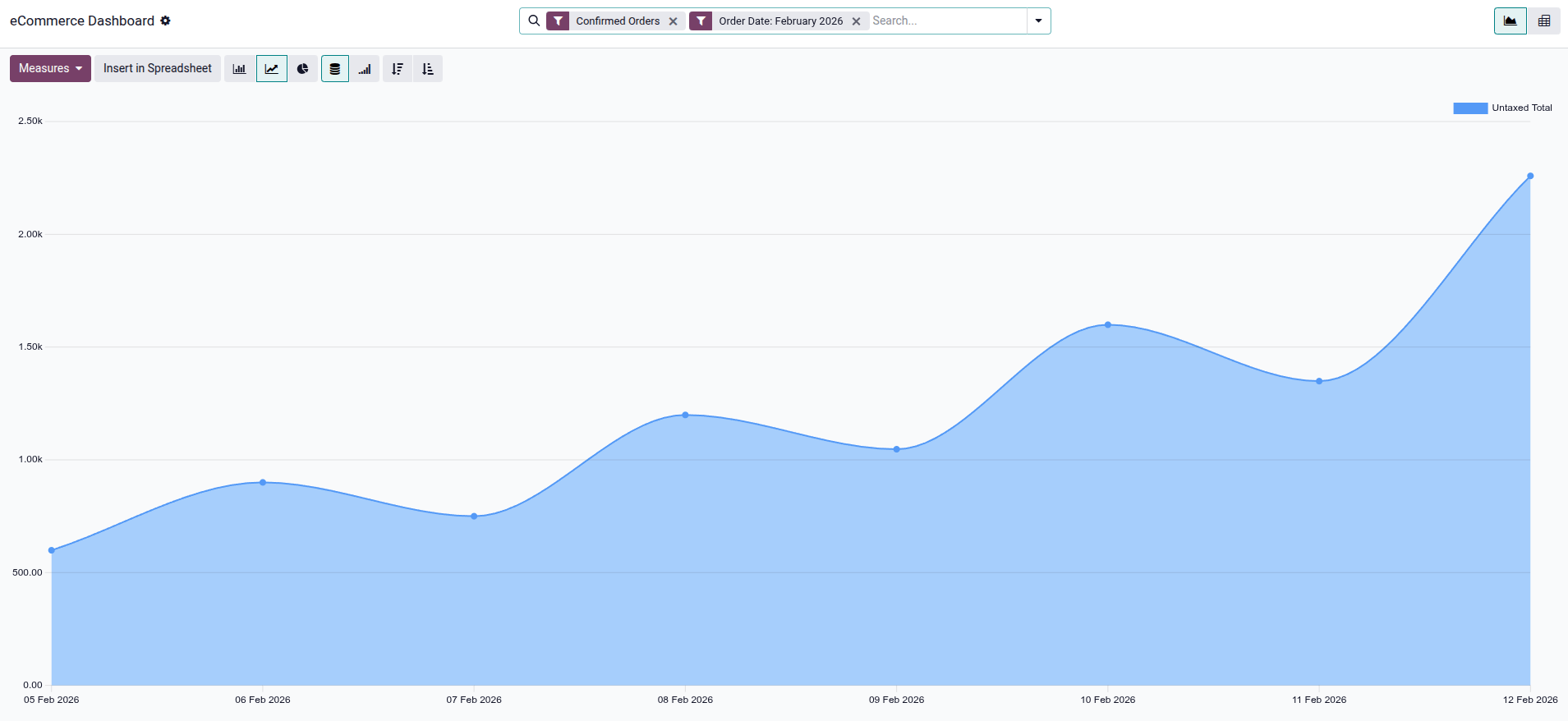
eコマースレポーティングビューでは、オンライン販売のパフォーマンスを監視および分析できます。アクセスするには、:menuselection:`ウェブサイト --> レポーティング --> eコマース`に移動します。:guilabel:`eコマースダッシュボード`は、プロダクトやカテゴリ別の販売パフォーマンスなど、オンラインショップに関連するすべての監視に役立ちます。デフォルトでは、グラフに:guilabel:`確定済みオーダ`と当月のデータが表示されます。
測定値ボタンをクリックして、割引 %、請求済み数量、税抜合計(デフォルト)、またはボリュームなどの分析する指標を選択します。また、ピボットビューとグラフビューを切り替えたり、スプレッドシートに挿入をクリックしてスプレッドシートを作成したりできます。
送信予約メール(メールキュー)の最適化
フラッシュセール(例:イベントチケット販売)やアクセスが急増するウェブサイトでは、注文確認メールの送信がパフォーマンスのボトルネックとなり、他の顧客のチェックアウト処理が遅くなる可能性があります。
このパフォーマンス問題を改善するために、注文確認メールはキューに追加され、注文処理フローとは別に非同期で処理されるようにできます。この処理は、 販売: 保留中のメールを送信 というスケジュールされたアクションによって管理され、可能な限り早くメールを送信します。
非同期メール送信を有効にする方法:
開発者モード (デバッグモード)を有効にします。
設定アプリを開きに移動します。
sale.async_emailsシステムパラメータを検索し、その値を
Trueに設定して保存をクリックします。に移動します。
販売:保留中のメールを送信スケジュール済アクションを選択します。
稼働中スイッチが有効になっていることを確認します。
注意
この設定は、トラフィックの多いウェブサイトにのみ推奨されます。トラフィックが中程度のウェブサイトでは、オーダ確定メールや請求書メールに不要な遅延が発生する可能性があります。