
サブスクリプションのアップセル
Subscriptions are recurrent, and go on indefinitely. As time passes, customers may want to modify them. With that in mind, it is imperative to have the ability to adapt prices, or change quantities, to accommodate any need. That is where the opportunity to upsell a subscription can come into play.
アップセルは、次のような顧客タイプにとって有益です:
- ロイヤル顧客このような顧客は、すでにその企業/ブランドを信頼しており、プロダクト/サービスに対して支払うというパターンを確立しているため、より高価なプロダクト/サービスを販売する背景により確認が持てます。
- 新規顧客企業やブランドをよく知らない新規顧客に、より高価なプロダクトやサービスを購入してもらうには、新しく魅力的な戦略が必要になります。
このような場合には、値引が役に立ちます。通常、サブスクリプションは一定期間で終了します。
そのため、こうした高価なプロダクト/サービスを新規顧客に値引価格で提供すれば、販売につながると同時に、顧客と企業/ブランドとの間に強い信頼感を築くことができます。その結果、顧客は時間の経過とともに安心感と信頼感を増し、顧客リテンションを高めることができます。
値引設定
値引を利用して新規顧客にサブスクリプションをアップセルするためには、値引 機能を有効にする **必要があります **。
*値引*機能を有効にするには、 に移動し、 価格設定 セクションまでスクロールし、 値引 の横にあるチェックボックスにチェックを入れます。そして 保存 をクリックします。
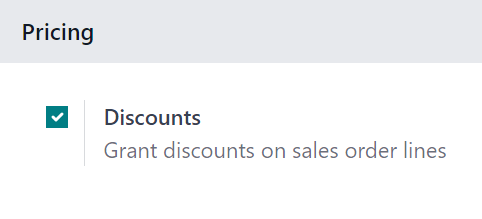
この機能を有効にすると、販売オーダ明細に値引を適用することができます。
サブスクリプションのアップセル
Before upselling a subscription, check out our documentation on how to create a quotation using subscription products.
サブスクリプション付きの見積を確認すると、正式に販売オーダとなり、Odoo サブスクリプション アプリケーションに新しいサブスクリプションが作成されます。
注釈
サブスクリプション販売オーダは、アップセルを行う 前 に請求書を発行する 必要があります。
販売 または サブスクリプション アプリケーションのいずれかで、サブスクリプションの販売オーダが開かれると、販売オーダの上部にある アップセル ボタンを介して、そのサブスクリプションをアップセルする機能が利用可能になります。

When the Upsell button is clicked, a new quotation form appears, with an Upsell status banner in the upper-right corner. The initial subscription product is already in the Order Lines tab.
There is also a warning reminding the user that the recurring products are discounted, according to the prorated period of time, located beneath the initial subscription product in the Order Lines tab.
重要
日割り計算された付与数は、サービスプロダクトタイプのみに適用されます。メッセージが表示されても、消耗品または在庫可能プロダクトタイプには適用されません。
From this new upsell quotation form, add new subscription products in the Order Lines tab, by clicking Add a product, and selecting the desired subscription product.

Once the desired upsell subscription products have been added, it can be sent to the customer for approval by clicking the Send by Email button.
重要
見積が顧客によって確認されると、アップセルプロダクトが最初のサブスクリプションに追加されます。見積価格は、現在の請求書発行期間の残りの期間で日割計算されます。
注釈
新しい見積を顧客に送信する前に、単価、税金、さらには値引を適用することができます。
Once the customer approves, click the Confirm button on the quotation to convert it into a sales order. A Sales History smart button appears, displaying how many sales orders are attached to this initial subscription order.
販売履歴 スマートボタンをクリックすると、Odooは関連する販売オーダのリストを含む別ページを表示し、それぞれの サブスクリプションステータス を明確に表示します。

参照