
Adyen
Adyen is a Dutch company that offers several online payment possibilities.
Note
Adyen is more focused on enterprise customers and may require a minimum number of transactions and a minimum processed volume.
Adyen configuration
Create an Adyen account if necessary and log into your Adyen Customer Area.
Tip
Log into your Test account to try the integration without charging customers. Switch to your Live account once you are ready to accept payments.
Contact the Adyen support team to enable the Multiple partial capture feature.
In the Adyen Customer Area, go to and click the relevant API credential user name in the list or click Create new credential to create a new one.
In the Server settings section, click Generate API key, then click the (Copy API key) icon and save the value for the Odoo configuration step.
In the Client settings section, click Generate client key, then click the (Copy client key) icon and save the value for the Odoo configuration step.
Enter your Odoo database URL in the Add allowed origins field, then click Add.
Click Save changes at the bottom of the page.
Go to in the left menu and click Create new webhook.
In the Create new webhook popup, click Add on the Standard webhook line.
On the Webhook generation form, in the Server configuration section, enter your Odoo database URL followed by
/payment/adyen/notification.In the Security section, click Generate under HMAC, then click the (Copy HMAC to the clipboard) icon and save the value for the Odoo configuration step.
Click Save configuration at the bottom of the page.
Go to , then copy the Prefix and save the value for the Odoo configuration step.
Odoo configuration
Fill in the Merchant Account, API Key, Client Key, HMAC Key, and API URL Prefix fields with the values saved at the Adyen configuration step.
Configure the remaining options as needed.
Set the State field to Enabled.
Tip
If you want to test Adyen without affecting live transactions, use your Test account credentials, enter
https://checkout-test.adyen.com in the API URL Prefix field, and set the
State field to Test Mode.
Manual capture
To enable manual capture for Adyen payments, follow these steps:
Go to the Configuration tab and enable Capture Amount Manually.
Log in to your Adyen Customer Area, then go to and click Company in the Account management section.
In the General section, click the (Edit property) icon next to the Capture Delay field.
In the popup, set the Capture delay field to Manual and click Save.
Note
If the transaction is not captured within 7 days, the customer is entitled to revoke it.
You can manually capture and refund payments directly from your Adyen Customer Area.
See also
Supported payment methods

ACH Direct Debit

Affirm

Afterpay

Alipay

AliPayHK

Alma

BACS Direct Debit

Bancontact

Benefit

Bizum

BLIK

Card

Cash App Pay

Clearpay

Dana

DuitNow

EPS

FPX

GCash

GoPay

iDEAL

KakaoPay

Klarna
Klarna - Pay Now
Klarna - Pay over time
MB WAY

MobilePay

MoMo

Multibanco

Napas Card
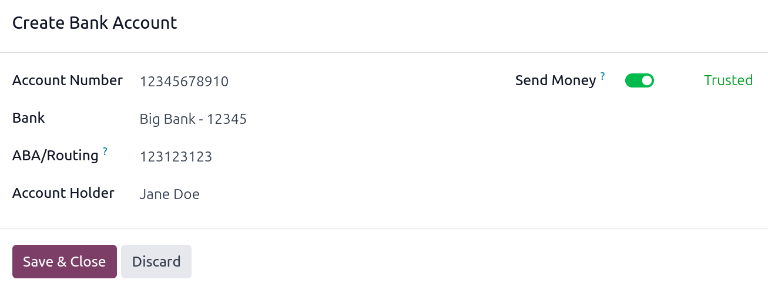
Online Banking Czech Republic
Online Banking India
Online Banking Slovakia
Online Banking Thailand
Open banking

P24

PayBright

PaySafeCard
PayNow

Paypal

Paytm

Paytrail

Pix

Prompt Pay

Ratepay

Samsung Pay

SEPA Direct Debit

Swish

Touch’n Go

Trustly

Twint

UPI

Vipps
Wallets India

Walley

WeChat Pay

Zip