Convertire i Lead in opportunità
Leads act as qualifying steps before an opportunity is created. This provides additional time before a potential opportunity is assigned to a sales person.
Configurazione
Per attivare le impostazioni relative ai lead, accedi all’app e spunta la casella Lead. Infine, fai clic su Salva.
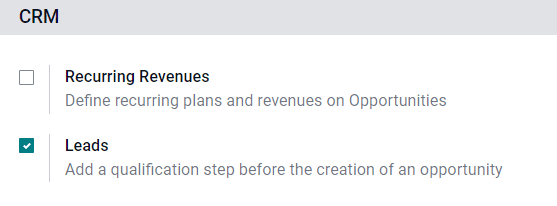
Activating this feature adds a new menu, Leads, to the header menu bar at the top of the screen.

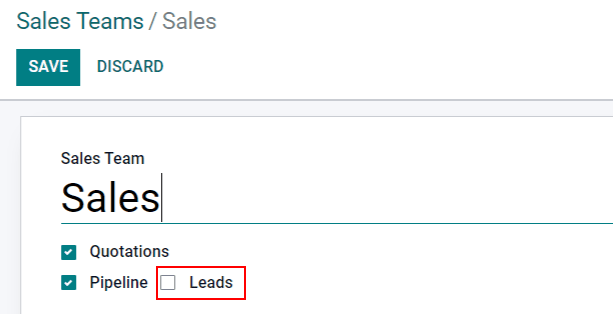
Once the Leads setting has been activated, it applies to all sales teams by default. To turn off leads for a specific team, navigate to . Then, select a team from the list to open the record, and uncheck the Leads box. Once done, click Save.
Convertire un Contatto in Opportunità
To convert a lead into an opportunity, navigate to , and click on a Lead from the list to open it.
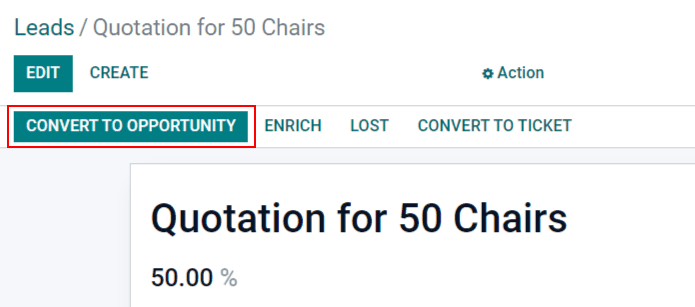
In the upper-left corner of the screen, click the Convert to Opportunity button, which opens a Convert to opportunity pop-up window.
On the Convert to opportunity pop-up window, in the Conversion action field, select the Convert to opportunity option.
Nota
If a lead, or an opportunity, already exists in the database for this customer, Odoo automatically suggests merging both leads/opportunities. For more information on merging leads and opportunities, see the section on how to merge leads below.
Then, select a Salesperson and a Sales Team to which the opportunity should be assigned.
Se il lead è già stato assegnato a un addetto vendite o a un team, vengono popolati automaticamente con le informazioni.
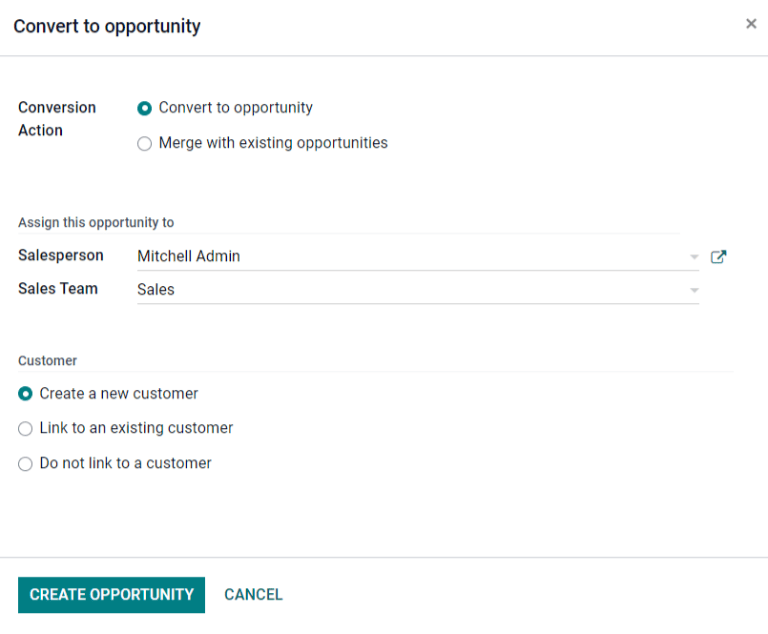
Nella sezione Cliente, scegli una delle seguenti opzioni:
Create a new customer: Choose this option to use the information in the lead to create a new customer.
Link to an existing customer: Choose this option, then select a customer from the resulting drop-down menu, to link this opportunity to the existing customer record.
Do not link to a customer: Choose this option to convert the lead, but not link it to a new or existing customer.
Infine, quando tutte le impostazioni sono state configurate, fai clic su Crea opportunità.
Merge leads and opportunities
Odoo automatically detects similar leads and opportunities by comparing the email addresses of the associated contacts. If a similar lead/opportunity is found, a Similar Lead smart button appears at the top of the lead/opportunity record.
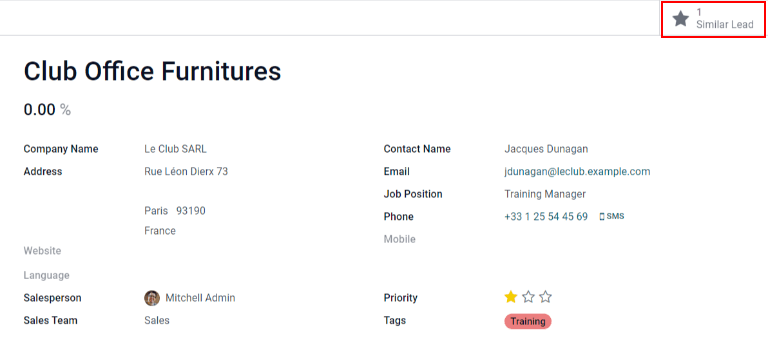
Per confrontare i dettagli di lead/opportunità simili, fai clic sul pulsante Lead simili. Si aprirà una vista kanban con i lead/opportunità simili. Fai clic su ogni scheda per visualizzare i dettagli di ogni lead/opportunità e conferma se è necessario unirli.
Importante
Durante l’unione, Odoo dà la priorità al lead/opportunità che è stato creato per primo nel sistema, unendo le informazioni nel primo lead/opportunità creato. Tuttavia, se vengono uniti un lead e un’opportunità, il record risultante viene definito opportunità, indipendentemente dal record creato per primo.
Dopo aver confermato l’unione dei lead/opportunità, torna alla vista kanban tramite il percorso di navigazione oppure facendo clic sul pulsante Lead simili. Fai clic sull’icona ☰ (tre righe orizzontali) per modificare la vista elenco.
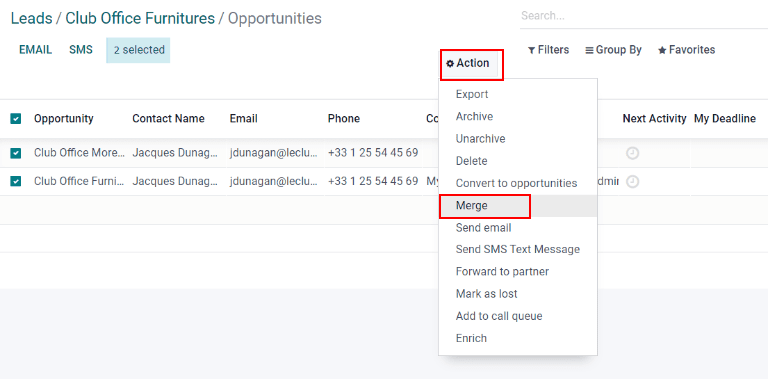
Check the box on the left of the page for the leads/opportunities to be merged. Then, click the Action ⚙️ (gear) icon at the top of the page, to reveal a drop-down menu. From that drop-down menu, select the Merge option to merge the selected opportunities (or leads).
Una volta selezionata l’azione Unisci dal menu a tendina Azioni ⚙️ (ingranaggio), apparirà la finestra pop-up Unisci. Nella finestra, scegli se assegnare l’opportunità a un Addetto vendite e/o a un Team vendite.
In basso ai campi verranno elencati i lead/opportunità da unire insieme alle informazioni correlate. Per unire i lead/opportunità selezionati, fai clic su Unisci.
Nota
Quando vengono unite delle opportunità, tutte le informazioni vengono trasferite correttamente, I dati dell’altra opportunità vengono registrati nel chatter e nei campi informazioni.