
Is there a way to customize the name of the files I download from Odoo automatically, in order to, for example, add the name of the client?
Odoo is the world's easiest all-in-one management software.
It includes hundreds of business apps:
- CRM
- e-Commerce
- Kế toán
- Tồn kho
- PoS
- Dự án
- MRP
Câu hỏi này đã bị gắn cờ
2
Trả lời
1779
Lượt xem

- Enable developer mode from settings
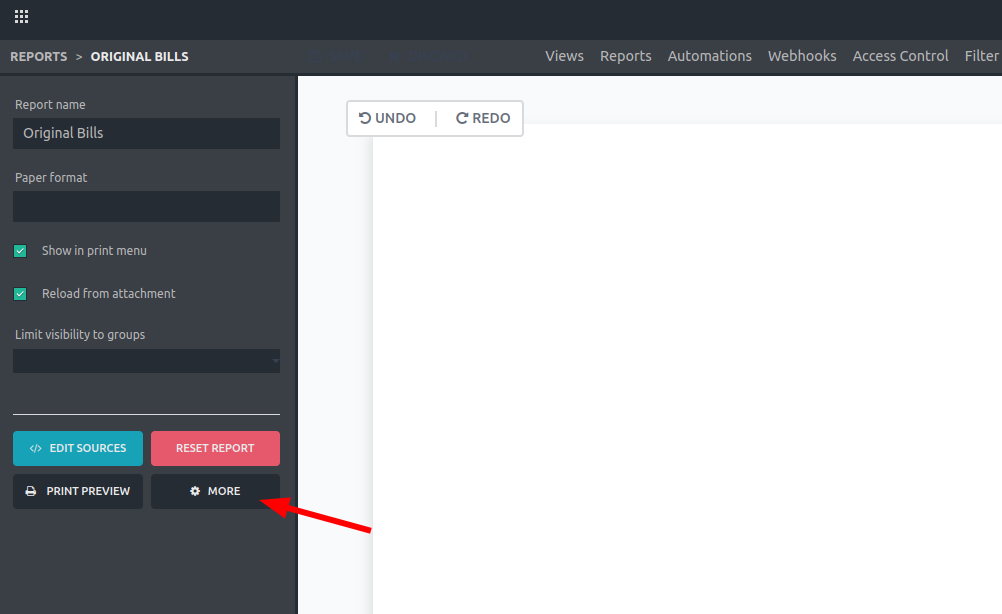
- Enter Studio and open the report you want to edit. Click on "More".

Note: If you don’t have Studio you can look for the report inside the "Reports" model. Use CNTRL + K + "/" to look for this model.
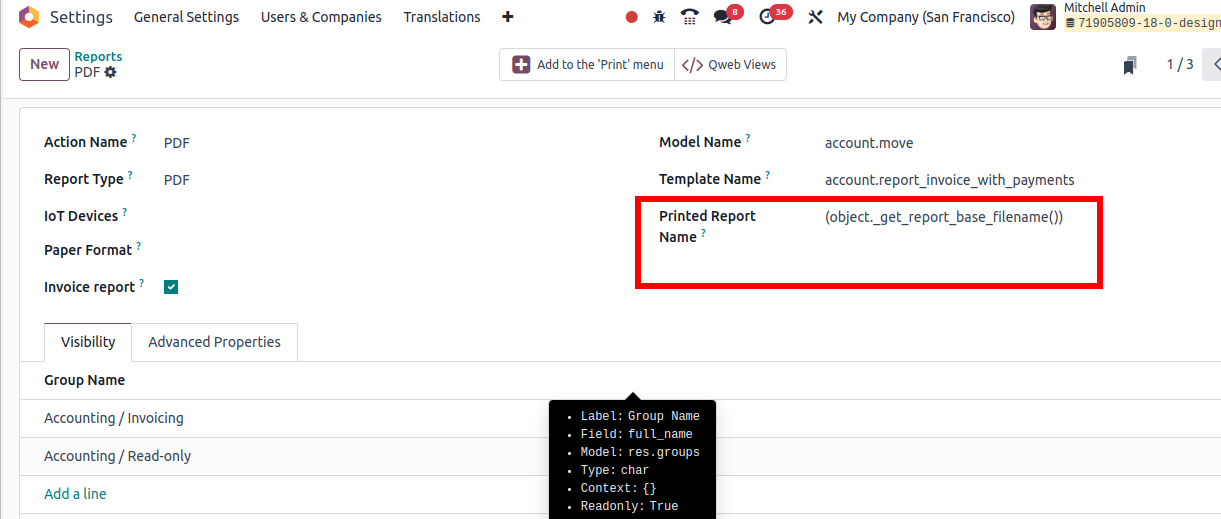
3. Change “Printed Report Name” field
Example: 'Sale number ' + (object.name) + ' for ' + (object.partner_id.name)
Here you can use python expressions

Explanation of the structure:
- Use quotes ('') in case you want to add specific text
- Use “+” to concatenate different elements
- Use object.field between parenthesis to specify a field to use. Make sure to use the technical name of the field
Or
- Put all the text between quotes (''),
- Inside this same text, specify the fields using “%s”,
- Add “%” out of the quotes
- Add all the technical names of the fields between parenthesis (adding “object”, and separated by commas as shown below)
Example: 'Sale number %s for %s' % (object.name, object.partner_id.name)

Note that you can retrieve fields from inside other related records like the name of the client in a sale order (object.partner_id.name), just make sure which fields are available in the corresponding model and use the technical name. You can even use new fields added with studio!
Tip: Enable developer mode from settings to see the technical name of the fields when positioning the mouse over the “?” symbol

Result of the example showed above:


If you are paying Studio:
- Open Studio in the model where is located the file:
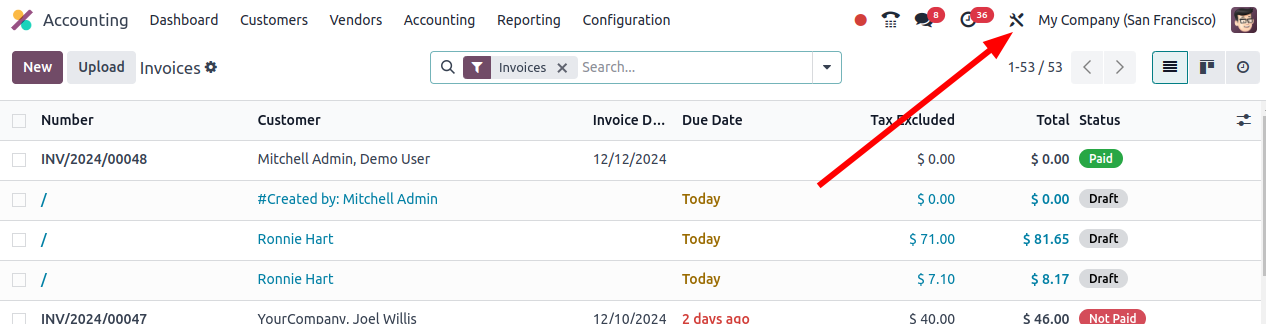
2. Select the report
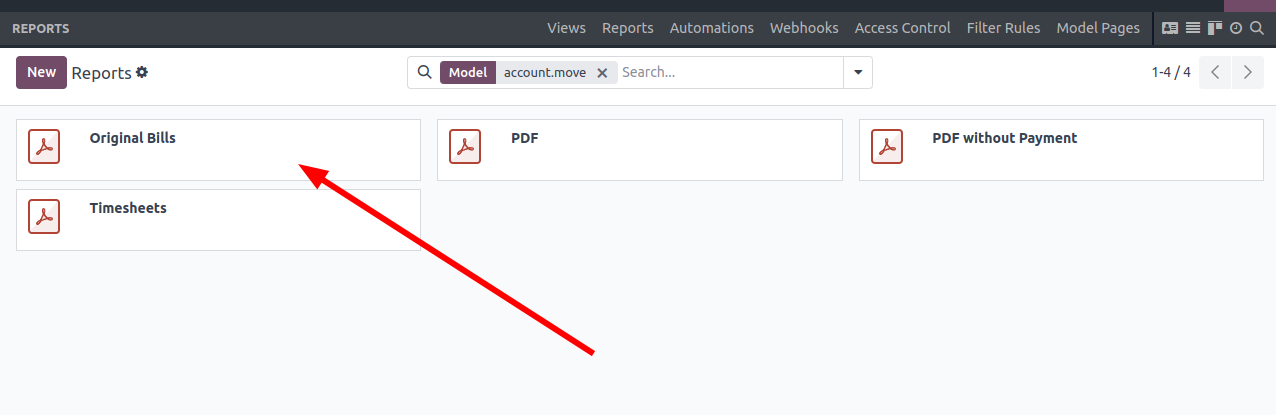
3. In developer mode, click on "more":
4. In this case, I am going to add the name of the client/provider:
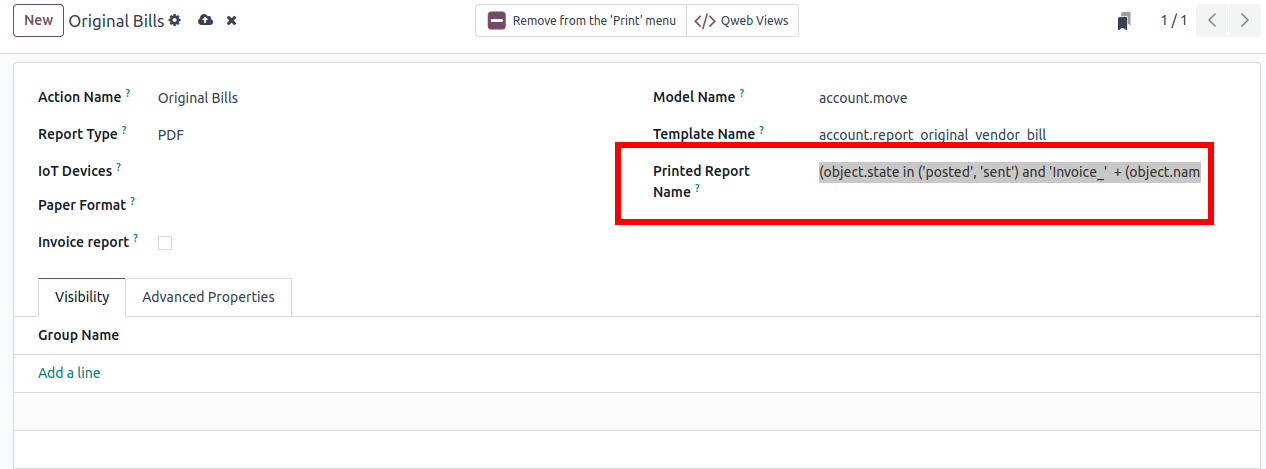
(object.state in ('posted', 'sent') and 'Invoice_' + (object.name) + '-' + (object.partner_id.name))
Without Studio:
- Go to Settings/Technical/Actions/Reports
- Select the report:
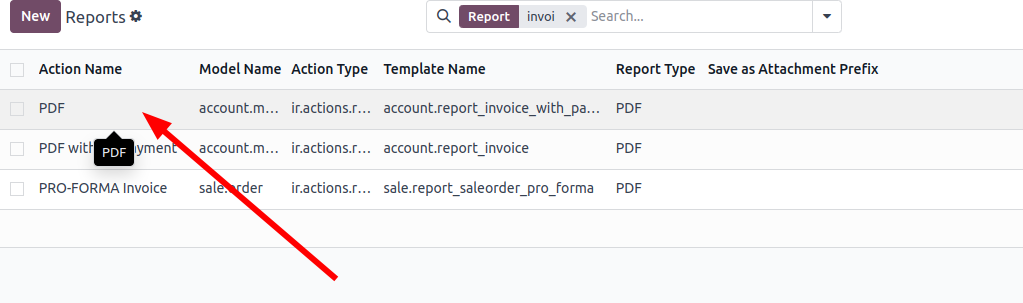
This one is for invoices.
Bạn có hứng thú với cuộc thảo luận không? Đừng chỉ đọc, hãy tham gia nhé!
Tạo tài khoản ngay hôm nay để tận hưởng các tính năng độc đáo và tham gia cộng đồng tuyệt vời của chúng tôi!
Đăng ký| Bài viết liên quan | Trả lời | Lượt xem | Hoạt động | |
|---|---|---|---|---|


|
2
thg 10 25
|
1085 | ||

|
1
thg 11 25
|
1713 | ||

|
0
thg 8 25
|
1553 | ||

|
2
thg 8 25
|
2053 | ||
|
Does Odoo manage WebP ?
Đã xử lý
|


|
3
thg 7 25
|
4814 |
