
Is there a way to customize the name of the files I download from Odoo automatically, in order to, for example, add the name of the client?
Odoo is the world's easiest all-in-one management software.
It includes hundreds of business apps:
- 客戶關係
- e-Commerce
- 會計
- 庫存
- PoS
- 專案管理
- MRP
此問題已被標幟
2
回覆
1762
瀏覽次數

- Enable developer mode from settings
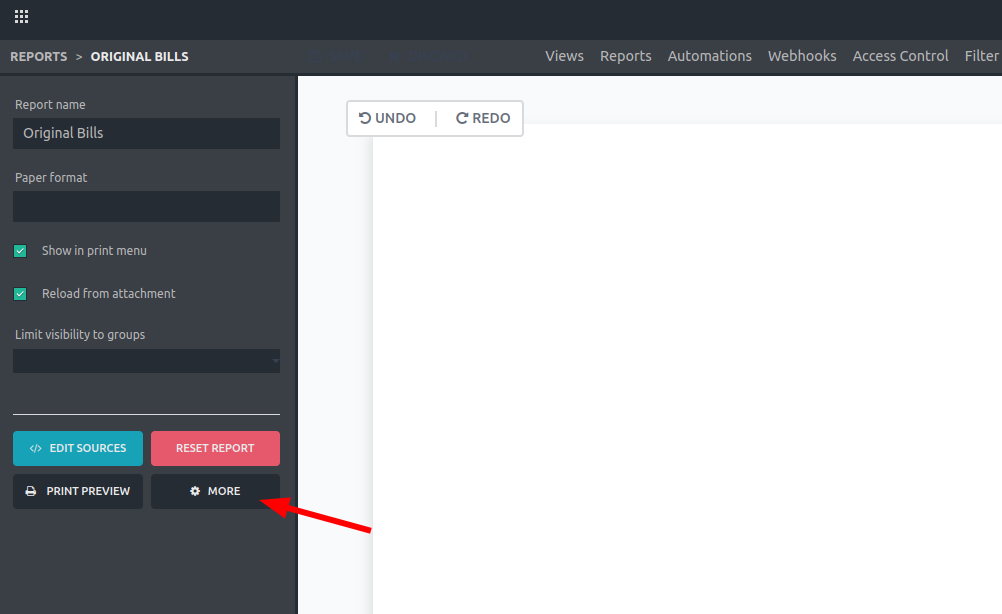
- Enter Studio and open the report you want to edit. Click on "More".

Note: If you don’t have Studio you can look for the report inside the "Reports" model. Use CNTRL + K + "/" to look for this model.
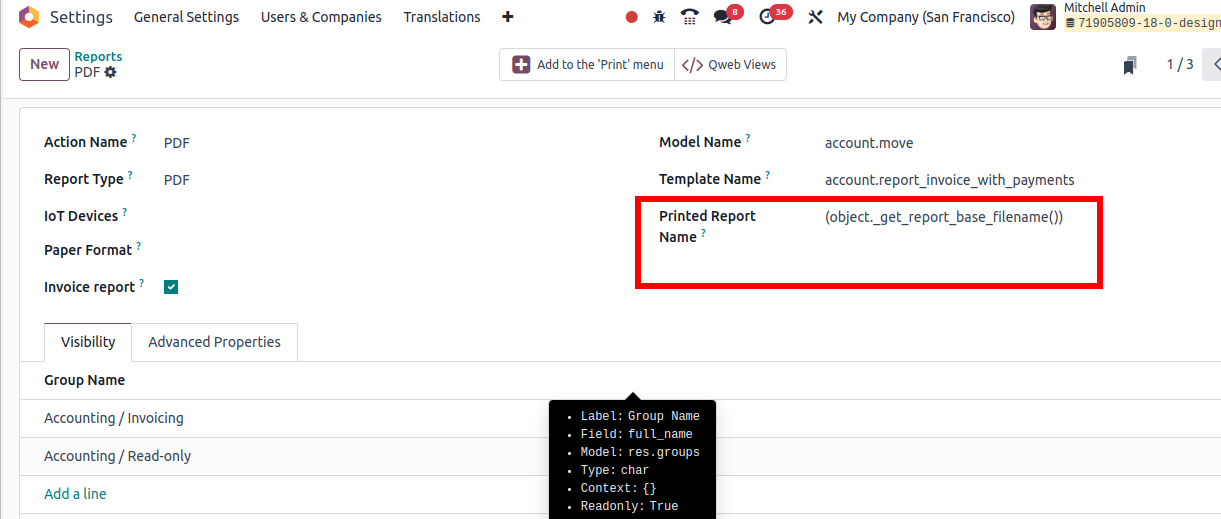
3. Change “Printed Report Name” field
Example: 'Sale number ' + (object.name) + ' for ' + (object.partner_id.name)
Here you can use python expressions

Explanation of the structure:
- Use quotes ('') in case you want to add specific text
- Use “+” to concatenate different elements
- Use object.field between parenthesis to specify a field to use. Make sure to use the technical name of the field
Or
- Put all the text between quotes (''),
- Inside this same text, specify the fields using “%s”,
- Add “%” out of the quotes
- Add all the technical names of the fields between parenthesis (adding “object”, and separated by commas as shown below)
Example: 'Sale number %s for %s' % (object.name, object.partner_id.name)

Note that you can retrieve fields from inside other related records like the name of the client in a sale order (object.partner_id.name), just make sure which fields are available in the corresponding model and use the technical name. You can even use new fields added with studio!
Tip: Enable developer mode from settings to see the technical name of the fields when positioning the mouse over the “?” symbol

Result of the example showed above:


If you are paying Studio:
- Open Studio in the model where is located the file:
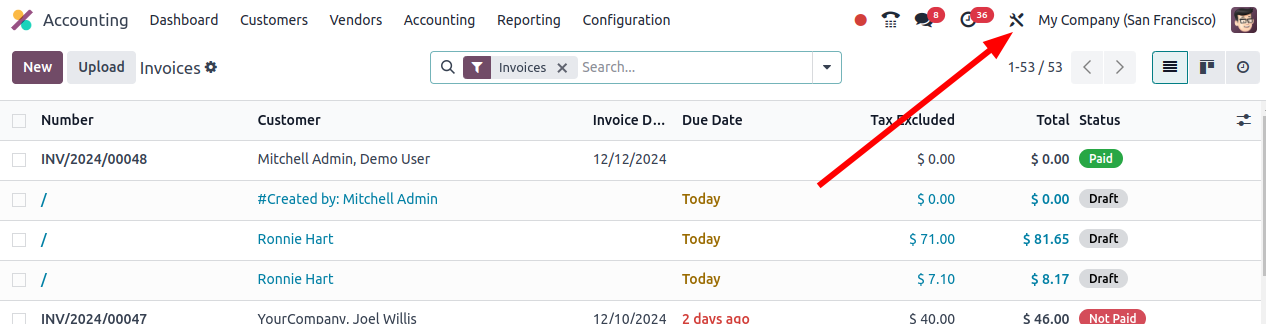
2. Select the report
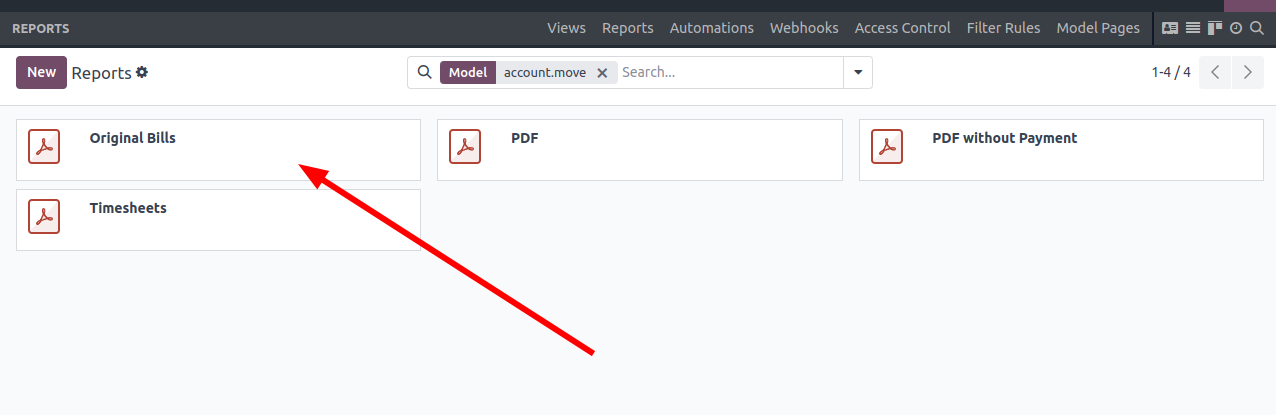
3. In developer mode, click on "more":
4. In this case, I am going to add the name of the client/provider:
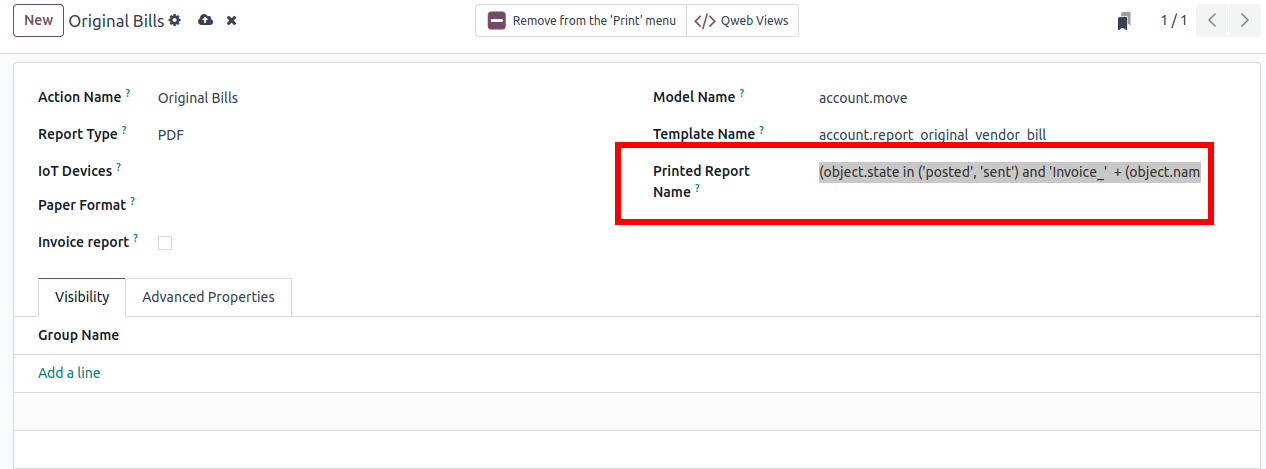
(object.state in ('posted', 'sent') and 'Invoice_' + (object.name) + '-' + (object.partner_id.name))
Without Studio:
- Go to Settings/Technical/Actions/Reports
- Select the report:
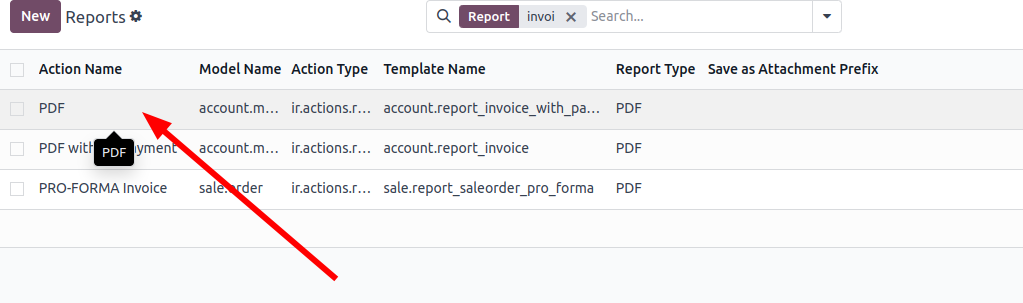
This one is for invoices.
| 相關帖文 | 回覆 | 瀏覽次數 | 活動 | |
|---|---|---|---|---|


|
2
10月 25
|
1082 | ||

|
1
11月 25
|
1709 | ||

|
0
8月 25
|
1551 | ||

|
2
8月 25
|
2047 | ||


|
3
7月 25
|
4810 |
