I want to know how Odoo manages the different timezones and date format for the Backend and PDFs
Version: 19
Related forum post: Format Dates in PDF based on Customer Timezone and Language


I want to know how Odoo manages the different timezones and date format for the Backend and PDFs
Version: 19
Related forum post: Format Dates in PDF based on Customer Timezone and Language
Timezone in Computer | Backend field |
Mexico City, Mexico |  |
Tokyo, Japan |  |
Language | Setting |
Spanish (Latin America) / Español (América Latina) |  |
English (US) |  |


User Language | User Time zone | Result in the PDF Report |
Spanish (Latin America) / Español (América Latina) | Mexico City, Mexico |  |
Spanish (Latin America) / Español (América Latina) | Tokyo, Japan |  |
English (US) | Tokyo, Japan |  |
English (US) | Mexico City, Mexico |  |

<span t-field="doc.x_studio_datetime" t-options="{'widget': 'date'}"/><span t-out="doc.x_studio_datetime.strftime('%d/%b/%Y %I:%M %p')"/>Date components | Time components | ||||||||||||||||||||||||||||||||
|
|
Week / Weekday | Quick preset | ||||||||||||||||||||||
|
|
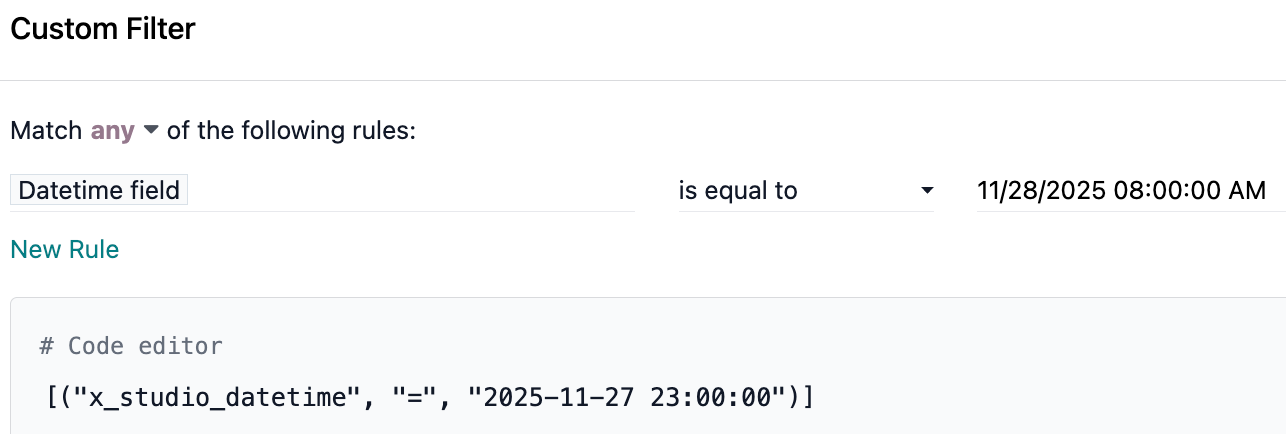
Prompt | Result in Odoo Backend for Mexico City timezone |
 |  |
Prompt | Result in Odoo Backend |
 |  |
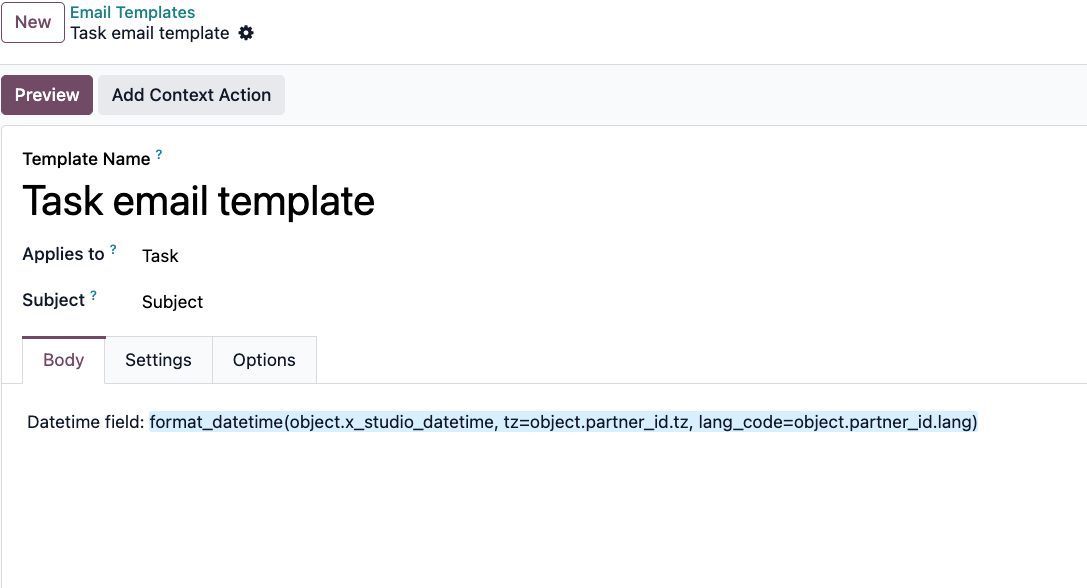
When adding a datetime field to an email template, it will be added (and we can edit it from the template code) with a format_datetime function.
Here, we could set the timezone, language code, and specific datetime format.

Create an account today to enjoy exclusive features and engage with our awesome community!
Sign up| Related Posts | Replies | Views | Activity | |
|---|---|---|---|---|
|
|
1
Nov 25
|
1472 | ||

|
1
Mar 26
|
1312 | ||
|
|
0
Dec 25
|
21 | ||


|
3
May 26
|
349 | ||

|
1
Mar 26
|
3315 |
1. Use the live chat to ask your questions.
2. The operator answers within a few minutes.
