
Just started using Odoo v15 so apologies for the rookie question. The system tells me I have quantity of 10 in my warehouse for a given product. It also shows me 4 of them have been reserved. How can I find the related Sales Order(s) that have grabbed my 4 reserved units? I would like to "Unreserve" some of them to increase the available quantity to 8 so I can allocate them to a new high priority Sales Order
Odoo is the world's easiest all-in-one management software.
It includes hundreds of business apps:
- CRM
- e-Commerce
- Účtovníctvo
- Sklady
- PoS
- Projektové riadenie
- MRP
This question has been flagged
2
Replies
2420
Zobrazenia


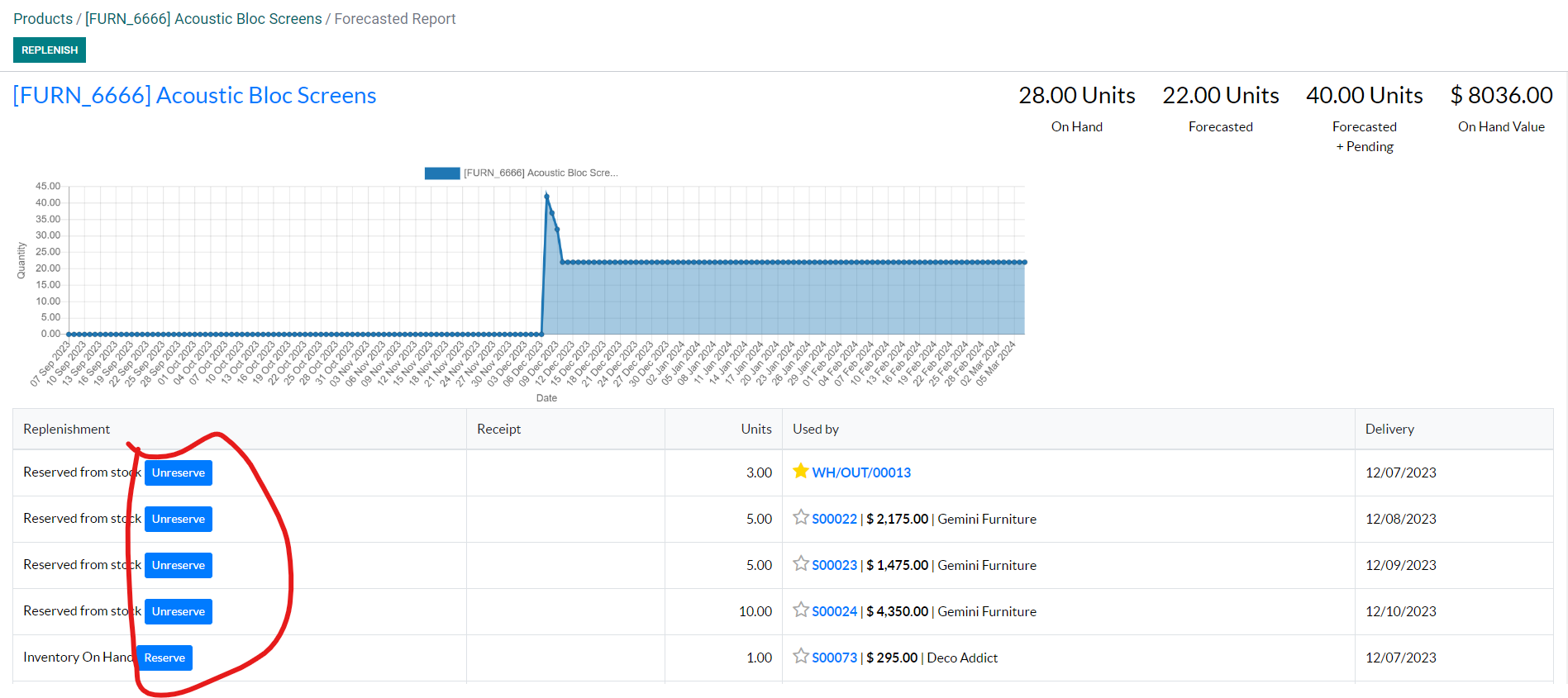
You have various options for releasing the reserved materials.
Click Forecast
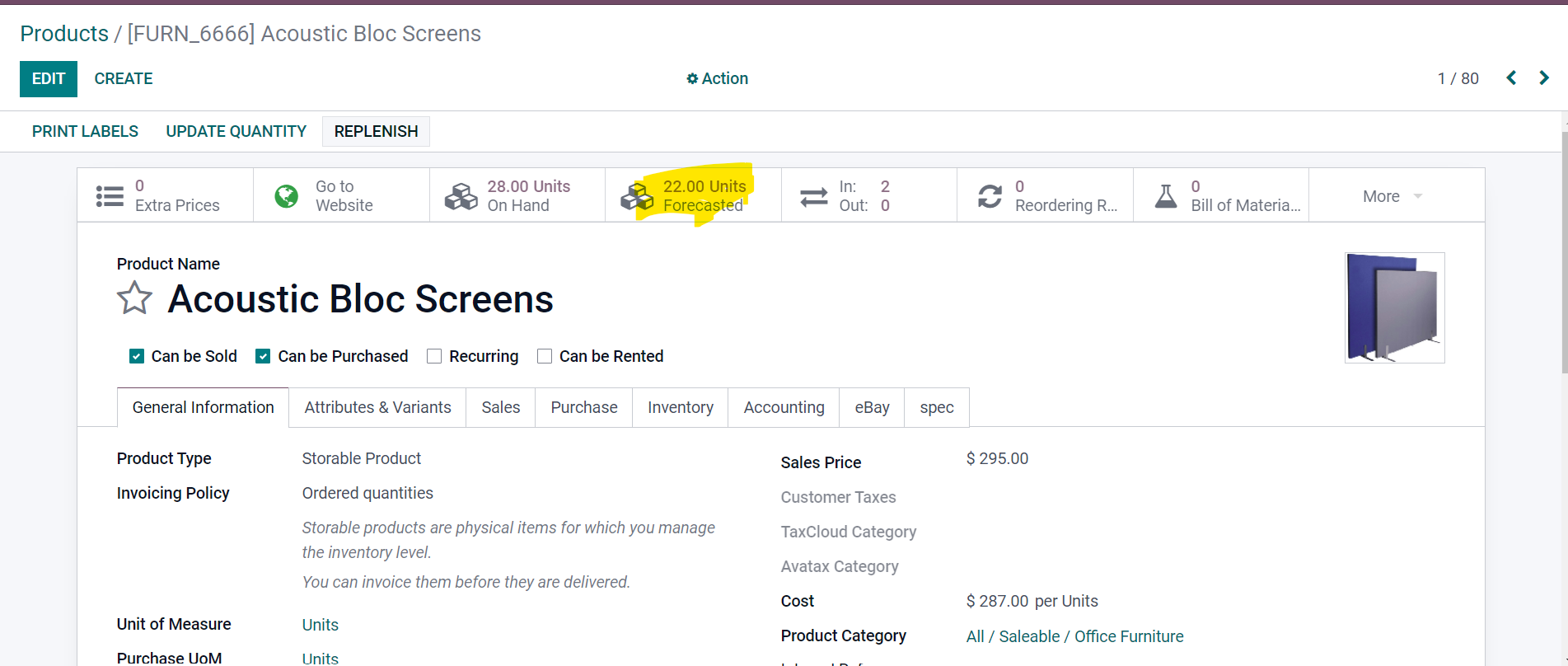
You can unreserve / reserve products as per your wish.
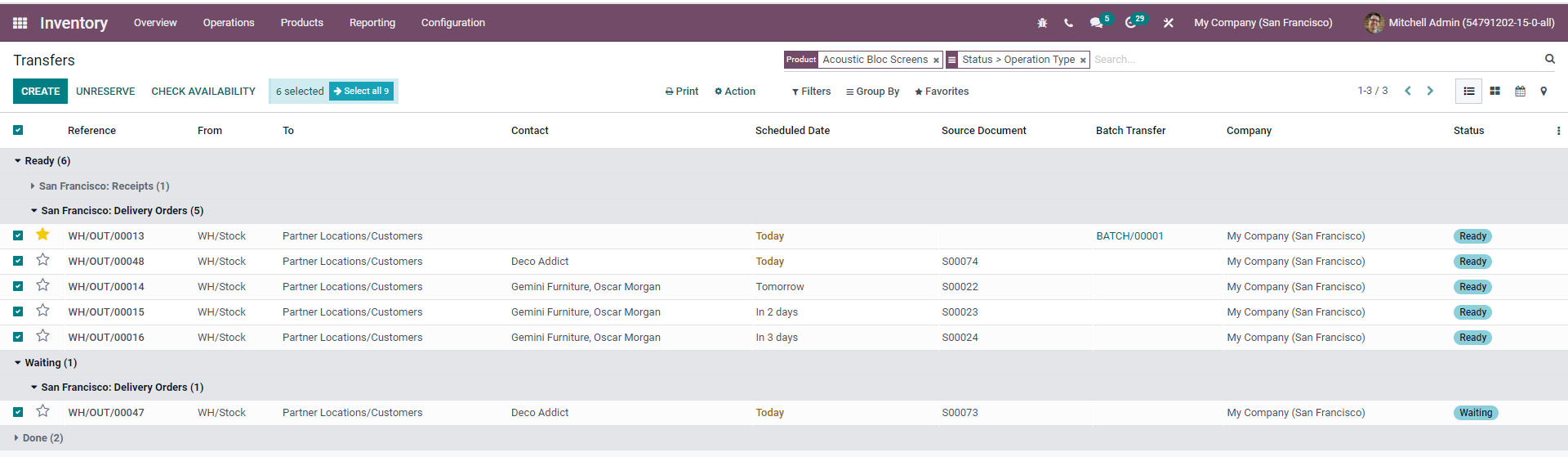
Another option go to Inventory --> Transfers --> Search by product --> Then unreserve
Brilliant, thank you very much!
Enjoying the discussion? Don't just read, join in!
Create an account today to enjoy exclusive features and engage with our awesome community!
Registrácia| Related Posts | Replies | Zobrazenia | Aktivita | |
|---|---|---|---|---|

|
0
júl 23
|
1437 | ||


|
1
okt 19
|
589 | ||


|
2
mar 15
|
7709 | ||


|
2
máj 22
|
9741 |
