
How to export response data with custom fields in the event registration form.
Odoo is the world's easiest all-in-one management software.
It includes hundreds of business apps:
- CRM
- e-Commerce
- Accounting
- Inventory
- PoS
- Project
- MRP
This question has been flagged
1
Reply
1116
Views


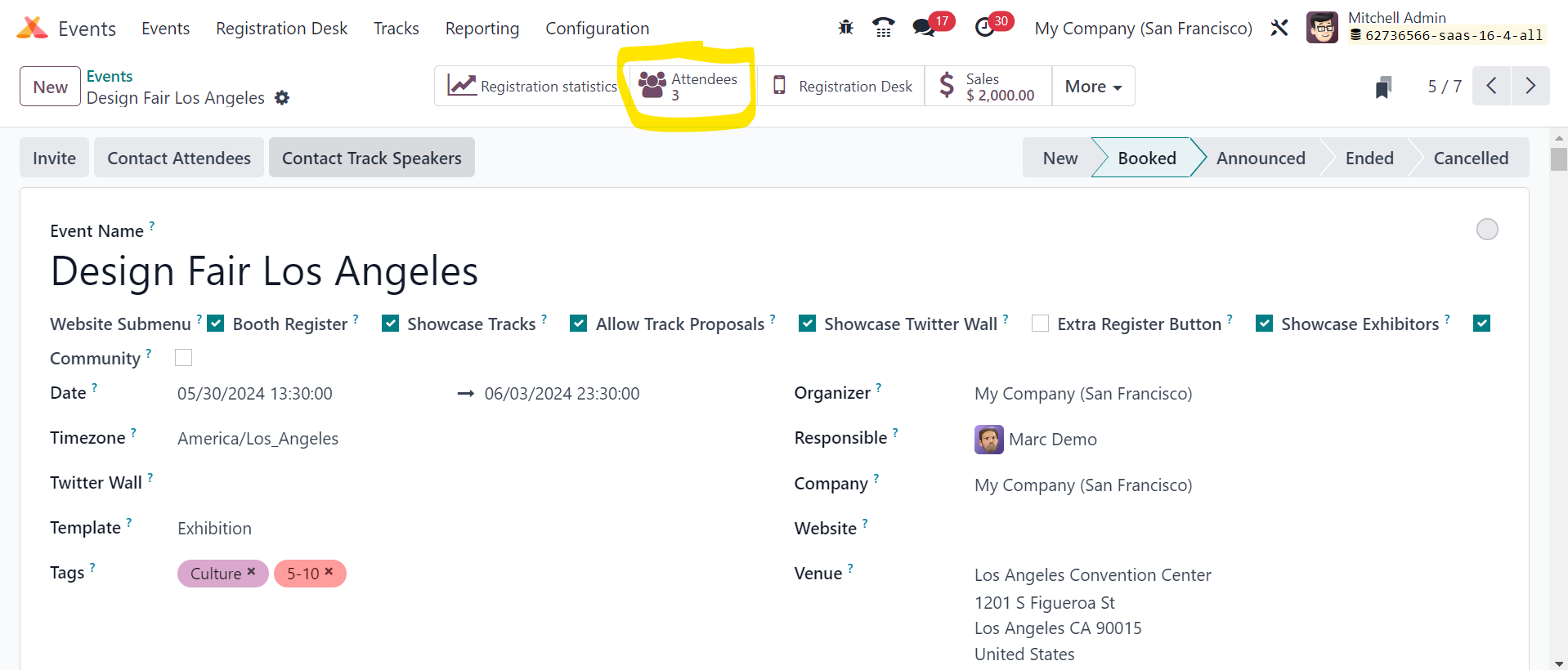
Go to -> Event ->Click "Attendees"
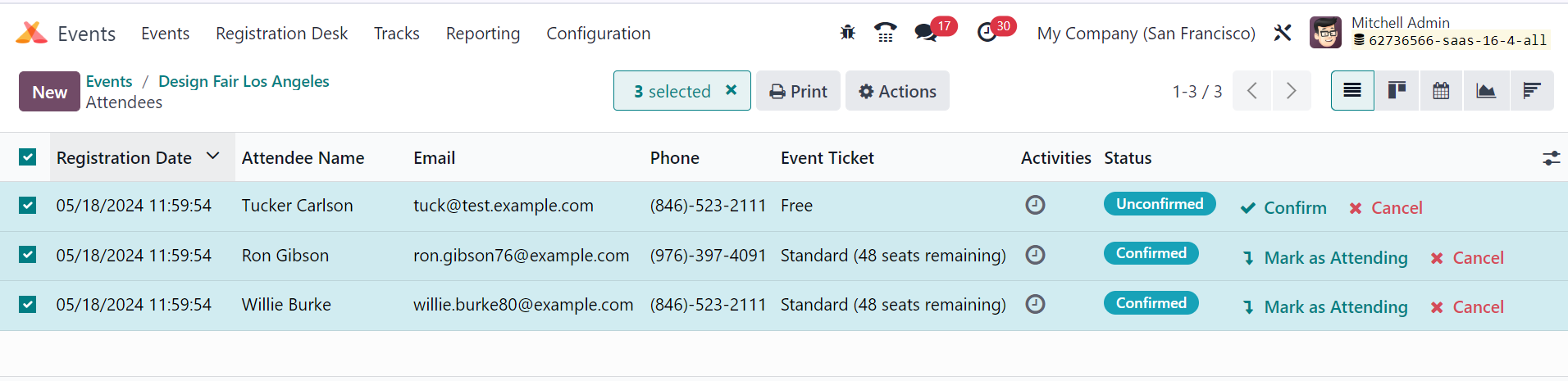
Select all and action -> Export
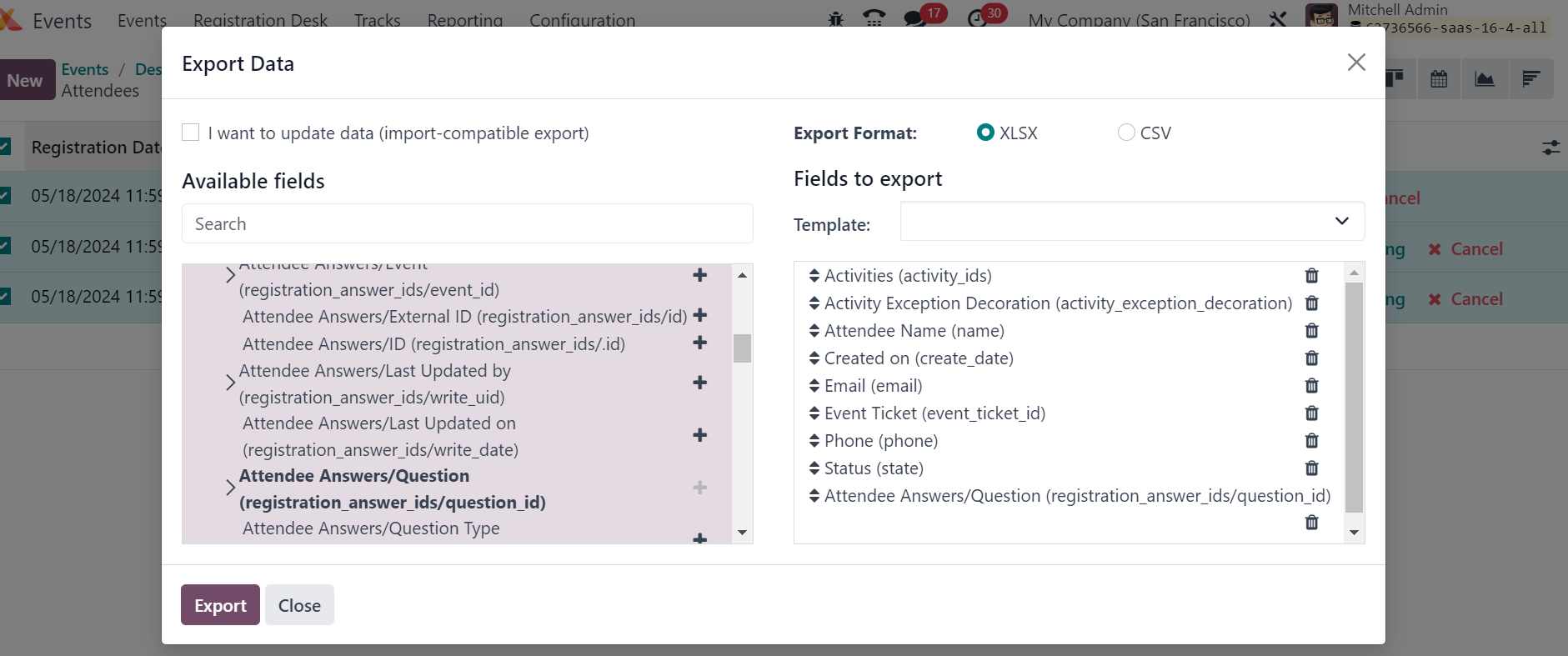
Required fields you can add and download the report.
Hello and thank you very much for the response. But I have custom fields and they are the ones I would like to export automatically. Including the title of the question in the form. Just as it works with company name, telephone number, first and last name, etc.
Enjoying the discussion? Don't just read, join in!
Create an account today to enjoy exclusive features and engage with our awesome community!
Sign up| Related Posts | Replies | Views | Activity | |
|---|---|---|---|---|



|
2
Apr 25
|
3422 | ||


|
1
Mar 25
|
2047 | ||


|
2
Mar 25
|
2140 | ||


|
1
Jul 24
|
2016 | ||

|
0
Mar 24
|
2706 |
