

Screenshot:
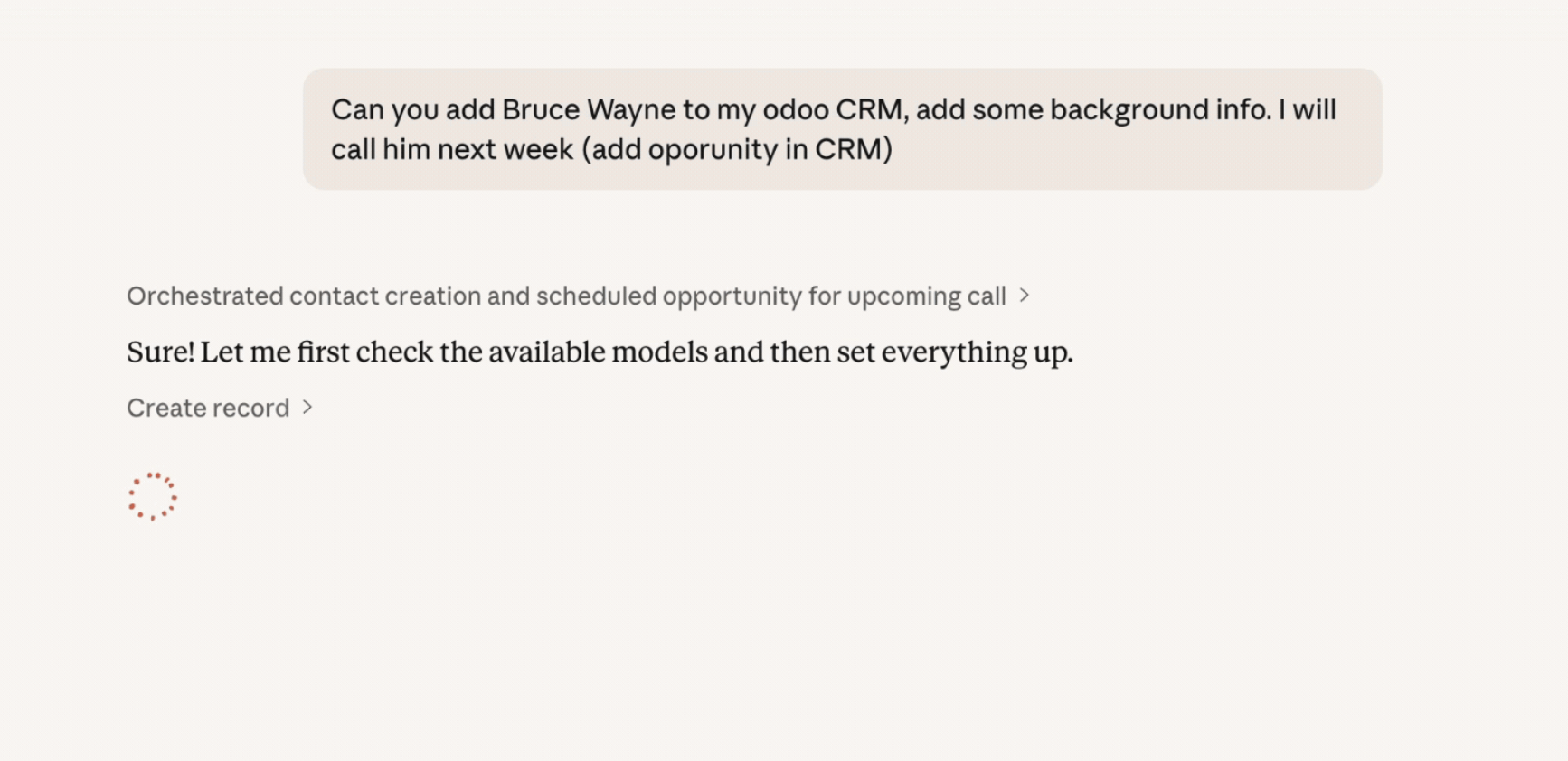
Hi everyone,
Over the past few months I've been working on connecting Claude AI to Odoo 19 via the new JSON/2 API. Wanted to share what I learned, both about the JSON/2 API itself and about making AI assistants work well with Odoo. Hopefully useful for anyone exploring this direction. The result can be viewed here: https://www.pantalytics.com/en/apps/odoo-mcp-server/
Why the JSON/2 API matters
If you're still using XML-RPC or JSON-RPC to integrate with Odoo, it's worth knowing that Odoo 19 introduced a new JSON/2 API and that XML-RPC will be removed in Odoo 20. The new API is a big improvement:
POST /json/2/res.partner/search_read
Authorization: Bearer <api_key>
Content-Type: application/json

{
  "domain": [["is_company", "=", true]],
  "fields": ["name", "email", "phone"],
  "limit": 10
}
Key differences from XML-RPC:
- Clean REST-style endpoints: POST /json/2/{model}/{method}
- Bearer token auth: API key in the Authorization header instead of uid + password in every call
- Flat JSON body: named arguments at the top level, no nested args/kwargs wrapping
- Proper HTTP status codes: 401, 403, 404, 422 instead of everything-is-200-with-an-error-body
- No RPC envelope: response is raw JSON
- No custom module needed: Odoo handles ACLs server-side
A few gotchas I ran into:
- Create and write use "vals" as the parameter name, not "values"
- IDs are a top-level "ids" key, not part of the positional args
- Database selection goes in the X-Odoo-Database header
On https://modelcontextprotocol.io) is an open standard that lets AI assistants call external tools. If you define a set of tools (search, create, update, etc.) and expose them via MCP, Claude can decide which ones to call based on a natural language question.
For example, when you ask "Find all unpaid invoices over 5,000 EUR from Q4", the AI translates that into:
search_records(
  model="account.move",
  domain=[["payment_state", "=", "not_paid"], ["amount_total", ">", 5000], ...],
  fields=["name", "partner_id", "amount_total", "invoice_date_due"]
)
No copy-pasting, no CSV exports -- you just ask.
What works well (and what doesn't)
Things that work surprisingly well:
- Exploratory queries: "What fields does sale.order have?" -- the AI calls fields_get and summarizes the results
- Cross-referencing: "Which sales orders from last month don't have a delivery yet?" -- multiple search calls, then comparison
- Data entry: "Create a lead for Acme Corp, expected revenue 50k EUR" -- create_record with the right model and values
Things to watch out for:
- Field overload: Odoo models can have hundreds of fields. If you return all of them, the AI gets confused. I ended up building a smart field selector that ranks fields by business relevance (name, email, phone > internal IDs). That made a huge difference in response quality.
- Domain filter syntax: The AI sometimes gets the Odoo domain syntax wrong (e.g., using "and" instead of "&"). Clear tool descriptions with examples help a lot.
- Write operations: You probably want access control. In our setup, Odoo's own ACLs handle this -- the API key's user permissions determine what's allowed. But think about this before giving an AI write access to production.
The open-source implementation
We've open-sourced our implementation: odoo-mcp-pro (https://github.com/pantalytics/odoo-mcp-pro).
What it includes:
Quick start with Claude Code:
git clone https://github.com/pantalytics/odoo-mcp-pro.git
cd odoo-mcp-pro
uv venv && source .venv/bin/activate
uv pip install -e .

claude mcp add -s user \
  -e "ODOO_URL=https://your-odoo.com" \
  -e "ODOO_DB=your_database" \
  -e "ODOO_API_KEY=your_api_key" \
  -e "ODOO_API_VERSION=json2" \
  -e "ODOO_YOLO=true" \
  -- odoo python -m mcp_server_odoo
Also works with Claude Desktop, see the README for config.
For "state", "=", "sale"], ["partner_id.country_id.code", "=", "NL".
- JSON/2 client for Odoo 19+ (also XML-RPC for Odoo 14-18)
- 6 tools: search, get, create, update, delete, list models
- 4 resources: URI-based access to records, search results, field definitions, counts
- Smart field selection (the field ranking mentioned above)
- OAuth 2.1 support for multi-user cloud deployments (via Zitadel)
- 480+ unit tests
- Use the API key of a user with realistic permissions. Don't use the admin key in production -- Odoo's ACLs are your safety net.
- Test with fields_get first. It's the best way to understand what a model expects before writing to it.
- Has anyone else been experimenting with AI + Odoo integrations? Curious what approaches others are taking.
- Any thoughts on which Odoo workflows benefit most from natural language access?
- If you try odoo-mcp-pro, let me know what works and what doesn't, issues and PRs are welcome on GitHub.
Questions for the community
Cheers,
Rutger (Pantalytics.com)



this is perfect timing. thank you. cant wait to see what you've put together here.
Hey Rutger
This really looks amazing.
But for some reason it is not working for me. Not sure if im doing something wrong, but i get a
{"error": "invalid_token", "error_description": "Authentication required"}Error when i try to use it.
Im i right to just add the Name and MCP server in Claude?
And i just asked Claude what exactly the problem seams to be and this was his answer:
Issue: No models are enabled for MCP access — all read operations return "Access denied"
Evidence:
Request: Please enable at minimum read access on the following models so Claude can assist with day-to-day work:
Thanks a lot for the Help!
Hi Samuel, thanks for trying it out! Could you check the following:
1) Is your API key still valid? (You can regenerate it in Odoo under Settings > Users > API Keys.)
2) Are you on Odoo.sh or self-hosted?
3) Does your Odoo user have admin rights?
4) can you share your odoo verison number and whether it's enterprise, community or cloud?
I'll look into the 404 response based on your setup. One tricky thing about Odoo's JSON-RPC API is that it doesn't always return a clear "access denied" error when permissions are missing. Instead, it can return a 404 or a generic error, which makes debugging harder.
The permissions tied to your API key determine what the MCP server can access, so that's likely where the issue is.
For now, I'm trying to keep the MCP server working with Odoo out of the box, without requiring extra modules. But if these permission issues keep coming up, it might be worth building a small companion module that adds dedicated API methods with better permission handling.
Great write-up, Rutger. The JSON/2 coverage alone is useful for anyone still on XML-RPC.
We went down a similar path but landed somewhere different: no MCP layer at all. The agent gets raw JSON/2 access with a broad non-superuser account, and we let it call fields_get, search_read, create, write etc. directly without any tool abstraction in between. The rationale: modern LLMs are already good at reading API conventions. Odoo's JSON/2 is clean enough that the agent figures out the domain syntax and field names on its own, especially once it's seen fields_get output for the relevant models a few times. The MCP wrapper solves a real problem, but it's also a layer you maintain yourself, and our expectation is that agents will keep getting better at working with raw APIs, so we didn't want to bet on a curated tool catalog.
The tricky part with broad access is not the reads or the internal writes. It's outbound communications. An agent that can call message_post or trigger an invoice send will eventually do so at the wrong moment, regardless of how carefully the prompt is written. Odoo's ACLs don't block those paths for a normal user account.
We ended up putting a small guardrail module in Odoo itself (strictbase_agent_guard) that blocks mail.thread.message_post, mail.compose.message, and the invoice send wizards when the context includes agent_mode=True, unless a scoped confirmation token issued by a human approver is present. The token is short-lived and tied to user, model, method, and record ids, so the agent can't reuse it. The error the agent gets back is AGENT_CONFIRMATION_REQUIRED, which it can surface to the human in the loop.
Wrote this up in more detail in a guide ("Giving Your AI Agent a Seat in Odoo" on strictbase.com). The module is open source under StrictBase/odoo-addons on GitHub.
Curious whether you ran into the outbound-communication problem with your setup, and how you're handling it.
Hi Rutger
Maybe this helps:
Error executing tool search_records: Access denied: Operation 'read' not allowed on model 'project.project' request_id: req_011CZcqYRCvJA45AkJUW4XVT
You can also contact me on samuel.reutimann@webroids.com
Thanks a lot!
Hi Samuel,
Thanks for the detailed info, really helpful for debugging!
I found what I think is the issue: your Odoo.sh instance returns a 404 on the check_access_rights endpoint via the JSON/2 API, which was causing our server to block all operations as "Access denied". We've deployed a fix for this.
Could you try:
Disconnect the Odoo MCP connector in Claude (Settings > Connectors)
Reconnect it
Try a simple query like "search res.partner"
If it still doesn't work, we can also continue this conversation offline.
Does "Server info" work for you, which version are you on?
Best regards,
Rutger