
I have an external website/ source from which I get my orders. These Orders are from customers who are not in the database, I would like to import these orders into my Odoo database along with the customers address information in a single import from the sales orders.
Odoo is the world's easiest all-in-one management software.
It includes hundreds of business apps:
- CRM
- e-Commerce
- 会計
- 在庫
- PoS
- プロジェクト
- MRP
この質問にフラグが付けられました
1
返信
3000
ビュー

In the sales module, when importing a sales order one of the required field is the contact. This allows you to link the sales order to an existing contact or create a contact. However, you cannot simultaneously add the address information of the contact along with the sales order.
This said, there is a work around that can be performed to achieve this. We will be using the Odoo studio application to do this.
1. Install Studio
Select the Apps, from the dashboard.
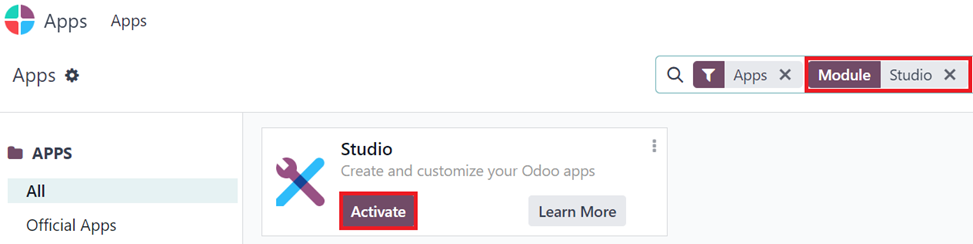
Search for Studio. and press the Activate button to install the Studio Application.
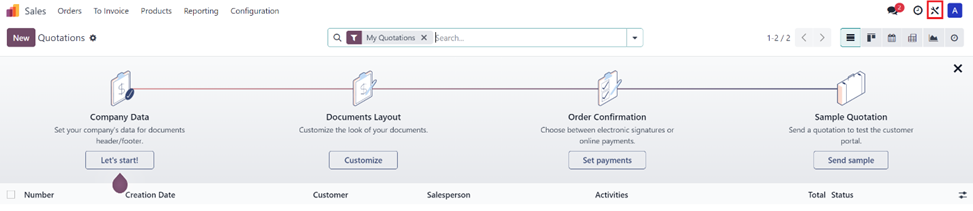
Unlike most other applications, studio does not get its own application but can be used within other applications.
To access studio, you will need to press the studio button on the top right corner of the screen.
2. Creating Related Address fields in the sales order.
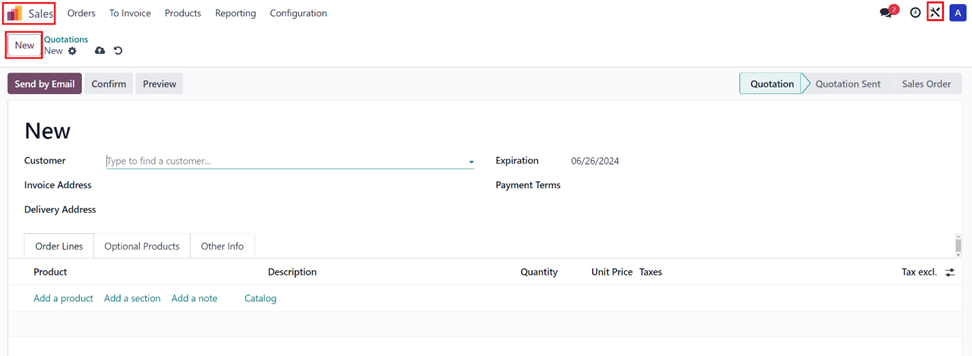
Go into the Sales Application, and Select New, this takes creates a New Quotation and opens up the Form view to start working on this new quotation.
Press the Studio Button once you are in this view.
This will take you to odoo Studio.
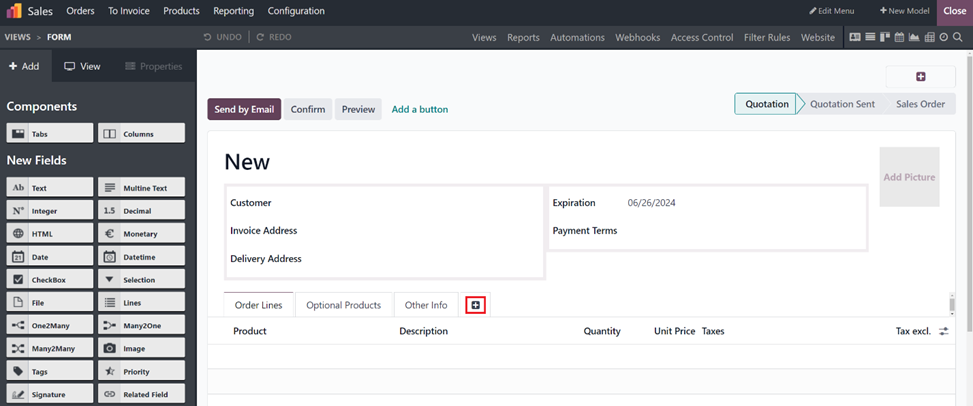
Since we are trying to get the information on the addresses, I would rather have the related fields we create in a separate tab or a page to store this information. Press the + Button next to the Other Info to create a new page/tab.
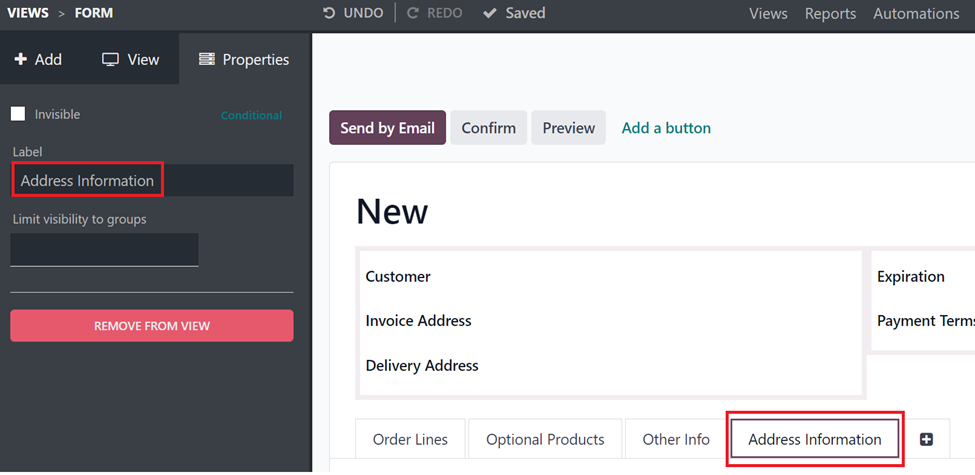
Select the new page and under properties change the label to Address Information.
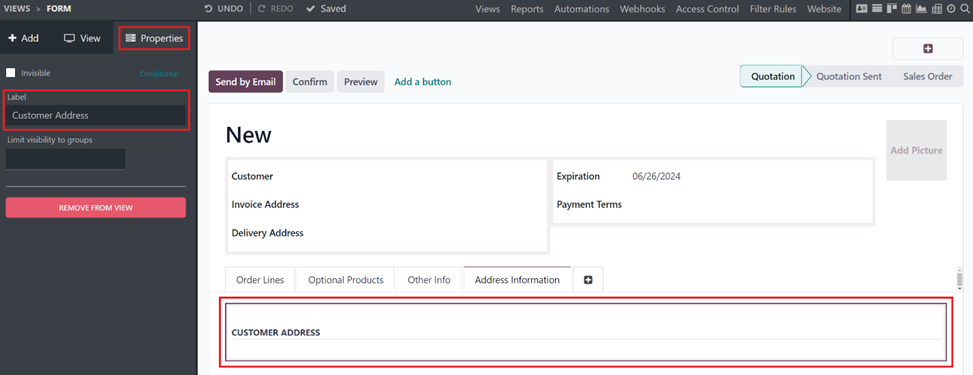
There will be columns within the Address information section, Label the Column as Contact Address or Customer Address, by selecting the column and from the properties add the label Address Information.
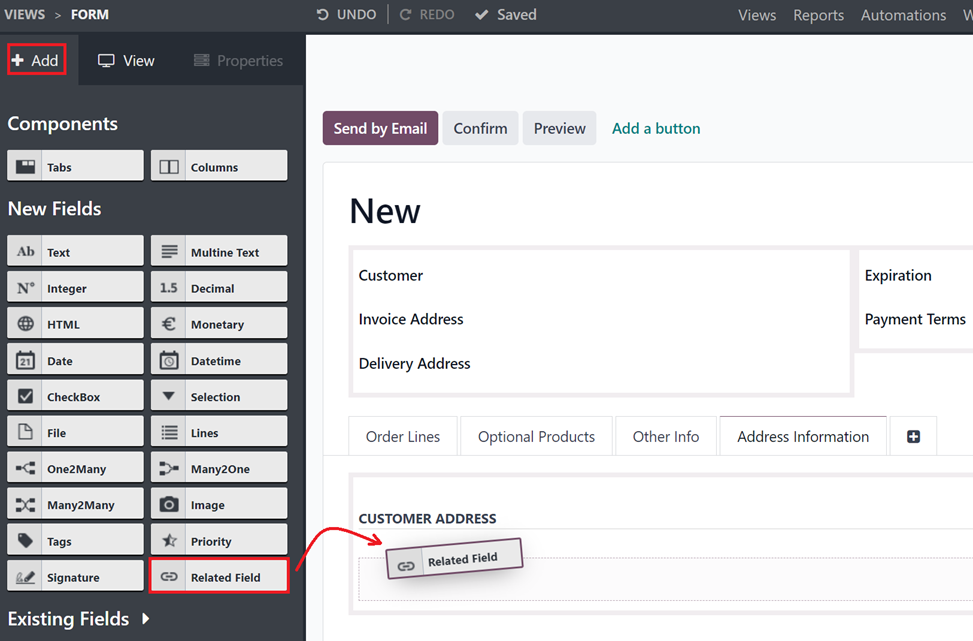
Select +Add from the left pane and Drag and drop a related field within the Customer Address section.
Field properties Pop up will be displayed, select the Customers -> Street
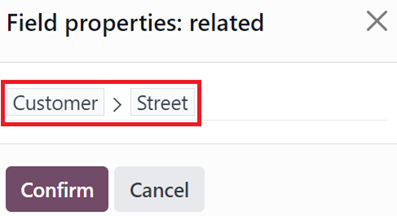
This will add a new related field, Once the field is added Relabel the field to Customer Street.
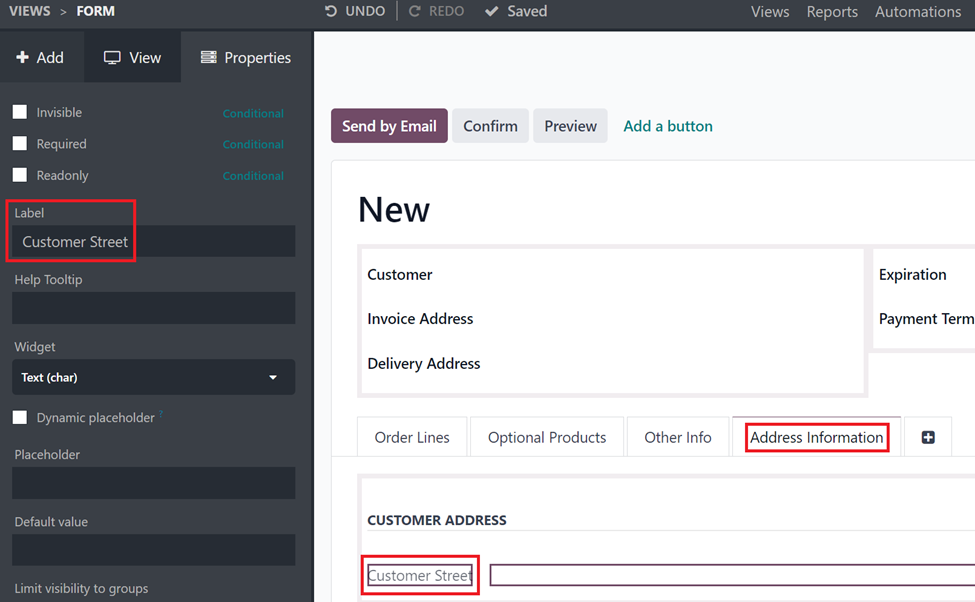
In the same way add other relevant Address fields of the customer like, Street2, City, State, Country, Zip to the view.
3. Removing the read only condition on the fields.
Since the fields that are added are related fields, by default, they are set to be read only fields. However, If the fields are just read only field there will be no way to import the address information of the contract. Hence, we will have to make the fields that were added as non-read only fields.
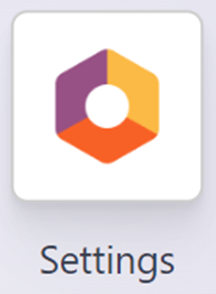
To do this, you will have to be in developer mode. To enable developer mode, go to General Settings.
Scroll all the way to the bottom and Activate Developer mode.
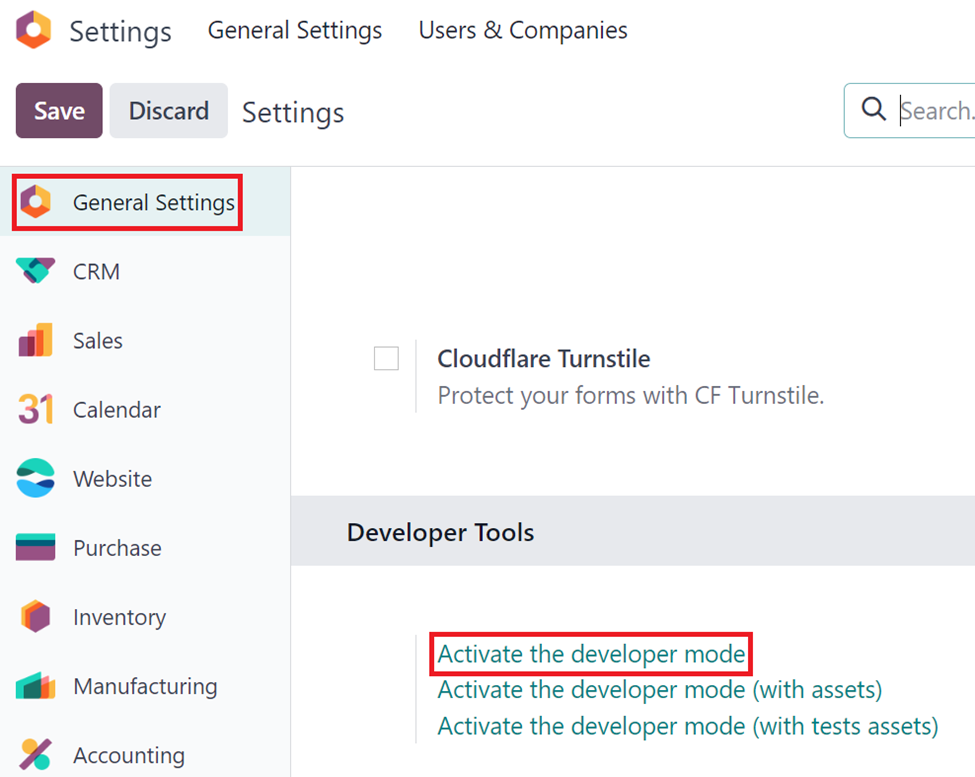
Do not Activate the Developer mode with Assets or Developer mode with Test Assets.
Go back to the Sales application, go to a quotation. And select studio.
Once in studio, select a field that was added via studio.
Select the more option under the properties on the left side.
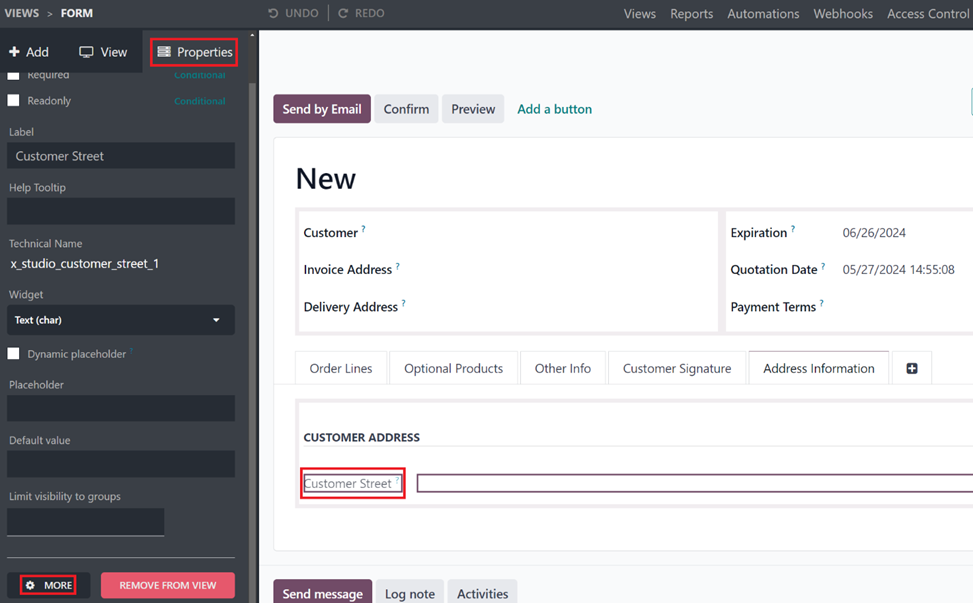
This opens up the field information, uncheck the Read-only checkbox and save the changes.
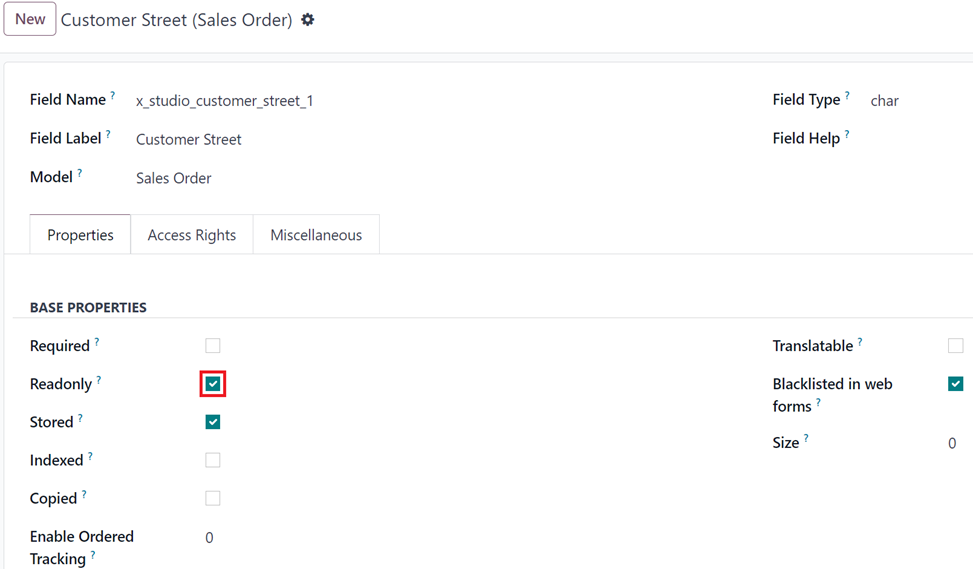
Repeat the process for all the address fields that were added.
4. Importing address information.
Add the Address information as columns in your import file, Import the file, Map the columns properly to their respective fields.
Run a test and do an import.
Below is the documentation on this.
https://www.odoo.com/documentation/17.0/applications/essentials/export_import_data.html
Note: Follow Steps 2 – 4 to import the address information of the Delivery Address and Invoice Addresses.
The difference being select the Delivery Address -> Address fields when choosing the related field for Delivery Addresses and select the Invoice Address -> Address fields for Invoice Addresses.
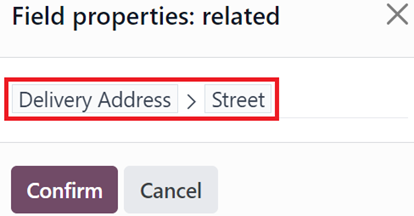
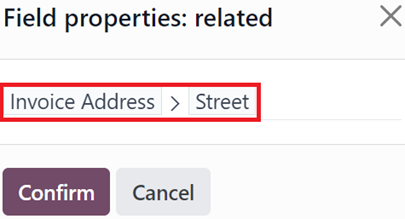
The same process can also be followed to add other information on contact like the email and phone numbers of the customer, delivery address and the invoice addresses.
| 関連投稿 | 返信 | ビュー | 活動 | |
|---|---|---|---|---|


|
3
7月 25
|
22114 | ||
|
|
1
8月 24
|
2988 | ||

|
1
7月 23
|
4739 | ||


|
2
5月 25
|
6561 | ||
|
|
1
4月 25
|
2352 |
