
مواقع إلكترونية متعددة
Odoo allows you to create multiple websites from the same database. This can be useful, for example, if you have multiple brands operating under your organization, or if you want to create separate websites for different products/services or audiences.
Creating another website
Creating multiple websites requires having at least one domain name. Different alternatives exist, but before creating another website, you should either
Register a domain name for free with Odoo for your first website, then, for your second website, either:
Use a domain name you purchased for your first website, then, for your second website, either:
Once it is time to map your second domain name's address to your second Odoo website, you can create <../../website_creation> it and map it
directly by entering the second website's address in the Website Domain field (e.g.,
https://www.yourseconddomain.com or https://subdomain.yourdomain.com).
نصيحة
To switch from one website's frontend to another, click the website selection drop-down in the top right corner and select the website you want to switch to.

إعدادات خاصة بالموقع الإلكتروني
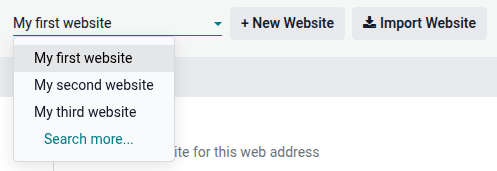
Most website settings are website-specific. To access the settings of a website, go to and select the desired website using the website selection drop-down at the top left of the settings page.
ملاحظة
Settings shared by all websites are indicated using the (information) icon.

When you create another website, it uses the default settings; settings are not copied from one website to another.
ميزات المتجر الإلكتروني
eCommerce features such as products, eCommerce categories, pricelists, discounts, payment providers, etc., can be restricted to a specific website.
حسابات العملاء
To allow your customers to use the same account on all of your websites, go to and enable Shared Customer Accounts.
الأسعار
Products can be priced differently based on the website using pricelists. To do so:
انتقل إلى .
قم بالتمرير لأسفل إلى قسم المتجر - المنتجات وحدد خيار قوائم الأسعار أسعار متعددة لكل منتج.
انقر على قوائم الأسعار لتحديد قوائم أسعار جديدة أو تحرير القوائم الموجودة.
حدد قائمة الأسعار أو انقر على جديد لإنشاء قائمة جديدة، ثم حدد علامة التبويب التكوين وعيّن حقل الموقع الإلكتروني.
Content availability across websites
ملاحظة
All installed website-related apps (e.g., eCommerce, eLearning, Forum, etc.) and their related pages are also available on the new website. You can remove them from the website's menu.
By default, most records (products, courses, forum posts, etc.) created from the frontend are displayed on all websites. To restrict the content to a single website, search for the Website field in the backend.
For example, for products, go to , select a product, open the eCommerce tab, and specify which website the product should be available on.

نصيحة
In a multi-company environment, each website can be linked to a specific company so that only that company's data (e.g., products, events, etc.) is displayed on the website. To display company-specific data, go to Website --> Configuration --> Settings and set the desired company in the Company field.
ملاحظة
When generating links, for example, a customer portal link to a quotation, Odoo uses the following logic to select the website domain:
If a company has a single website, that website's domain is used.
If a company has multiple websites, Odoo uses the domain of the website that was created first. To change the order of priority, enable developer mode, go to , and use the (drag handle) icon to reorder websites.
If a company's website has no domain, the web base URL is used.
صفحات الموقع الإلكتروني
To modify the website on which a page is published, proceed as follows:
انتقل إلى .
افتح لوحة البحث وحدد الموقع الإلكتروني الذي تم نشر الصفحة عليه حالياً.

ضع علامة في مربع الاختيار بجوار الصفحة (الصفحات) التي تريد تغييرها.
انقر على حقل الموقع الإلكتروني وحدد الموقع الإلكتروني، أو اتركه فارغًا لنشر الصفحة على جميع المواقع الإلكترونية.
ملاحظة
يجب أن يكون لكل موقع إلكتروني صفحته الرئيسية الخاصة به؛ لا يمكنك استخدام نفس الصفحة الرئيسية لعدة مواقع إلكترونية.
إعداد التقارير
Each website has its own analytics. To switch between websites, use the buttons in the top right corner.

Other reporting data, such as eCommerce dashboard data, online sales analyses, and visitors, can be grouped by website by opening the search panel and selecting Group by --> Website.