
How to create a page break if an image is broken in PDF report ?
Odoo is the world's easiest all-in-one management software.
It includes hundreds of business apps:
- CRM
- e-Commerce
- Бухгалтерия
- Склад
- PoS
- Проекты
- MRP
Этот вопрос был отмечен
1
Ответить
4620
Представления

Use case
If you want to add an image at the bottom of a PDFdocument (example: the image of a stamp and signature of the CEO).
But you don't want the image to be split between 2 pages.
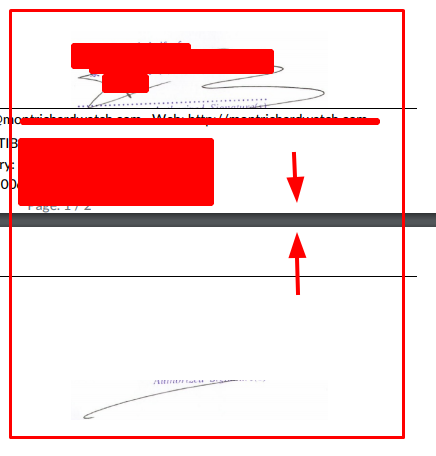
Example
A added an image field on the company form: x_studio_stamp
I added the image with studio on the sale order report.
Edit the XML view and change the style:
style="page-break-inside: avoid;page-break-before: auto;page-break-after:avoid;"
=> The image will be automatically displayed at the second page (if not enough space on page 1).
.
Не оставайтесь в стороне – присоединяйтесь к обсуждению!
Создайте аккаунт сегодня, чтобы получить доступ к эксклюзивным функциям и стать частью нашего замечательного сообщества!
Регистрация| Похожие посты | Ответы | Просмотры | Активность | |
|---|---|---|---|---|
|
|
1
сент. 21
|
3293 | ||
|
PDF reports
Решено
|


|
5
июл. 25
|
3436 | |
|
Wrong PDF Format
Решено
|


|
2
мар. 24
|
4002 | |


|
4
дек. 23
|
4719 | ||

|
2
мая 23
|
3966 |

Its all about QWEB Reporting: https://learnopenerp.blogspot.com/search/label/Qweb