Pular para o conteúdo
Odoo Menu
  • Sign In
  • Experimente gratuitamente
  • Aplicações
    Finanças
    • Contabilidade
    • Faturação
    • Despesas
    • Folha de cálculo (BI)
    • Documentos
    • Assinatura eletrónica
    Vendas
    • CRM
    • Vendas
    • POS para lojas
    • POS para restaurantes
    • Subscrições
    • Aluguer
    Website
    • Criador de sites
    • Comércio eletrónico
    • Blogue
    • Fórum
    • Chat em direto
    • e-Learning
    Cadeia de abastecimento
    • Inventário
    • Produção
    • PLM
    • Compras
    • Manutenção
    • Qualidade
    Recursos Humanos
    • Colaboradores
    • Payroll
    • Recrutamento
    • Ausências
    • Avaliações
    • Frota
    Marketing
    • Marketing social
    • Marketing por e-mail
    • Marketing através de SMS
    • Eventos
    • Automação de Marketing
    • Inquéritos
    Serviços
    • Projeto
    • Folhas de horas
    • Assistência no local
    • Assistência
    • Planeamento
    • Marcações
    Produtividade
    • Conversas
    • Inteligência artificial
    • IoT
    • VoIP
    • Informação
    • WhatsApp
    Aplicações de terceiros Odoo Studio Plataforma Odoo Cloud
  • Setores
    Retalho
    • Livraria
    • Loja de roupa
    • Loja de móveis
    • Mercearia
    • Loja de ferragens
    • Loja de brinquedos
    Alimentação e hotelaria
    • Bar e pub
    • Restaurante
    • Comida rápida
    • Casa de hóspedes
    • Distribuidor de bebidas
    • Hotel
    Imobiliário
    • Agência imobiliária
    • Gabinete de arquitectura
    • Construção
    • Gestão imobiliária
    • Jardinagem
    • Associação de proprietários
    Consultoria
    • Gabinete de contabilidade
    • Parceiro da Odoo
    • Agência de marketing
    • Escritório de advogados
    • Aquisição de talentos
    • Auditoria e certificação
    Produção
    • Têxtil
    • Metal
    • Móveis
    • Alimentação
    • Cervejaria
    • Brindes promocionais
    Saúde e bem-estar
    • Clube desportivo
    • Ótica
    • Ginásio
    • Profissionais de bem-estar
    • Farmácia
    • Cabeleireiro
    Ofícios
    • Handyman
    • Hardware e suporte técnico
    • Sistemas de energia solar
    • Electronic Store
    • Serviços de limpeza
    • Serviços de climatização
    Outros
    • Organização sem fins lucrativos
    • Agência do ambiente
    • Aluguer de painéis publicitários
    • Estúdio de fotografia
    • Aluguer de bicicletas
    • Revendedor de software
    Veja todos os setores ⟶
  • Comunidade
    Aprender
    • Tutoriais
    • Documentação
    • Certificações
    • Formação
    • Blogue
    • Podcast
    Capacitar a educação
    • Programa de formação
    • Scale Up! O jogo de negócios
    • Visite a Odoo
    Obter o software
    • Transferir
    • Comparar edições
    • Versões
    Colaborar
    • Github
    • Fórum
    • Eventos
    • Traduções
    • Torne-se um parceiro
    • Serviços para parceiros
    • Registe a sua empresa contabilística
    • Programa de afiliados
    Obter serviços
    • Encontre um parceiro
    • Encontre um contabilista
    • Contacte um consultor
    • Serviços de implementação
    • Referências de clientes
    • Apoio
    • Atualizações
    GitHub YouTube X LinkedIn Instagram Facebook Spotify
    +1 (650) 691-3277
    Solicitar uma demonstração
  • Preços
  • Ajuda

Need to know more about Certifications ?

How can I purchase a certification?​ Can I have a preview of what the certification will look like? How can I exercise before taking the test? I purchased a certification, where can I take it? I purchased a certification but I would like to change the version, is it possible? How can I start with a certification? Is it possible to pause the certification while taking it? There was a bug with Odoo while taking the test, what should I do? I failed the certification, how can I know my results? I took the certification with the wrong user, can we update the certificate? I am certified but I am leaving my company, how can I keep my certification?

How can I purchase a certification?​

  • Ask your account manager for a quotation

    Once paid, a button "Manage certification" will appear on the SO. From that button, you will be able to share the access link with the employee of your choice via the SO. It’s the easiest option as it gives you the flexibility of purchasing one or multiple certifications and assigning them to whoever is ready to take the test in your team.
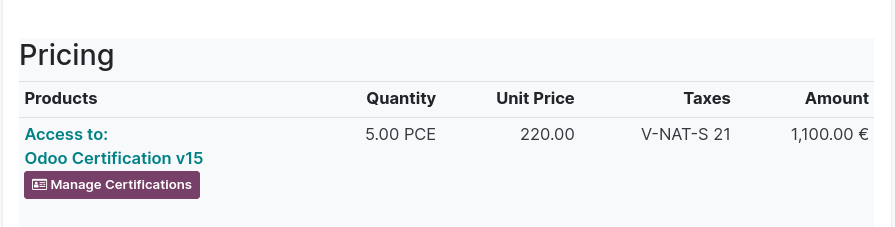


  • Purchase through the website

    You can also directly purchase a certification through our website. Bear in mind that the access will automatically be granted to the user who purchased the certification (=person who is logged in on odoo.com). In short, the certification will be assigned to the person who purchased it, and it’s not possible to reassign the certification to another employee.

Certifications are nominative, which means that they need to be linked to an individual (employee) and cannot be taken with the company user. If you want to purchase a certification through our website, make sure you are not logged in with the company user.


Can I have a preview of what the certification will look like? How can I exercise before taking the test?

Yes! You can:

  • Check-out our free e-learning platform: https://www.odoo.com/slides
    You’ll find step-by-step tutorials and quizzes on each Odoo application
  • Play with our Scale-Up game: https://www.odoo.com/page/scale-up-business-game
  • Try the Odoo Certification Sample for free here: https://www.odoo.com/slides/odoo-certification-sample-test-50
    It will give you an idea of what the quiz will look like and get familiar with the interface. Once you feel ready you can take your official Certification.

I purchased a certification, where can I take it?

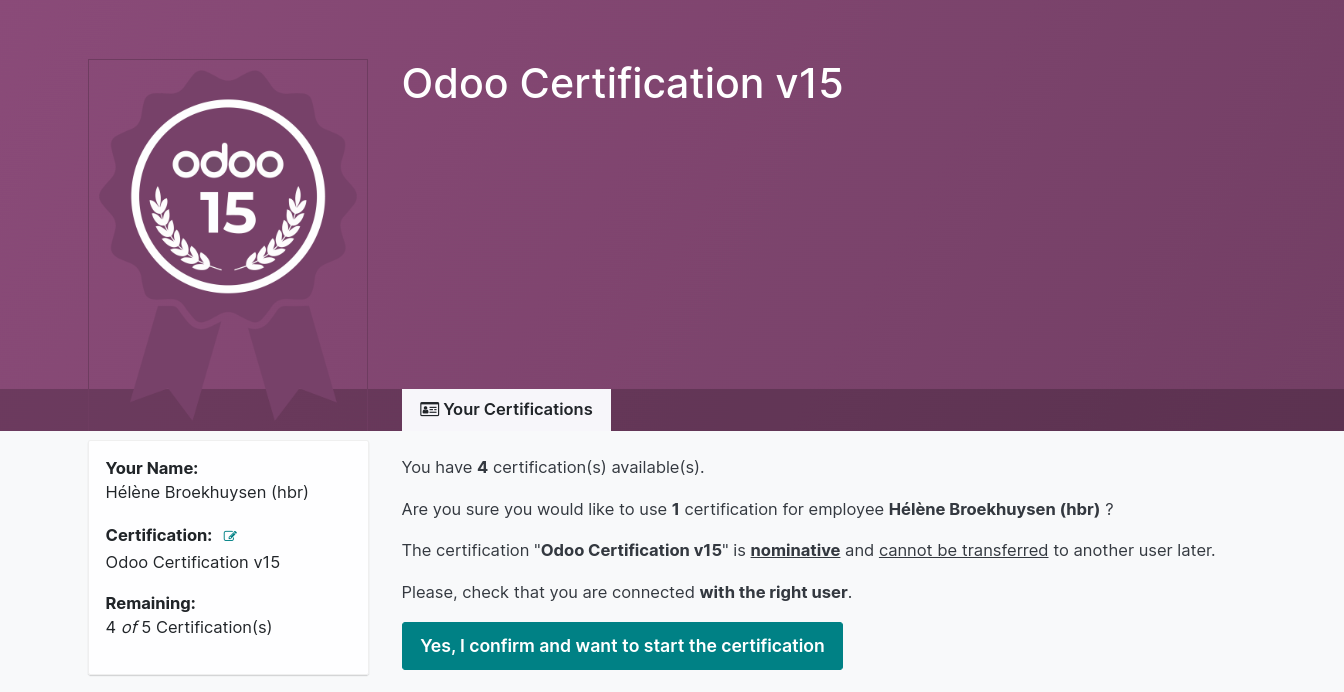
  • If you purchased the certification via your account manager: simply go to the SO and click on the “Manage certification button”. 
  • Then confirm that you wish to use 1 certification with the user you are logged in with.
    Make sure you are logged in with the user that is related to your company (not your personal account) :

  • If you purchased the certification yourself: Simply log into www.odoo.com/slides with your personal user, then click on “Certifications” and you’ll see the one you have access to. 

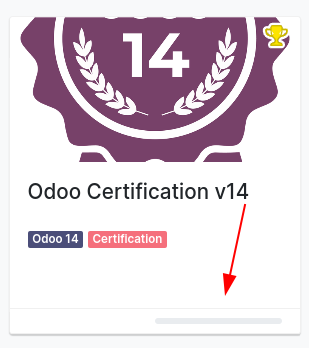
    Tip: you can quickly see if you have access to a certification or not by checking the gray progress bar (if it’s there, it means you have access!).


I purchased a certification but I would like to change the version, is it possible?

Yes, if you purchased the certification via your account manager! Simply click on the “Manage Certification” button, then in the left side of the page you’ll be able to change the version. 


How can I start with a certification?

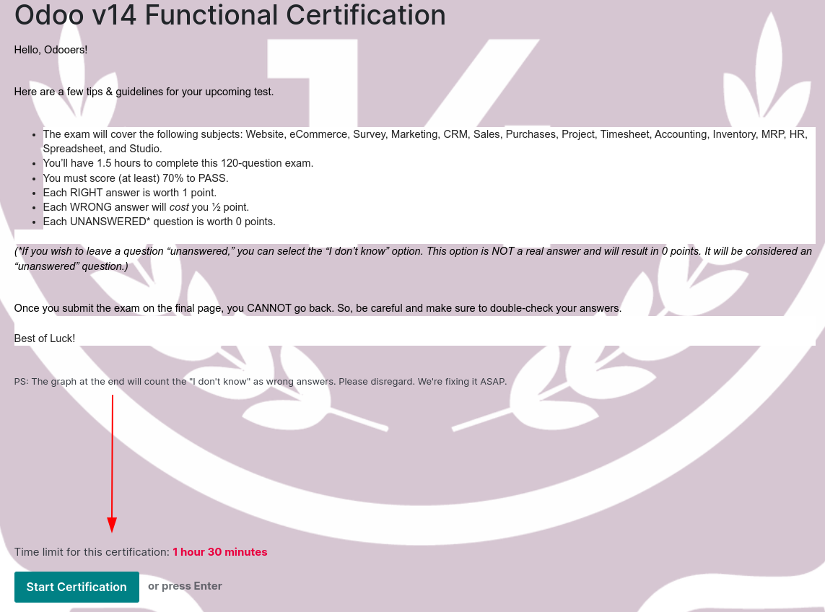
Depending on how you purchased your certification, simply click on “Start Now” (through your portal) or “Yes I confirm and I want to take a certification now” (through your SO), you’ll be redirected to the Introduction Page of the quiz, where all the guidelines are explained. Then click on “Start Certification”: you’ll see the first question and the timer will start running.
Is it possible to pause the certification while taking it?

No, it is not possible. Once you start the certification, a timer will start and you won’t be able to pause the test.

There was a bug with Odoo while taking the test, what should I do?

It is extremely rare, but a bug on our end can still happen. If you’re facing a bug (with or without traceback) try to take a screenshot of your page and contact your Account Manager.

I failed the certification, how can I know my results?

Your score will appear once you’re done with the certification. You’ll see a breakdown of your results.
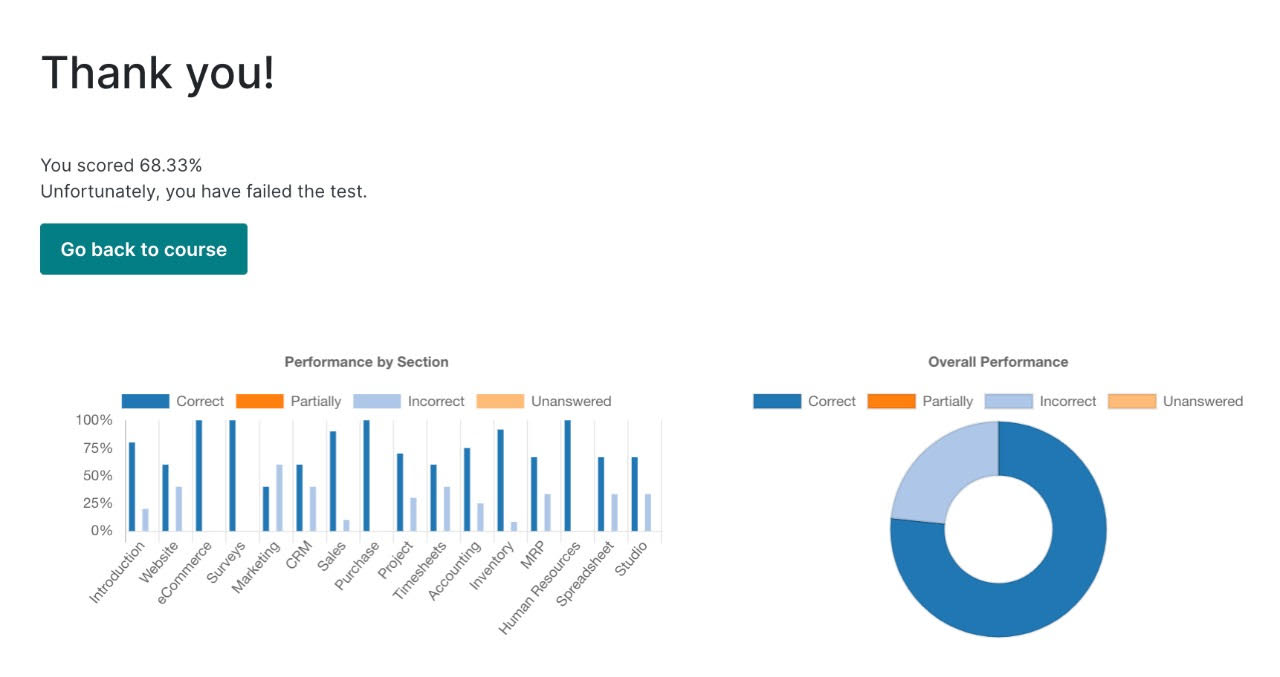
The graph does not display the “I don’t know” answers properly. As mentioned in the Introduction Page of the certification: “*If you wish to leave a question “unanswered,” you can select the “I don’t know” option. This option is NOT a real answer and will result in 0 points. It will be considered an “unanswered” question. The graph at the end will count the "I don't know" as wrong answers. Please disregard. We're fixing it ASAP.”


I took the certification with the wrong user, can we update the certificate?

No, certifications are nominative so they need to be taken with the right user. If you take the certification with a colleague’s user, we won’t be able to re-assign you the certification.

I am certified but I am leaving my company, how can I keep my certification?

Yes, certifications are nominative! Your certificate is under your own name. If you’d like to keep your certification tag (e.g. you are becoming a partner yourself or you are now employed with another partner) contact our support team on  www.odoo.com/help . They will switch your tag to your new Odoo user. 

Comunidade
  • Tutoriais
  • Documentação
  • Fórum
Código aberto
  • Transferir
  • Github
  • Runbot
  • Traduções
Serviços
  • Alojamento Odoo.sh
  • Apoio
  • Atualizar
  • Desenvolvimentos personalizados
  • Educação
  • Encontre um contabilista
  • Encontre um parceiro
  • Torne-se um parceiro
Sobre nós
  • A nossa empresa
  • Ativos da marca
  • Contacte-nos
  • Junte-se à Odoo
  • Eventos
  • Podcast
  • Blogue
  • Clientes
  • Legal • Privacidade
  • Segurança
الْعَرَبيّة Català 简体中文 繁體中文 (台灣) Čeština Dansk Nederlands English Suomi Français Deutsch हिंदी Bahasa Indonesia Italiano 日本語 한국어 (KR) Lietuvių kalba Język polski Português (BR) Português română русский язык Slovenský jazyk Slovenščina Español (América Latina) Español Svenska ภาษาไทย Türkçe українська Tiếng Việt

O Odoo é um conjunto de aplicações empresariais de código aberto que abrange todas as necessidades da sua empresa: CRM, comércio eletrónico, contabilidade, gestão de inventário, ponto de venda, gestão de projetos, etc.

A proposta de valor única do Odoo é ser, ao mesmo tempo, muito fácil de utilizar e totalmente integrado.

Website made with

Odoo Experience on YouTube

1. Use the live chat to ask your questions.
2. The operator answers within a few minutes.

Live support on Youtube
Watch now