
How to configure external outgoing email server with GSuite ?
Odoo is the world's easiest all-in-one management software.
It includes hundreds of business apps:
- CRM
- e-Commerce
- Comptabilité
- Inventaire
- PoS
- Projet
- MRP
Cette question a été signalée
1
Répondre
7364
Vues

Using an external outgoing email server allows to send email with the domain of the user (instead of john.doe@mydomain.odoo.com) and to exceed the email daily limit allowed by our email server.
Here are the steps to follow to configure it with GSuite :
1. In the General Settings, enable the External Email Servers and set the Alias Domain (i.e. : mydomain.com).

2. Create and configure the Outgoing Email Server as follow :
- Description : GSuite
- SMTP Server : smtp.gmail.com
- SMTP Port : 465
- Connection Security : SSL/TLS
- Username : john.doe@mydomain.com (this user has to be the administrator of the GSuite account)
- Password : [Ask your customer]
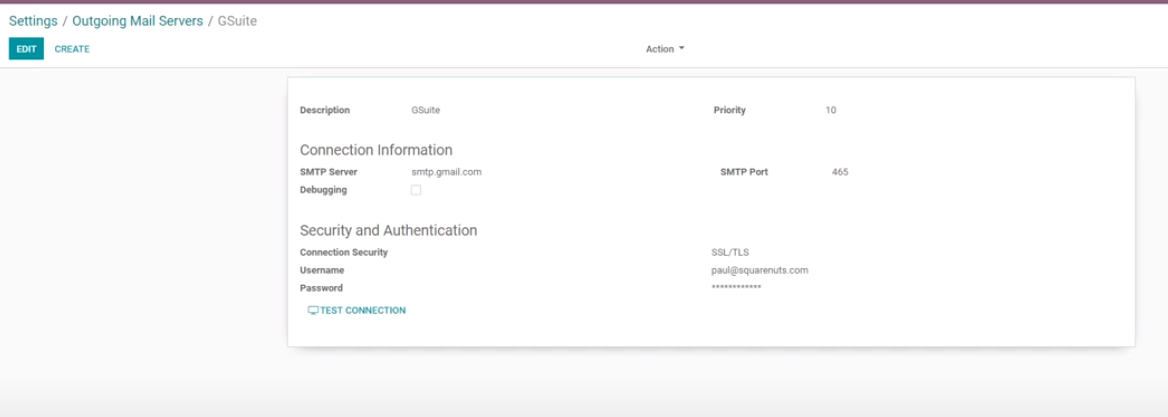
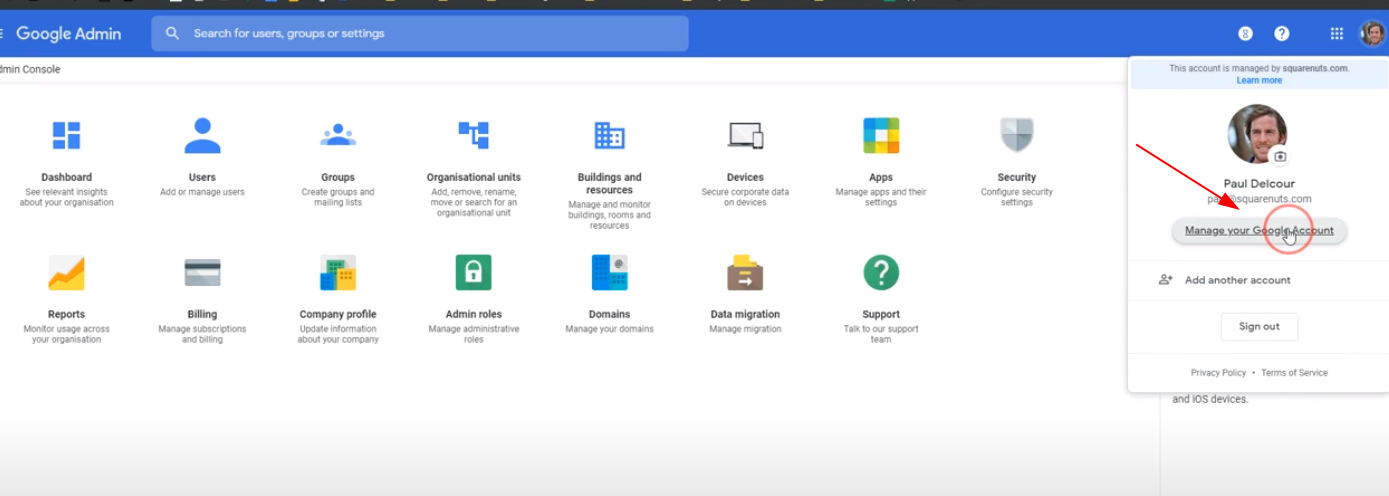
3. Go to the administration of GSuite by using the username and the password above.
4. Go to Manage your Google Account > Security and turn on the "Less secure app access" feature.
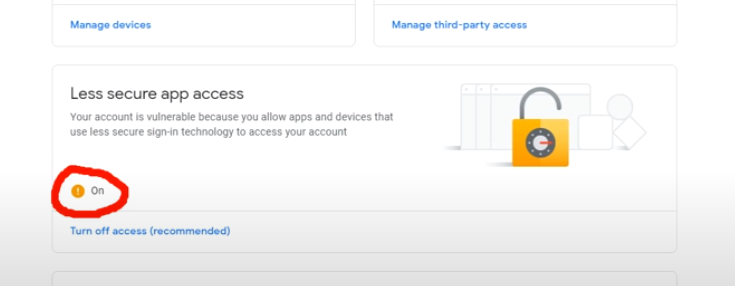
5. Wait five minutes and test the connection from Odoo.
6. Go to the administration of GSuite and create a new user with this following email : catchall@mydomain.com (are you surprised ?).
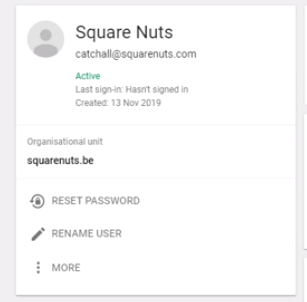
7. Go to the Gmail settings > Advanced Settings > Routing > Recipient address map and create the following mapping : catchall@mydomain.com,catchall@mydomain.odoo.com.
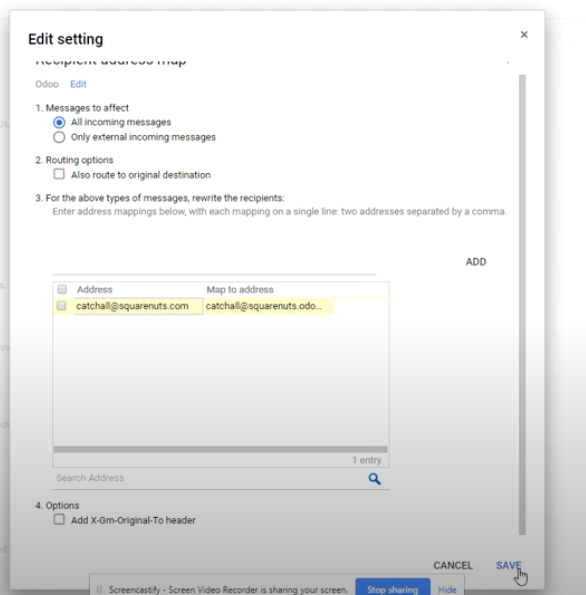
8. Don't forget to save the configuration.
9. Try it by sending a email through the chatter and answer.
10. Refresh the chatter and enjoy the result by drinking a beer.
Vous appréciez la discussion ? Ne vous contentez pas de lire, rejoignez-nous !
Créez un compte dès aujourd'hui pour profiter de fonctionnalités exclusives et échanger avec notre formidable communauté !
S'inscrire| Publications associées | Réponses | Vues | Activité | |
|---|---|---|---|---|

|
0
déc. 25
|
410 | ||

|
0
nov. 25
|
419 | ||


|
1
juil. 25
|
2301 | ||


|
5
nov. 25
|
20413 | ||

|
0
avr. 25
|
2024 |
