
Hello
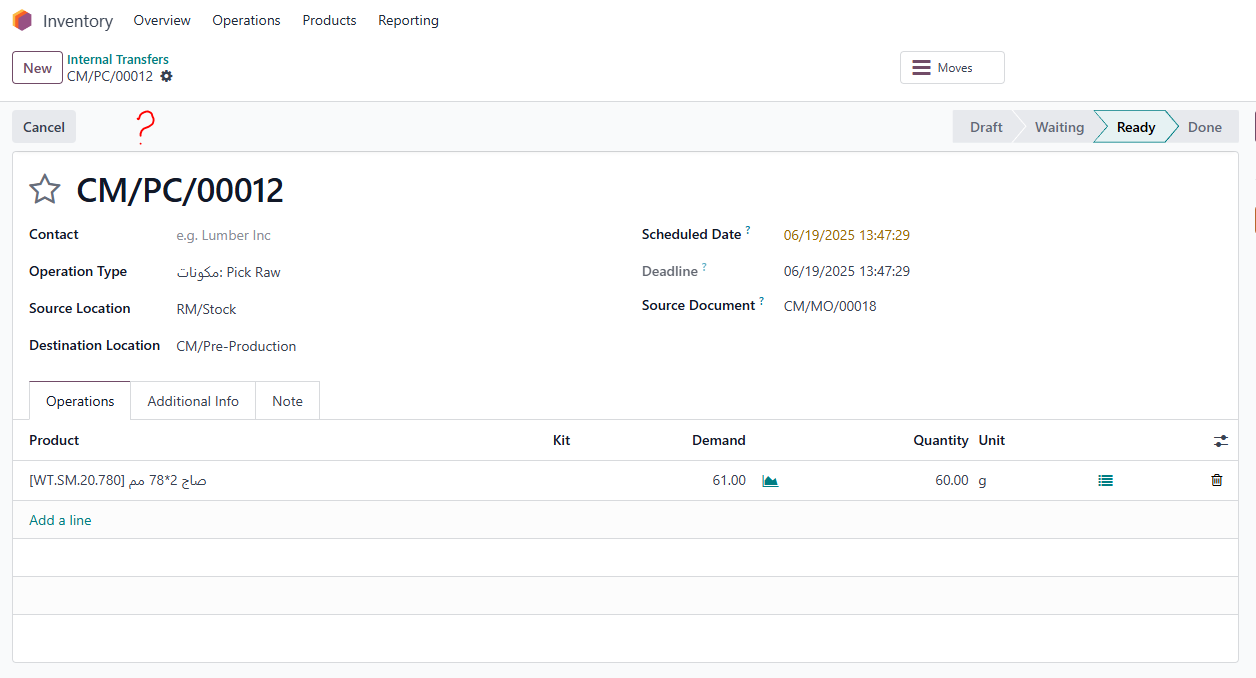
I need to show "validate button" to inventory limited user.
After creating a new MO inventory limited user can't see validate button to validate the required material for MO.
So how to show the validate button
Thanks
Odoo is the world's easiest all-in-one management software.
It includes hundreds of business apps:

Hello
I need to show "validate button" to inventory limited user.
After creating a new MO inventory limited user can't see validate button to validate the required material for MO.
So how to show the validate button
Thanks

Hii,
Go to:
Settings → Technical → Security → Access Control Lists
| permission | Value |
|---|
| Read | ✅ Yes |
| Write | ✅ Yes |
| Create | ✅ Yes |
| Delete | ❌ No |
Go to:
Settings → Technical → Security → Record Rules
i hope it is help full

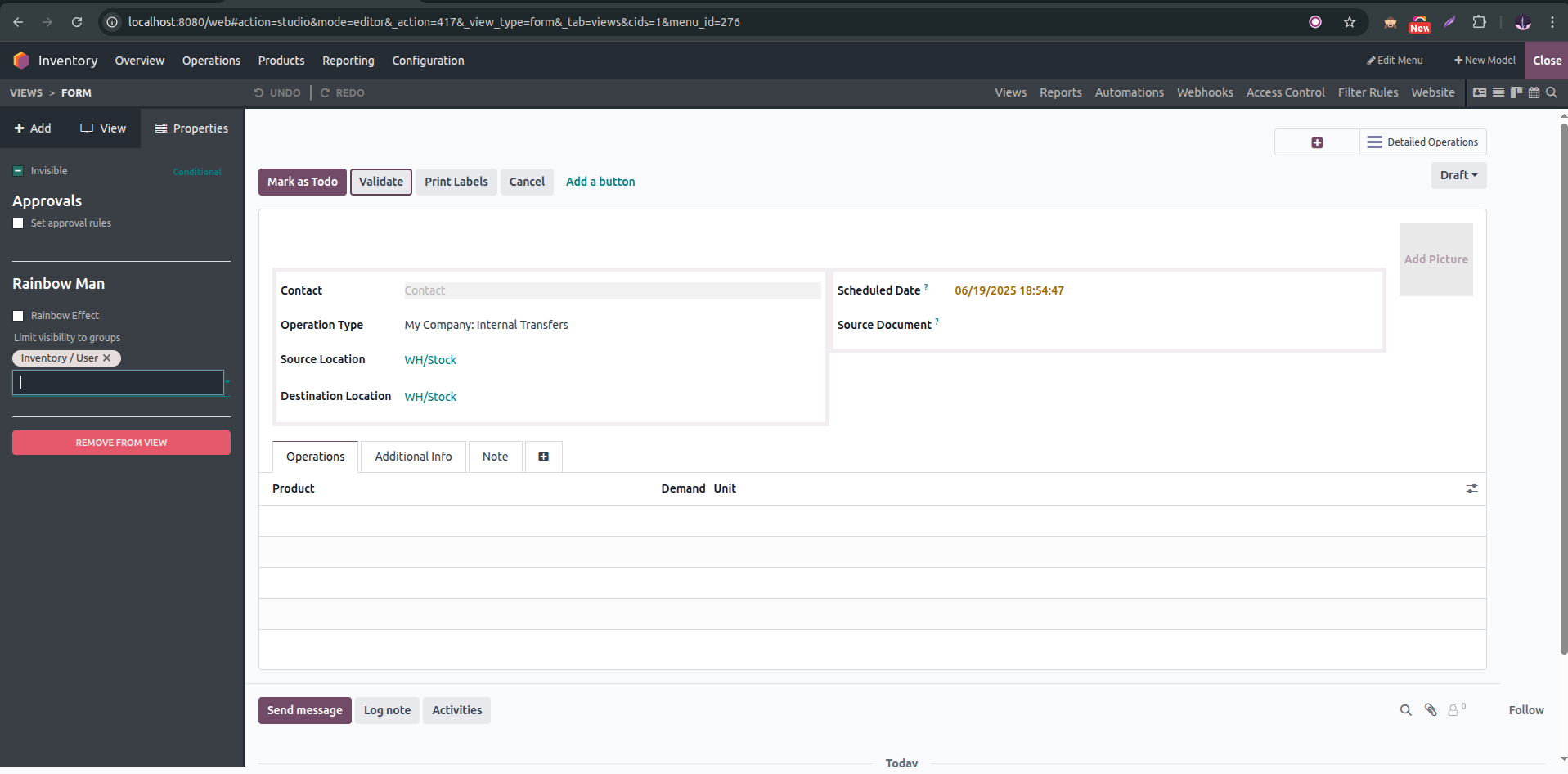
Studio (Enterprise Only)
If you have Odoo Studio:
 Works without writing code!

Hi,
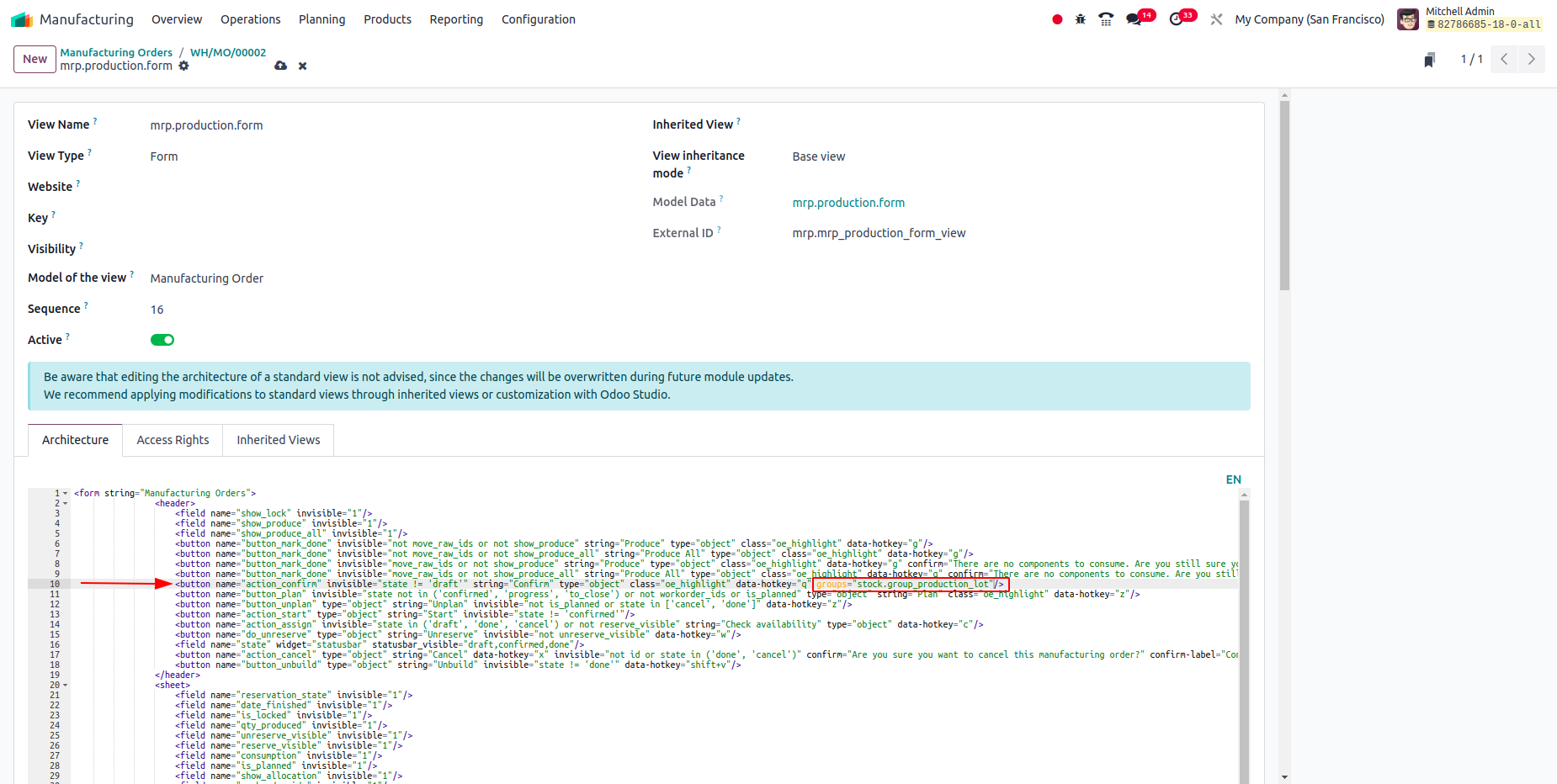
In order to show the button for the limited user, you need to add a user group for the particular button.
To add a user group to the existing button, you need to change the button attribute as follows.
<xpath expr="//button[@name='button_name']" position="attributes">
    <attribute name="groups">stock.group_stock_user</attribute>
</xpath>
You can also add it from the UI as,
Hope it helps
| 相關帖文 | 回覆 | 瀏覽次數 | 活動 | |
|---|---|---|---|---|

|
1
9月 23
|
2434 | ||


|
2
3月 23
|
10570 | ||


|
2
3月 23
|
2778 | ||


|
2
5月 22
|
4926 | ||

|
0
3月 22
|
1834 |
1. Use the live chat to ask your questions.
2. The operator answers within a few minutes.
