
How can I select my check printing layout?
Odoo is the world's easiest all-in-one management software.
It includes hundreds of business apps:
- CRM
- e-Commerce
- Contabilidad
- Inventario
- PoS
- Proyecto
- MRP
Se marcó esta pregunta
1
Responder
3057
Vistas

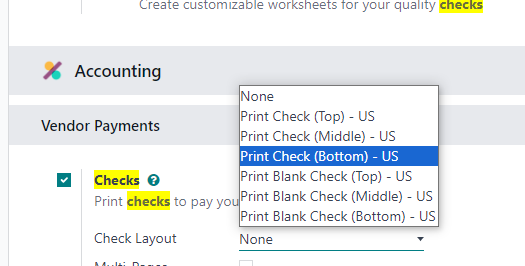
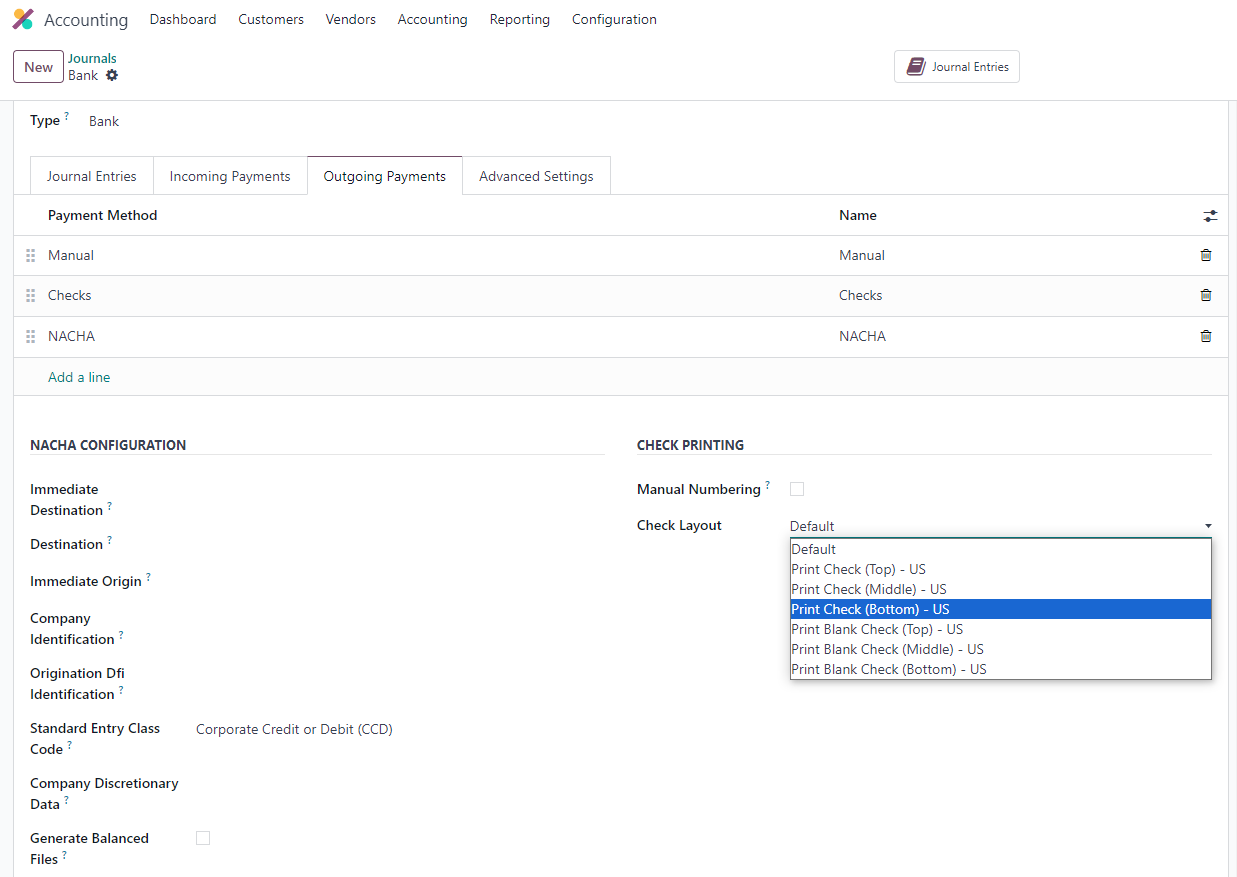
In Odoo 17.4 there are two ways we can select our check printing layout:
- Go to Settings => Checks => Check Layout
2. Go to your Bank Journal => Outgoing Payments => Check Layout
¿Le interesa esta conversación? ¡Participe en ella!
Cree una cuenta para poder utilizar funciones exclusivas e interactuar con la comunidad.
Inscribirse| Publicaciones relacionadas | Respuestas | Vistas | Actividad | |
|---|---|---|---|---|

|
2
oct 25
|
4573 | ||

|
3
jun 25
|
3140 | ||


|
3
abr 25
|
2870 | ||
|
|
1
dic 24
|
4012 | ||


|
3
sept 25
|
5363 |
