
In our company, we pay the salespeople commissions based on the % of sales of products/orders. How can I configure this in Odoo?
Odoo is the world's easiest all-in-one management software.
It includes hundreds of business apps:
- 客戶關係
- e-Commerce
- 會計
- 庫存
- PoS
- 專案管理
- MRP
此問題已被標幟
6
回覆
24718
瀏覽次數

Configuration:
Commission Plan
In Odoo, this can be achieved by installing Reseller Commission for Subscription app
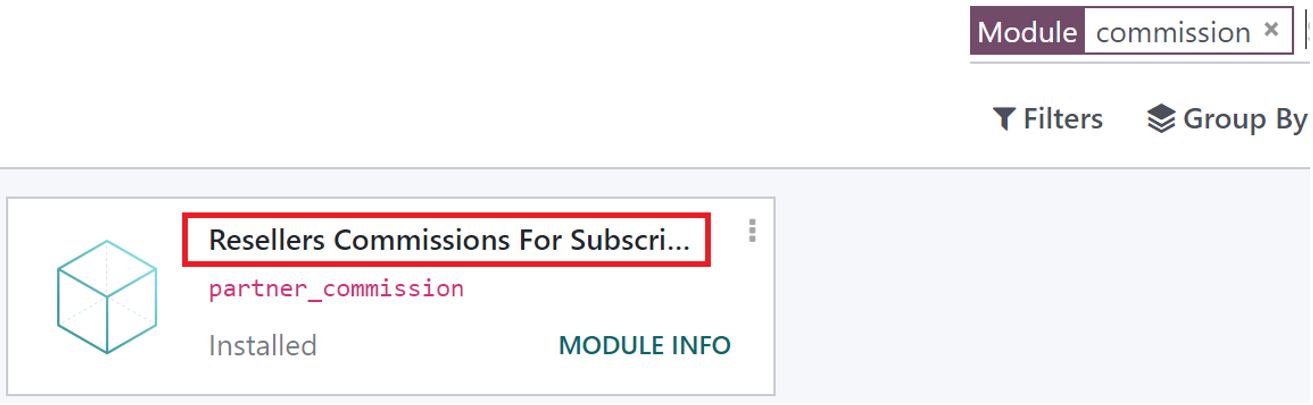
Once Installed, you will be able to see new set of options
for resellers and commissions in the CRM application.
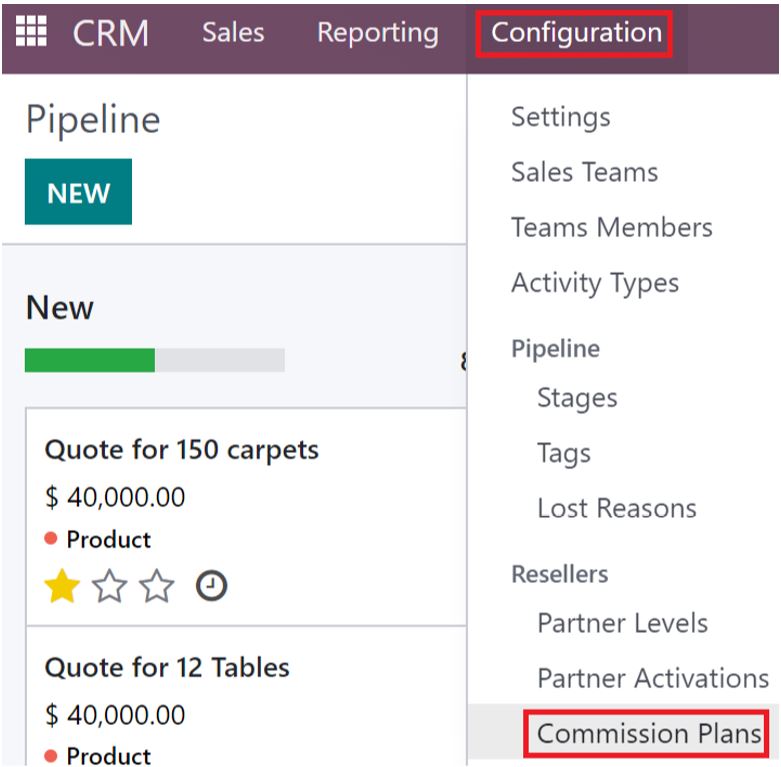
Go to CRM -> Configuration -> Commission Plan and Create a Commission Plan
Give a name to the commission plan, You can set a default product that will be purchased when the commission gets applied.
Set the company, if you are in a multi-company environment and the commission is company specific.
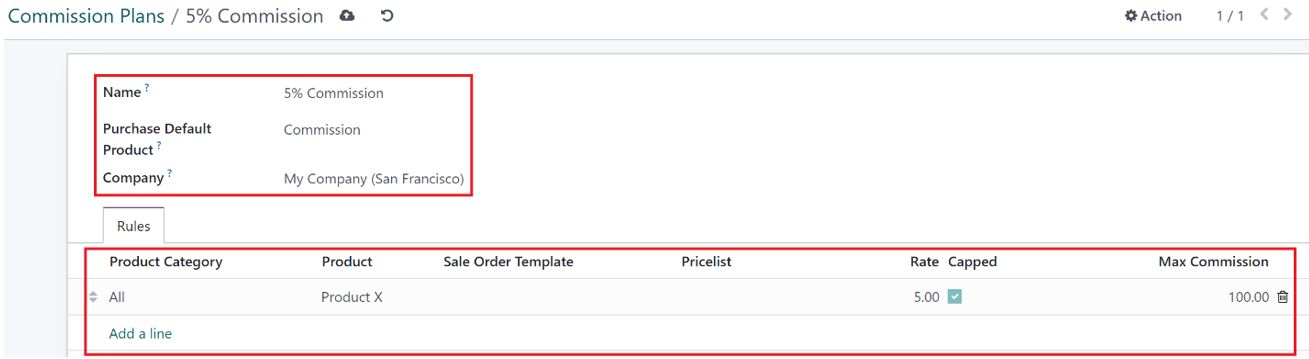
On the lines you can specify how the commission applies, If the commission applies for a whole category select the category. If it applies to specific products within a category, then add the category and select product per line.
You can also add multiple product categories and products with the same plan.
Rate is where you can specify the % commission that will be applied.
You can also set a maximum commission per order, once you enable
the capped checkbox.
If the Sale Order Template is Used, Only the sales order that use the specific quotation template will have commission calculated.
If the Pricelist option is enabled only, the sales orders that use this pricelist will calculate the commission.
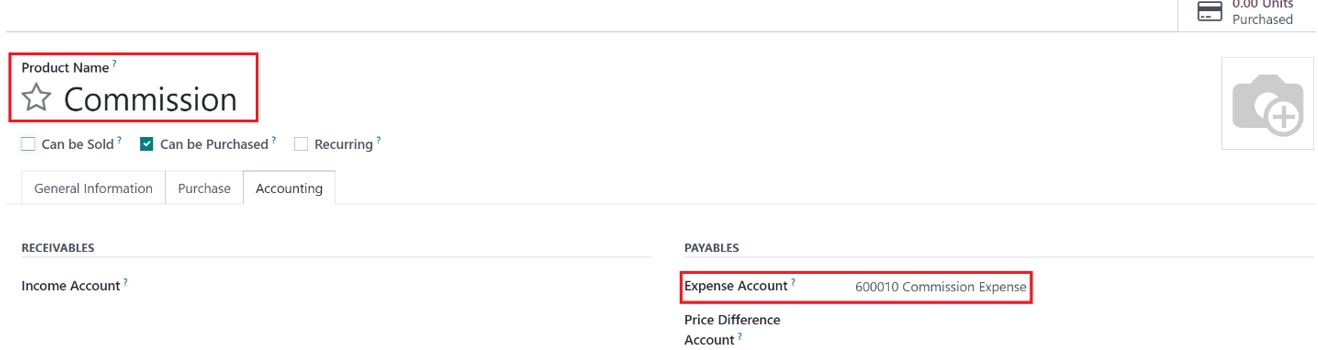
Commission Product
Setup the proper expense Account on the Commission product, so that when it is used it will hit the proper commission account.
Partner Level
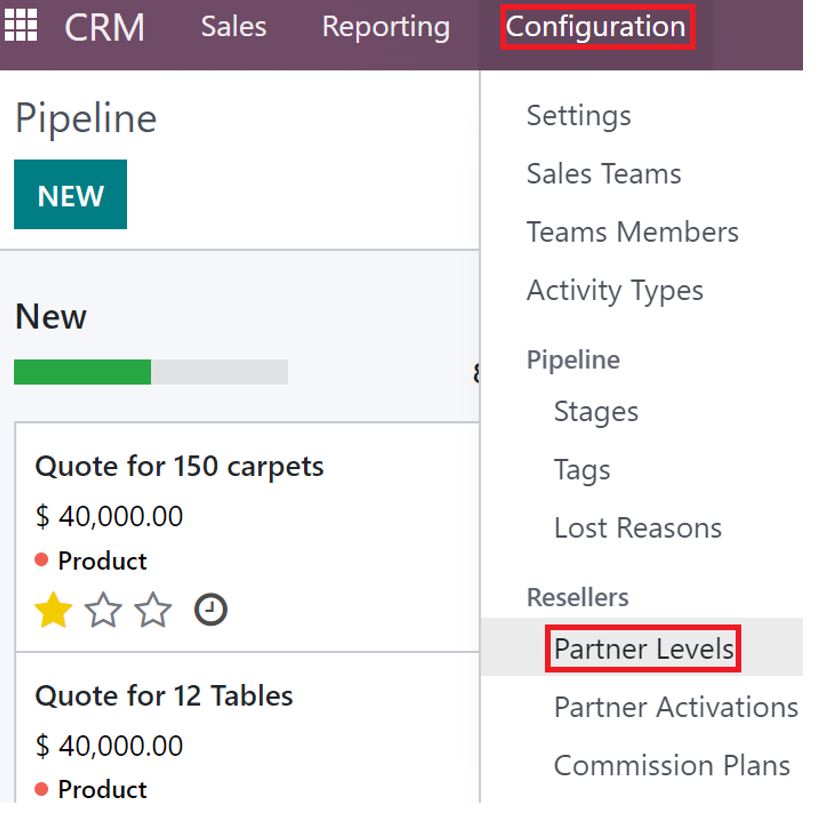
Go to CRM -> Configuration -> Partner Levels
Create a New Partner Level Called Salesperson and set the commission
plan on the partner level.
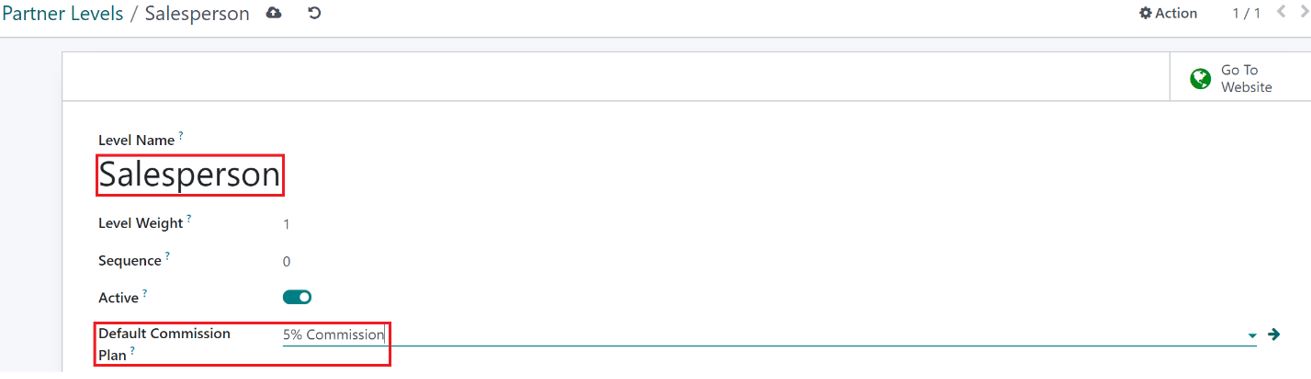
Salesperson Configuration
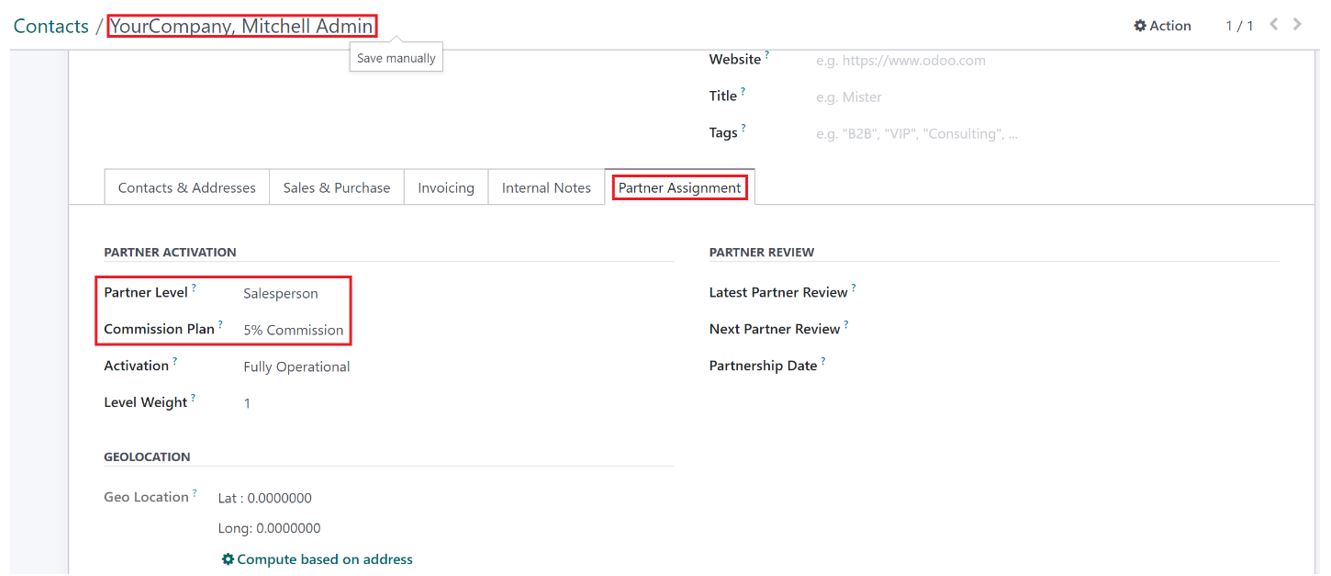
Select the contacts that are linked with the salesperson.
Under the Partner Assignment tab, Select the Partner level as Salesperson. The default commission plan from the Partner Level will automatically be added. This can be changed, if the salesperson follows a different Commission plan.
Workflow
Sales Order
When creating a Sales order, Add the Salesperson as the Referrer on the Order.
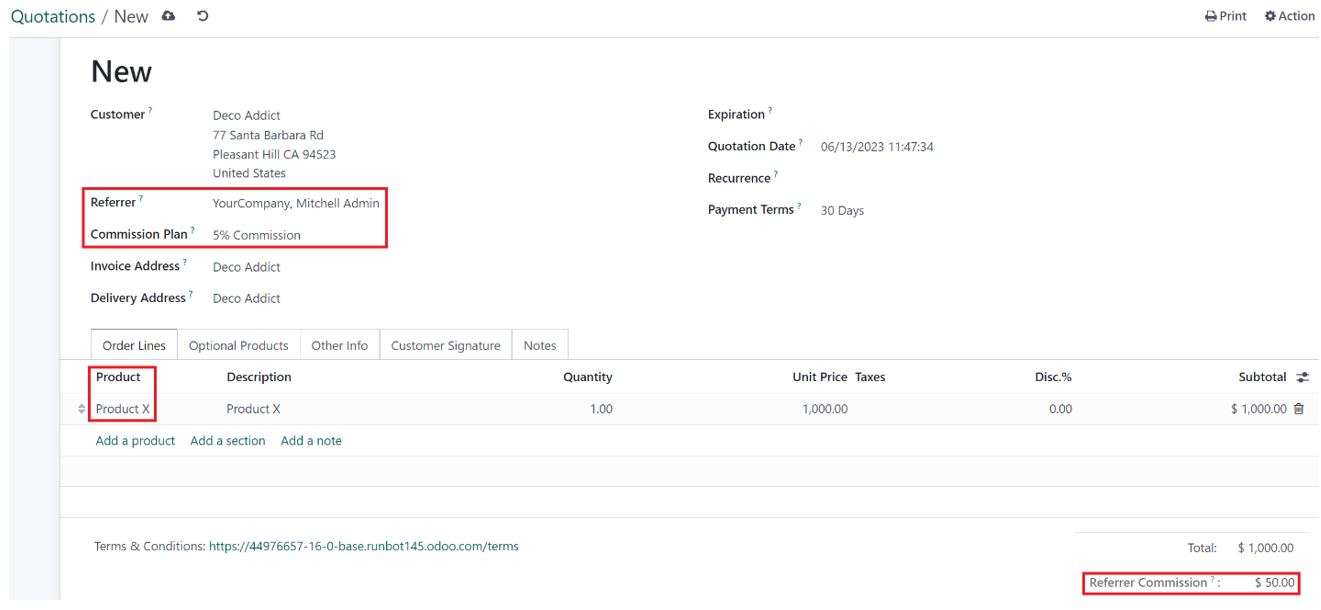
Add the Product/s that is part of the Commission Plan and the commission will be calculated based on it.
The commission rate can be seen on the bottom right corner of the sales order under the total.
Invoice
Create an Invoice and register payment for the sales order.
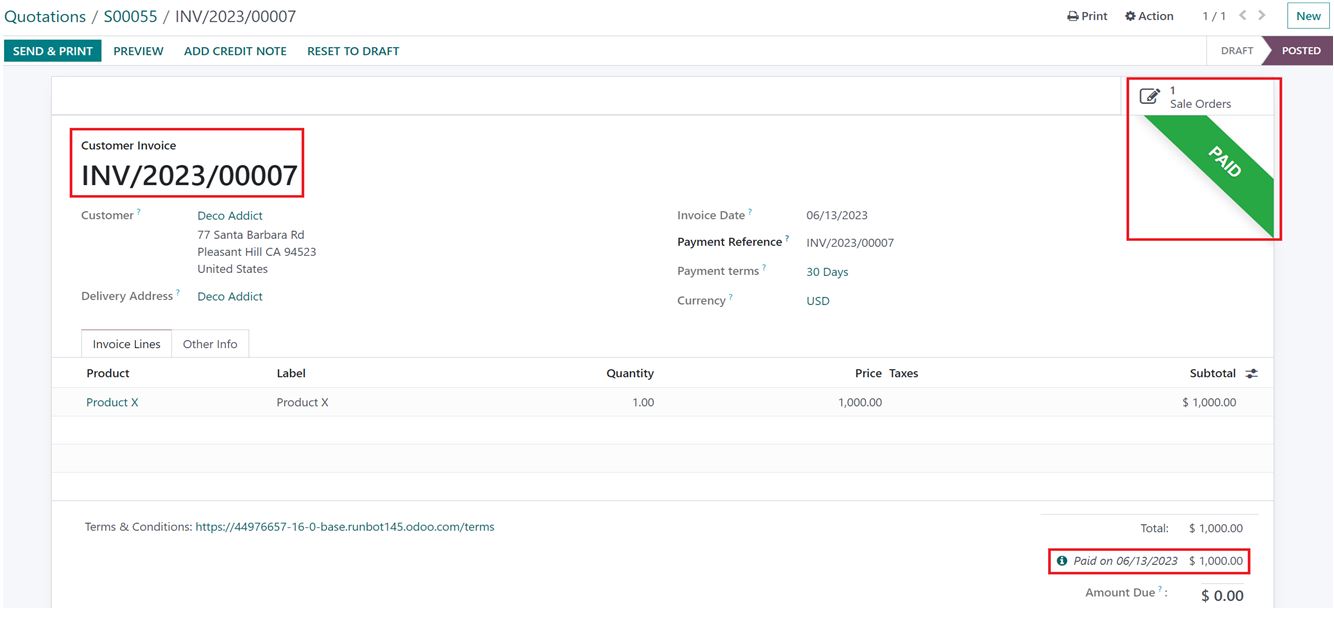
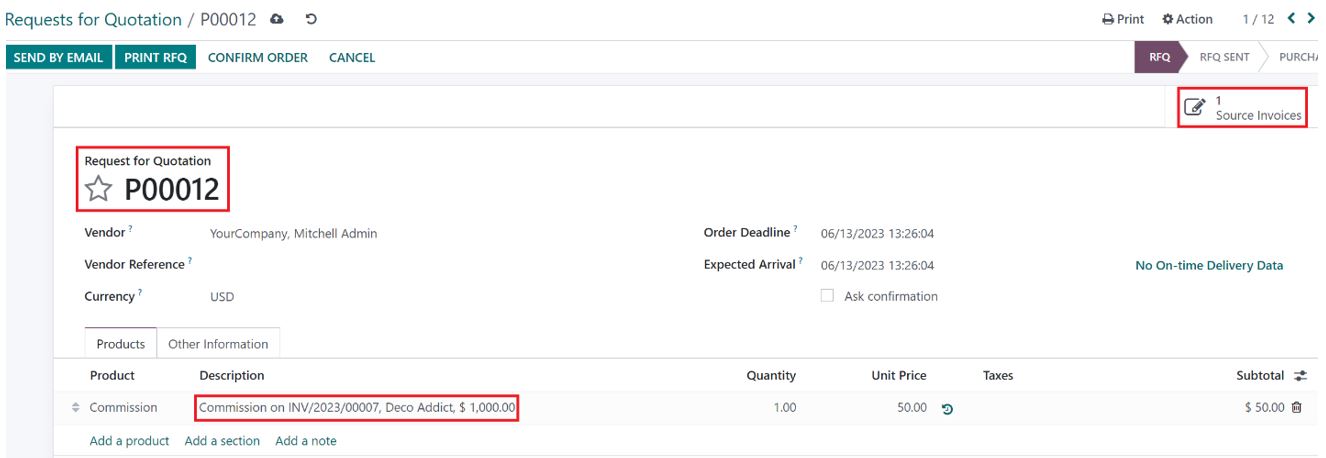
RFQ
RFQ will be automatically created when the Payment is registered against the invoice with the salesperson as a
vendor with the commission product that is set on the Commission Plan.
The value of the commission product will be the same as the Referrer commission.
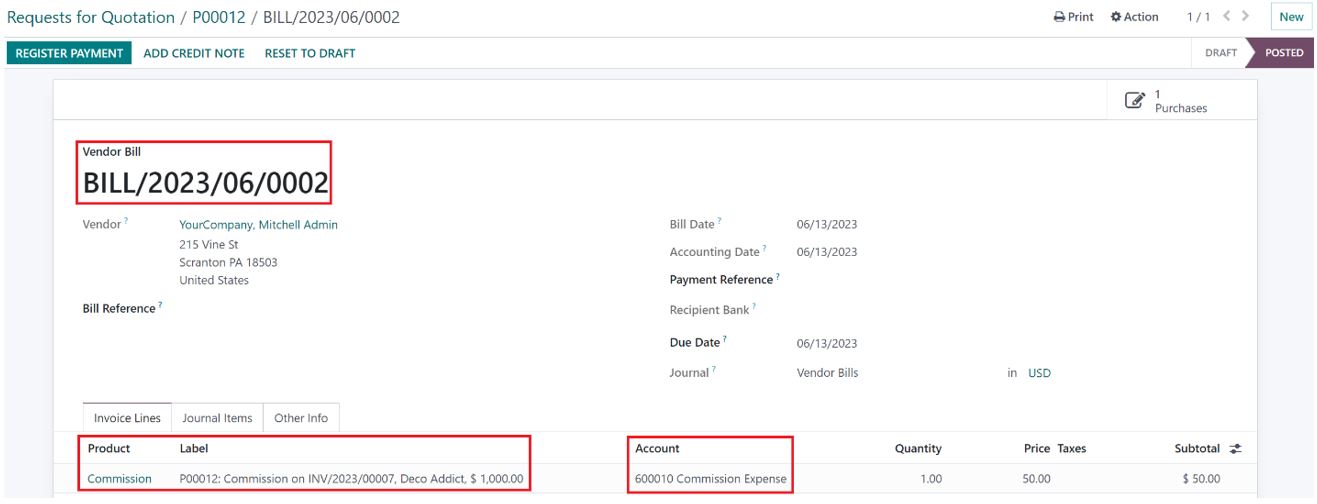
Bill
Create a Bill and the corresponding expense Account set on the product will be hit.
Once the payment is made to the salesperson a payment can be registered on the bill.
Please review the Below post for Reporting on Commissions
https://www.odoo.com/forum/help-1/how-to-report-on-commission-259244
With the release of Odoo 18, there is a new way to do commissions. Please refer to the forum post below.
https://www.odoo.com/forum/help-1/commissions-in-odoo-18-264318

How can this be integrated with the ecommerce website? I see the Partner can be added when creating an invoice, however, what about adding the partner as a discount code at time of purchase? Can we add a partner-related discount for the buyer and apply a commission to the partner?

Hello,
Thank you for your help in this thread. The commission setup works well for us, but we have one issue that we would like to resolve.
We noticed that Odoo creates a separate RFQ for each user who creates a sales order, even when the same referrer (sales agent) is assigned. This leads to multiple RFQs for the same referrer instead of consolidating them into a single RFQ.
Is there a way to configure Odoo so that all commissions for the same referrer are grouped into one RFQ, regardless of which user created the sales order?
Any insights or solutions would be greatly appreciated.
Thank you!

Thanks for help!

above is valid need some info for below
hi, wat will happen to commission if the refund against this order happens and customer changes product to a higher value from same sales person...??
first how invoice be processed and will sales person gets commission on new value or the differential??

Super Helpful and detailed! Thank you!
| 相關帖文 | 回覆 | 瀏覽次數 | 活動 | |
|---|---|---|---|---|
|
|
1
8月 24
|
3012 | ||


|
1
12月 24
|
4415 | ||


|
1
4月 25
|
3615 | ||


|
2
4月 23
|
4772 | ||


|
1
9月 21
|
3679 |
