

At times, Odoo’s safety levels may not cover our customers' expectations. This may be due to previous experiences in dealing with security issues, or for various reasons that lead them to restrict certain information, either to their employees in general or to a specific group of them.
It can also happen that users have a function that requires viewing information from several areas but in a restricted way, this in Odoo may need permissions from two or more applications to cover with their activities. Many times this causes that some tabs are shown by default with the most basic permission so customers don’t like it.
I share with you a standard flow that does not need Studio, which will allow you to make some modifications to the views of different menus or even an entire module using groups.
- Logic and tools
- Use case
- Good practices
Logic and tools
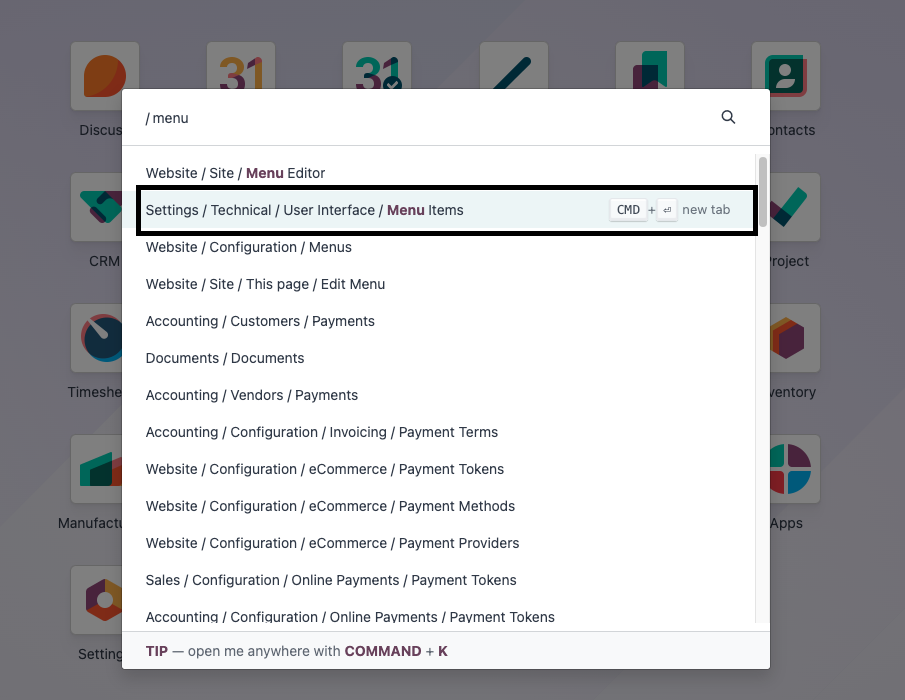
- Activate the developer mode
- Menu items
Use case
A customer requires to hide the product menu in the sales app and the whole inventory application for all their sales people so they cannot see the raw materials and their costs, and not be able to see the warehouse operations. They know the SKU of all of their products so they don’t need to check the catalog on Odoo.
They are assigned with the permission of "View only own documents" in sales and the “User” configuration for the inventory. This allows them to see the delivery order whenever they confirm a quotation, but the issue is that it enables the inventory module and this generates conflict with the customer permissions.
They require that they can only see the delivery order shown through the smart button in the sale order but the sales people cannot see the inventory operations.
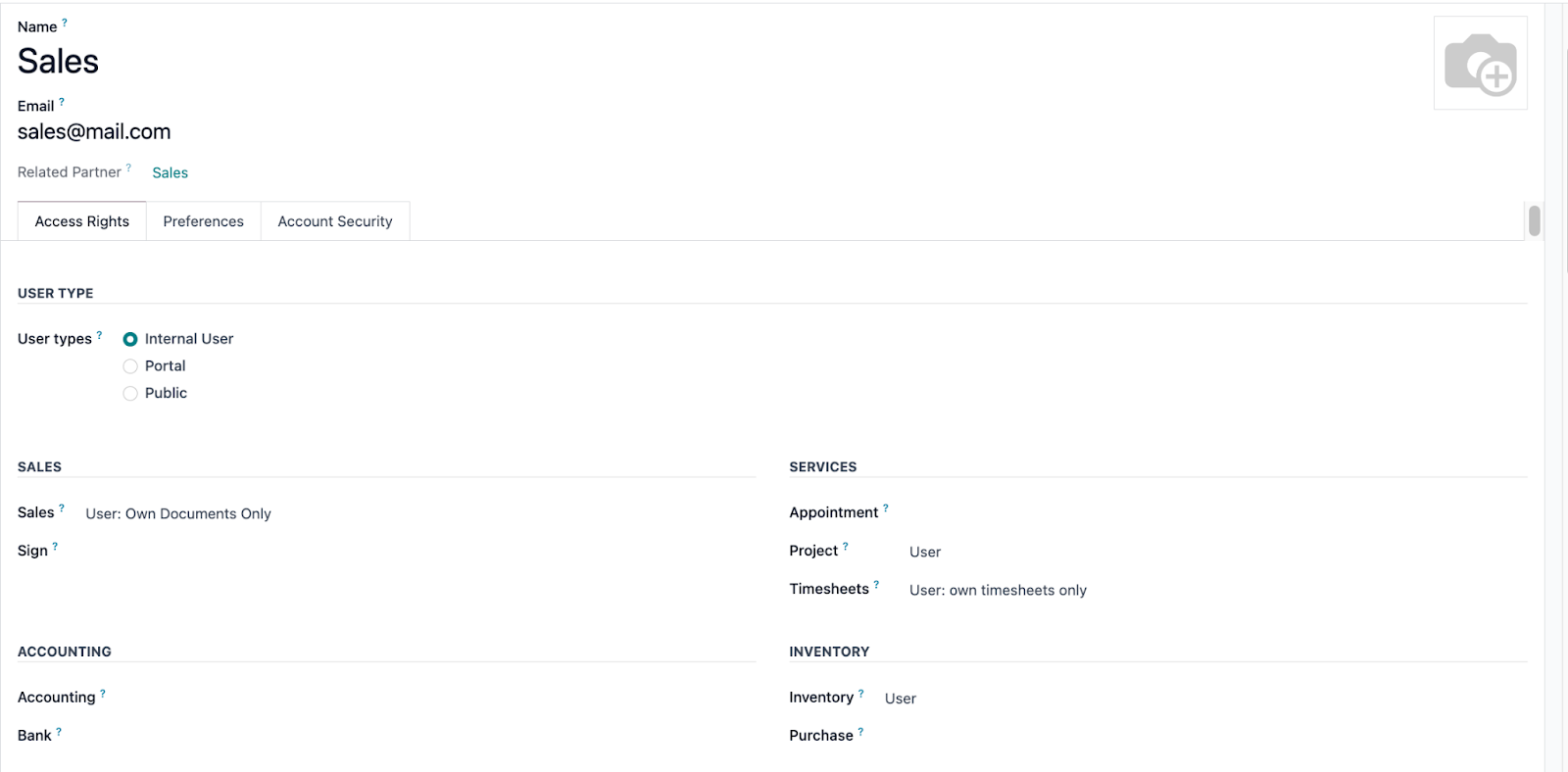
These are the tabs that are allowed with those permissions.


As mentioned above, the customer requires to hide the product menu and inventory application.
How to make it standard?
In sales:
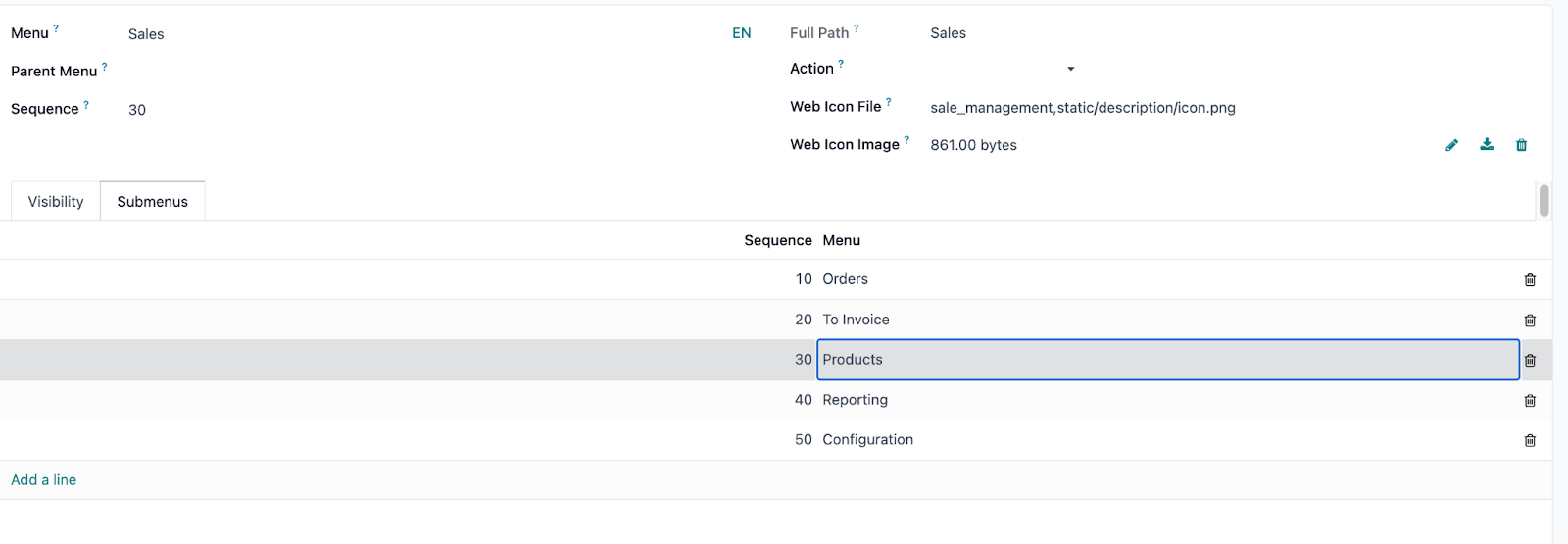
Go to menu items -> search for "Sales" -> select "Sales" option
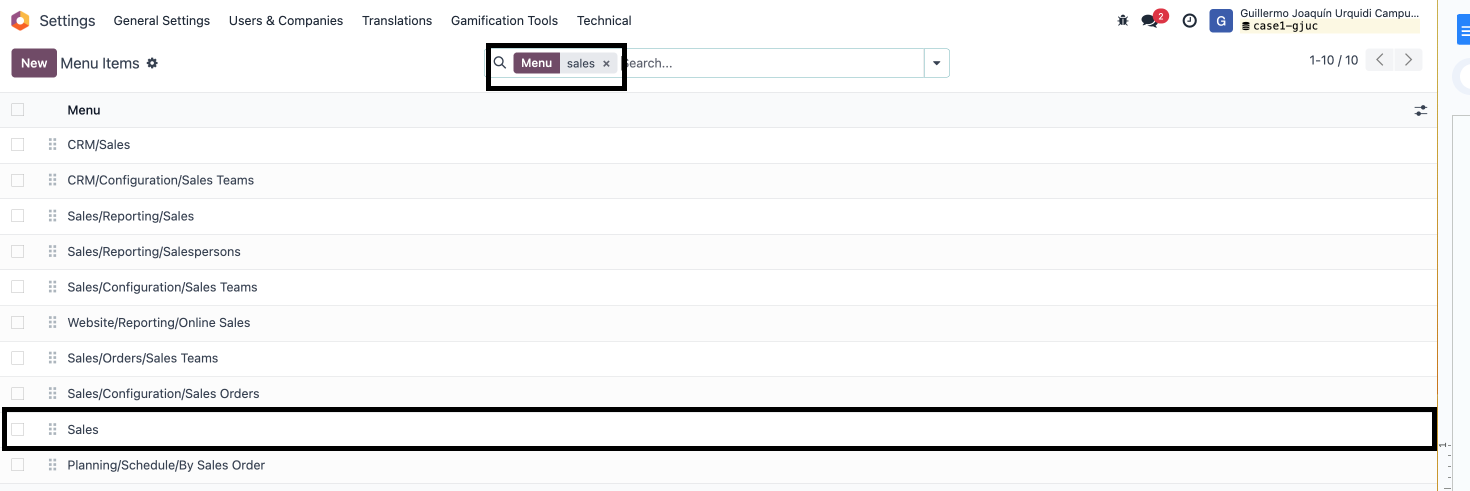
Once this option is selected, you must go to submenus.
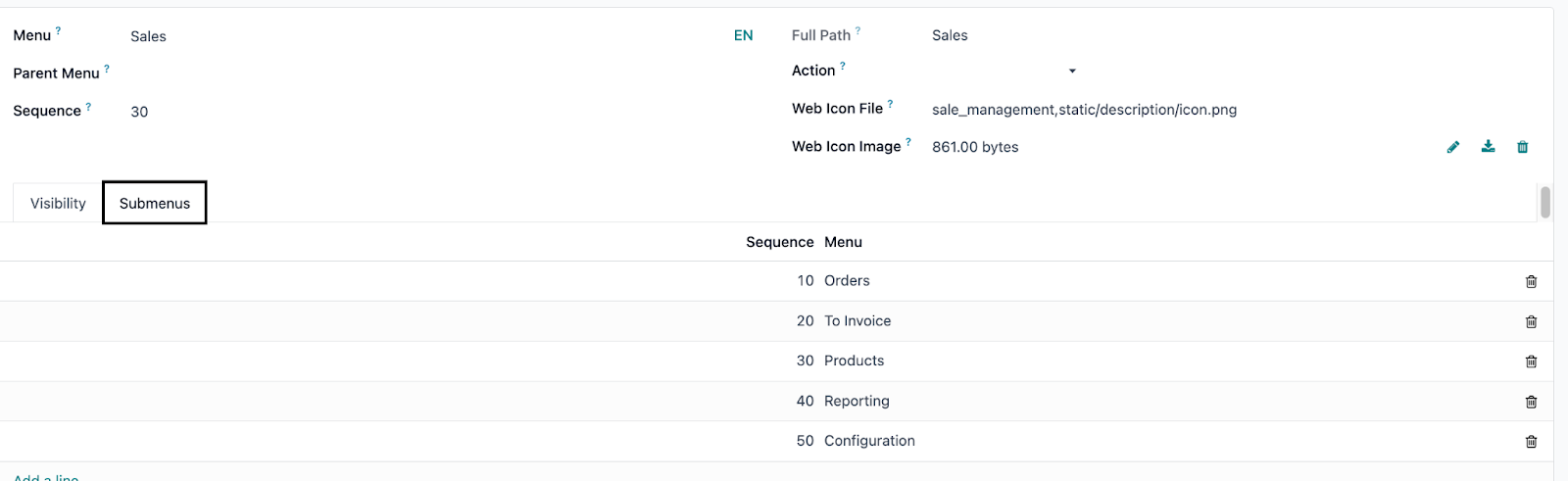
Select the option "products".
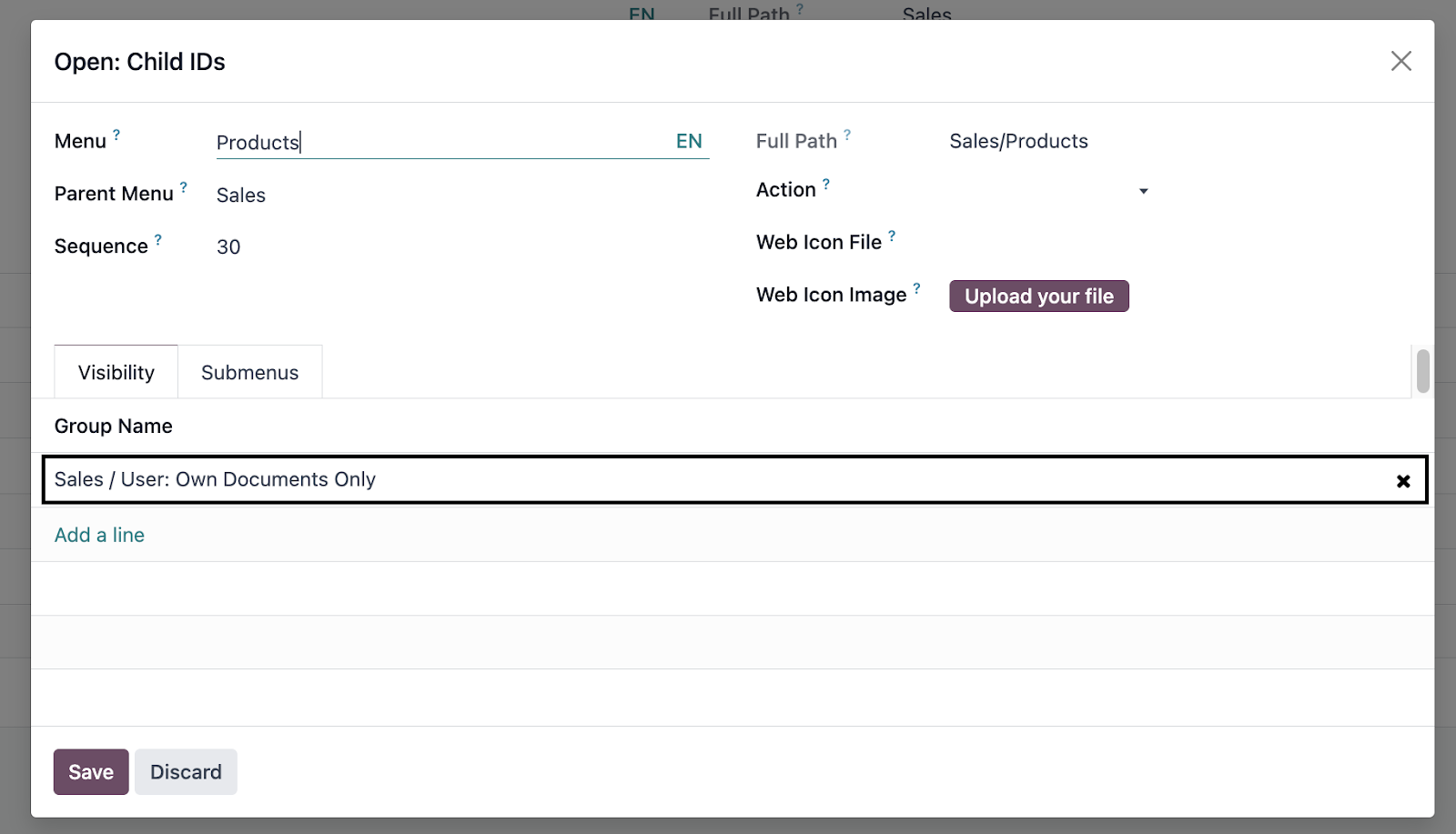
As you can see, Odoo has default visibility for the "View only own documents" group.
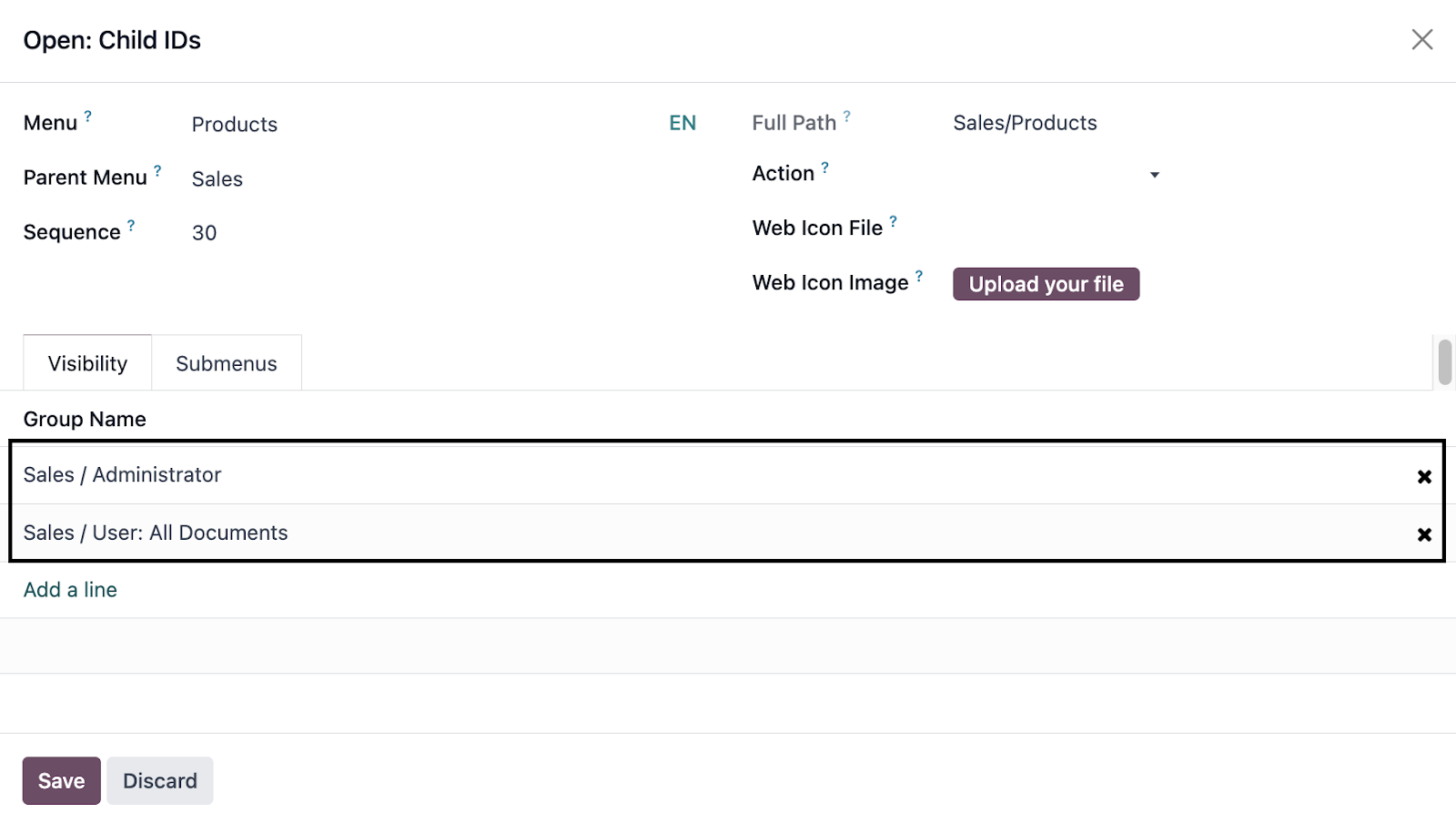
This should be changed by the group that has the necessary permissions to review this menu.
Example:
Only administrators and those who can view all commands will have access to this view.
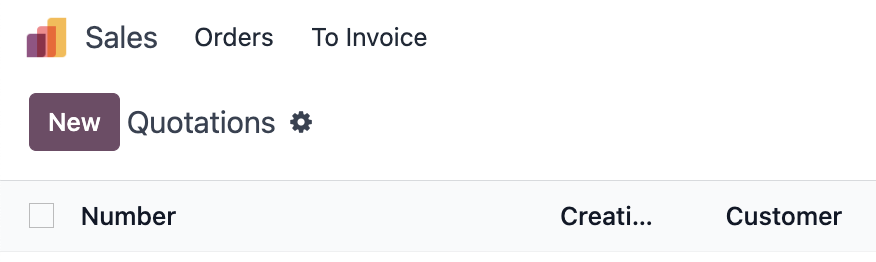
Result:
To hide the Inventory module you must follow the same logic above.
Go to menu items - > search for "inventory" -> select the option "Inventory" -> under the tab "Visibility" define that only administrators or some customized group can view the entire module.
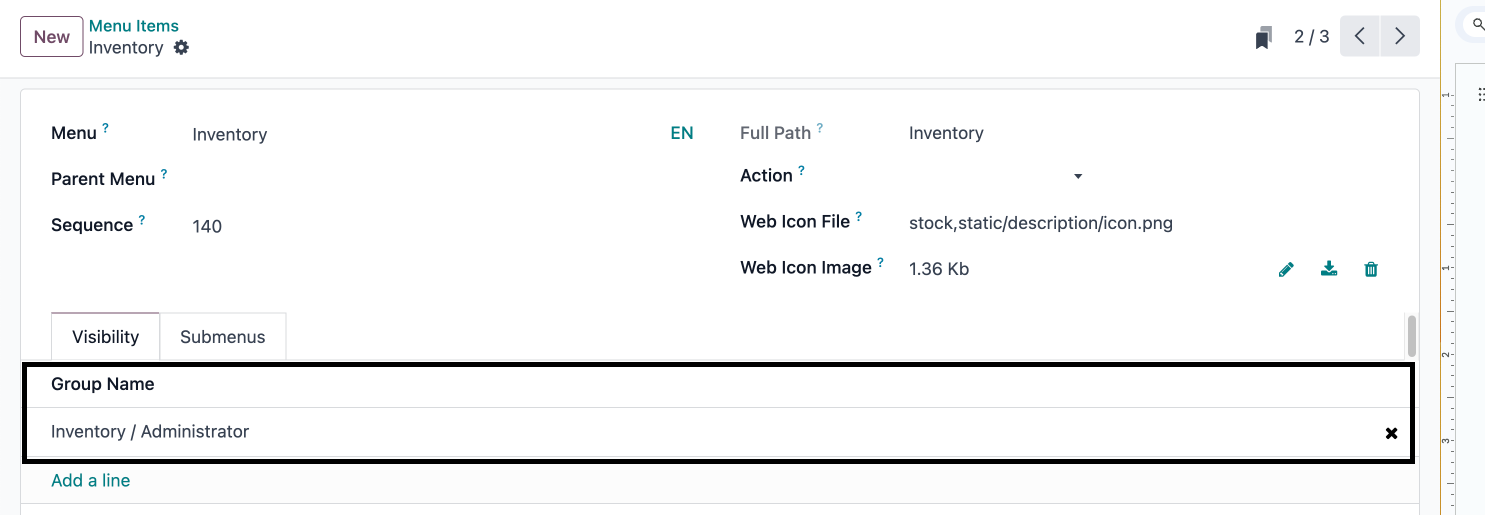
Result:
The sales people assigned with this permissions now does not have the Inventory module available.
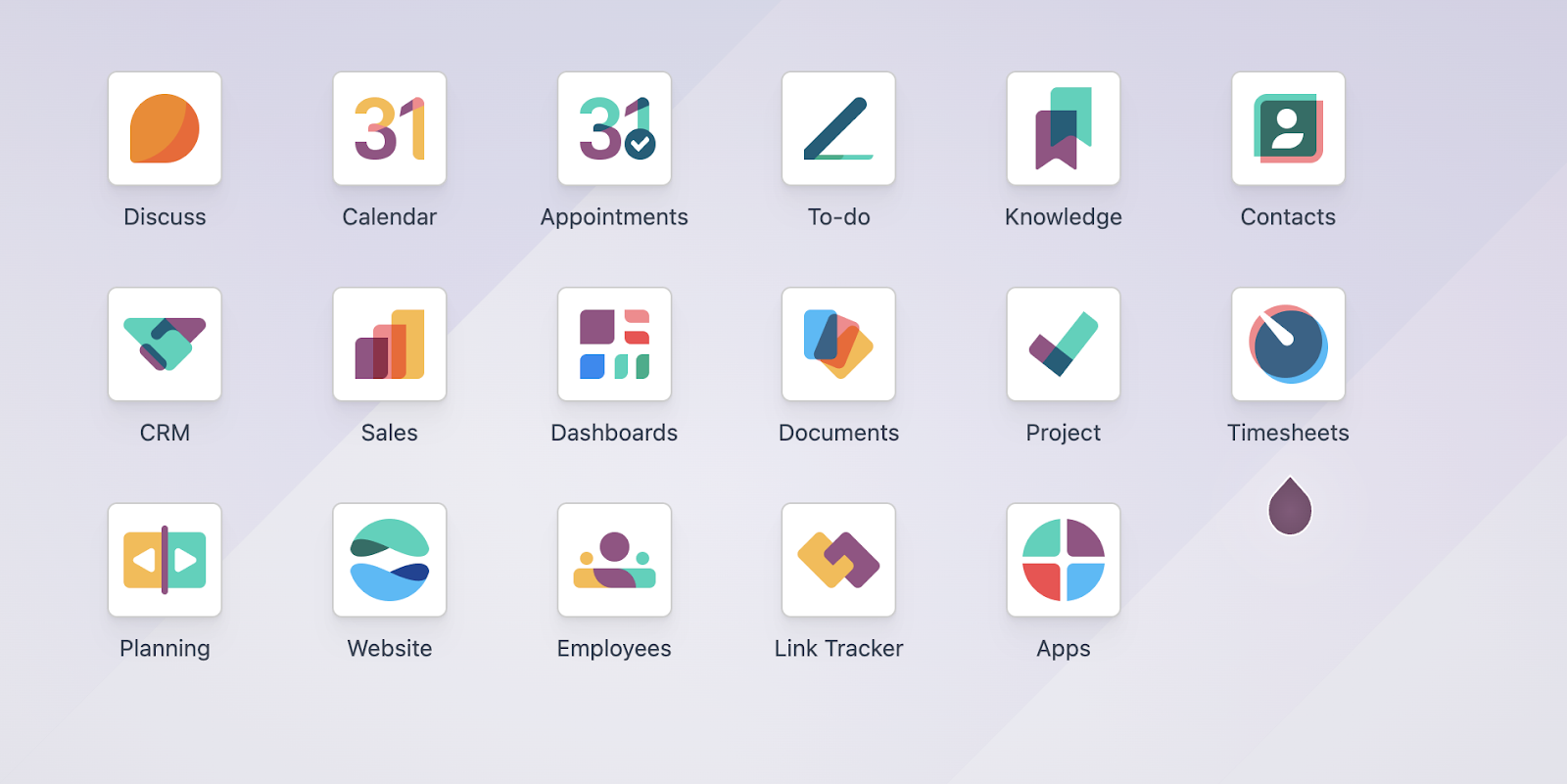
Good practices
It is crucial to consider the full flow of the customers to assess the feasibility of the restrictions.
In addition, it is essential to understand the database interface to determine whether hiding a menu or a complete model is necessary to meet customer expectations or is just a half solution.
For example, if you want to hide the contact menu, when adjusting the groups through "Menu Items", users will no longer have access to the module at all. However, if a user has billing, buying or selling permissions, they will be able to access the "Customers" or "Suppliers" menu from one of those modules, which would still allow access to the "res.partner" model in some way. Therefore, it is crucial to know the database and its menus to consider all possible ways in which a user with certain permissions could access a model that is tried to hide.
A deep review and good Odoo knowledge will facilitate the configuration of permissions in a clear and functional manner.
It is also essential to understand customer needs in order to determine whether to use the predetermined groups or whether new user groups are required to achive the security objectives.


