
Business use case:
This document outlines the process for managing non-trade receivables and illustrates its representation in the aged receivables report.
The example below is based on version 17.0
Odoo is the world's easiest all-in-one management software.
It includes hundreds of business apps:

This document outlines the process for managing non-trade receivables and illustrates its representation in the aged receivables report.
The example below is based on version 17.0
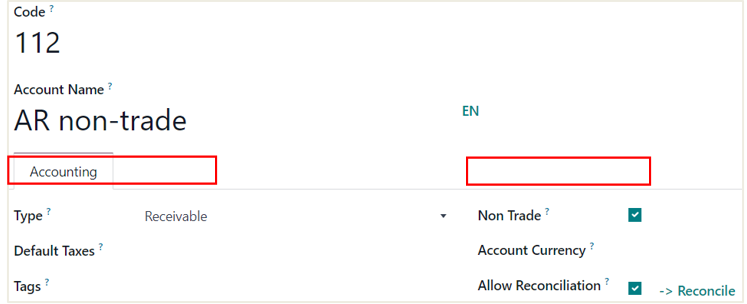
1. Establish an accounts receivable account and select the non-trade option.
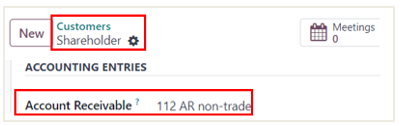
2. Open a contact.
Select AR non-trade account on the contact’s receivable.
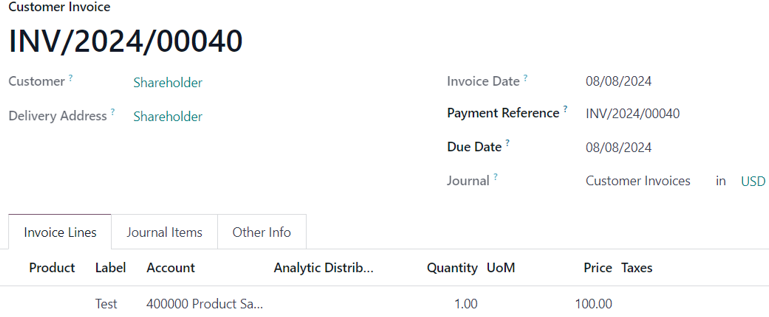
1. Create an invoice for the shareholder.
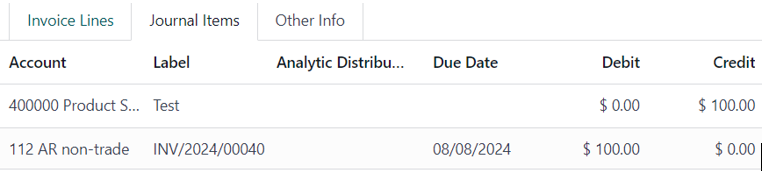
2. Odoo uses an AR non-trade receivable account.
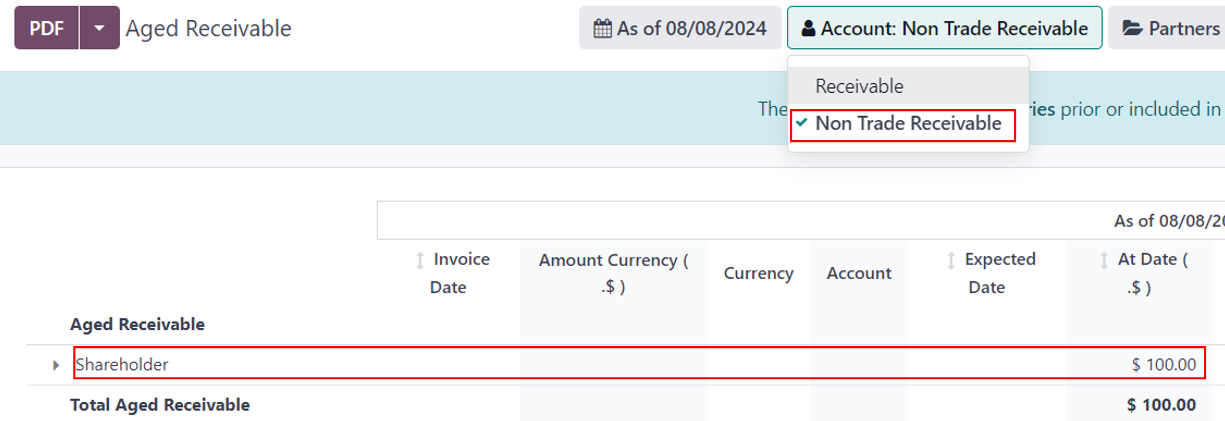
3. Go to Accounting > Aged receivable report > select non-trade receivable > see the invoice appear.
| 相關帖文 | 回覆 | 瀏覽次數 | 活動 | |
|---|---|---|---|---|

|
2
9月 25
|
6080 | ||
|
|
1
9月 25
|
3909 | ||
|
|
1
2月 25
|
3368 | ||
|
|
1
7月 24
|
6098 | ||
|
|
1
7月 24
|
2284 |
1. Use the live chat to ask your questions.
2. The operator answers within a few minutes.
