Passa al contenuto
Odoo Menu
  • Accedi
  • Provalo gratis
  • App
    Finanze
    • Contabilità
    • Fatturazione
    • Note spese
    • Fogli di calcolo (BI)
    • Documenti
    • Firma
    Vendite
    • CRM
    • Vendite
    • Punto vendita Negozio
    • Punto vendita Ristorante
    • Abbonamenti
    • Noleggi
    Siti web
    • Configuratore sito web
    • E-commerce
    • Blog
    • Forum
    • Live chat
    • E-learning
    Supply chain
    • Magazzino
    • Produzione
    • PLM
    • Acquisti
    • Manutenzione
    • Qualità
    Risorse umane
    • Dipendenti
    • Assunzioni
    • Ferie
    • Valutazioni
    • Referral dipendenti
    • Parco veicoli
    Marketing
    • Social marketing
    • E-mail marketing
    • SMS marketing
    • Eventi
    • Marketing automation
    • Sondaggi
    Servizi
    • Progetti
    • Fogli ore
    • Assistenza sul campo
    • Helpdesk
    • Pianificazione
    • Appuntamenti
    Produttività
    • Comunicazioni
    • Approvazioni
    • IoT
    • VoIP
    • Knowledge
    • WhatsApp
    App di terze parti Odoo Studio Piattaforma cloud Odoo
  • Settori
    Retail
    • Libreria
    • Negozio di abbigliamento
    • Negozio di arredamento
    • Alimentari
    • Ferramenta
    • Negozio di giocattoli
    Cibo e ospitalità
    • Bar e pub
    • Ristorante
    • Fast food
    • Pensione
    • Grossista di bevande
    • Hotel
    Agenzia immobiliare
    • Agenzia immobiliare
    • Studio di architettura
    • Edilizia
    • Gestione immobiliare
    • Impresa di giardinaggio
    • Associazione di proprietari immobiliari
    Consulenza
    • Società di contabilità
    • Partner Odoo
    • Agenzia di marketing
    • Studio legale
    • Selezione del personale
    • Audit e certificazione
    Produzione
    • Tessile
    • Metallo
    • Arredamenti
    • Alimentare
    • Birrificio
    • Ditta di regalistica aziendale
    Benessere e sport
    • Club sportivo
    • Negozio di ottica
    • Centro fitness
    • Centro benessere
    • Farmacia
    • Parrucchiere
    Commercio
    • Tuttofare
    • Hardware e assistenza IT
    • Ditta di installazione di pannelli solari
    • Calzolaio
    • Servizi di pulizia
    • Servizi di climatizzazione
    Altro
    • Organizzazione non profit
    • Ente per la tutela ambientale
    • Agenzia di cartellonistica pubblicitaria
    • Studio fotografico
    • Punto noleggio di biciclette
    • Rivenditore di software
    Carica tutti i settori
  • Community
    Apprendimento
    • Tutorial
    • Documentazione
    • Certificazioni 
    • Formazione
    • Blog
    • Podcast
    Potenzia la tua formazione
    • Programma educativo
    • Scale Up! Business Game
    • Visita Odoo
    Ottieni il software
    • Scarica
    • Versioni a confronto
    • Note di versione
    Collabora
    • Github
    • Forum
    • Eventi
    • Traduzioni
    • Diventa nostro partner
    • Servizi per partner
    • Registra la tua società di contabilità
    Ottieni servizi
    • Trova un partner
    • Trova un contabile
    • Incontra un esperto
    • Servizi di implementazione
    • Testimonianze dei clienti
    • Supporto
    • Aggiornamenti
    GitHub Youtube Twitter Linkedin Instagram Facebook Spotify
    +1 (650) 691-3277
    Richiedi una demo
  • Prezzi
  • Aiuto
  1. Corsi
  2. SmartClass - Point of Sales
  3. Why did we create this course?
Nav
Home └SmartClass - Point of Sales └Why did we create this course?

SmartClass - Point of Sales

0 %

Completato

Contenuto del corso
  • Introduction
    • Why did we create this course?
  • Module 0 - POS Global
    • Introduction
    • Introduction to the POS app
    • Technical aspects of the POS app
    • Functional aspects of the POS app
    • Output
  • Module 1 - POS Setup
    • Introduction
    • Theory: Define the POS flow
    • Theory: Define products needs
    • Theory: Define local regulations and number of POS to configure
    • Theory: Define Point of Sales needs
    • Theory: Needed hardware
    • Theory: Reporting
    • Theory: Bar/Restaurant specific settings
    • Exercises
    • Output
  • Module 2 - POS hardware
    • Introduction
    • Technical Aspects: Technical glossary
    • Technical Aspects: Hardware connection
    • Functional Aspects
    • Exercises
    • Output
  • Module 3 - POS integration with Inventory
    • Introduction
    • Theory: Introduction to Inventory
    • Theory: Technical Aspects
    • Theory: Functional Aspects
    • Theory: Inventory Setup
    • Exercises
    • Output
  • Module 4 - POS Integration with Accounting
    • Introduction
    • Theory: Introduction to Accounting
    • Theory: Technical Aspects
    • Theory: Functional aspects
    • Theory: POS accounting Setup
    • Exercises
    • Output
  • Module 5 - POS Integration with Sales and E-commerce
    • Introduction to Odoo's Sales services
    • Theory : Integration with Sales - Technical Aspects
    • Theory : Integration with Sales - Functional Aspects
    • Theory : Integration with E-commerce - Technical Aspects
    • Theory : Integration with E-commerce - Functional Aspects
    • Exercises
    • Output

Why did we create this course?

Prec Succ
Schermo intero Condividi

Why did we create this course?


Welcome to the POS Smart Class!

This course was created to guide you through your app's knowledge path: from the imPOStor syndrome to real POS app expert!

The Smart Class will be divided into 8 modules. Each module tackles a specific topic:
Module 0 - Global POS Introduction

The Point of Sale app is particular as its functioning is quite unique in comparison to the other Odoo applications.

This global introduction helps you understand the POS app as a whole and the impacts
of the technical decisions taken. We will also tackle some Frequently Asked Questions.

Make sure to go though this module before starting the next ones!
Module 1 - POS Setup

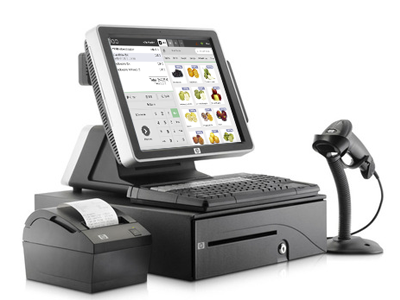
This module guides you through your first POS Kick-Offs and set-ups! We will give you a structured overview of all the configuration possibilities but most importantly, the right questions to ask during the first phase of your project. Limitations, tips and aspects that need your attention will also be discussed in this module.

Note that we discuss all aspects of the setup in a quick and structured way. More detailed information will be provided in the next modules.
Module 2 - POS Hardware

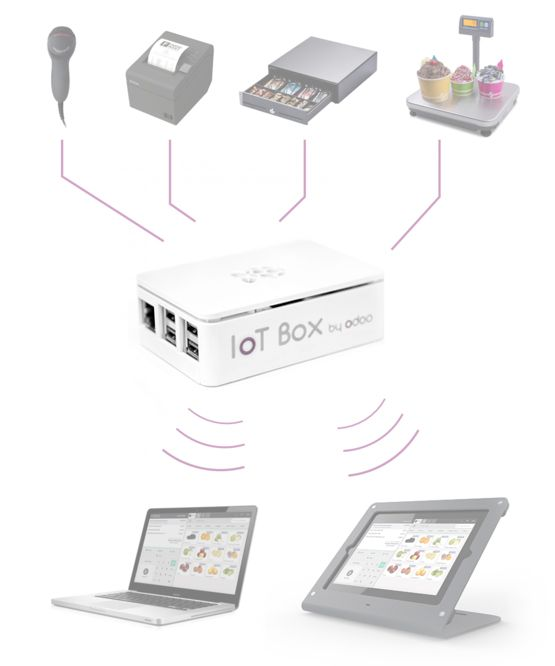
When you say POS, you think of hardware right? The POS Hardware module demystifies the POS devices. You will learn more about compatible and integrated hardware, the IoT box, ways of installing your devices and more!

After completing this module, you’ll feel more confident about discussing the hardware with your client!
Module 3 - POS Integration with Inventory

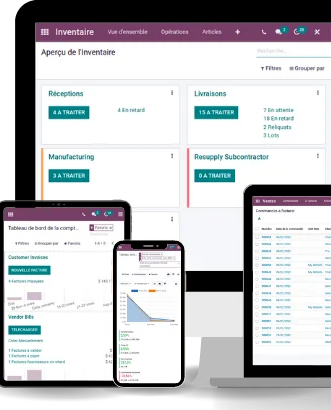
POS and Inventory apps are interdependent: the Inventory app will be automatically downloaded when purchasing your Point of Sale app. Module 3 dives into those interactions in order to set-up your POS inventory-wise. We will also discuss different aspects concerning features and more advanced use cases.

Make sure to go through this module to understand inventory configurations and implications like an
expert!
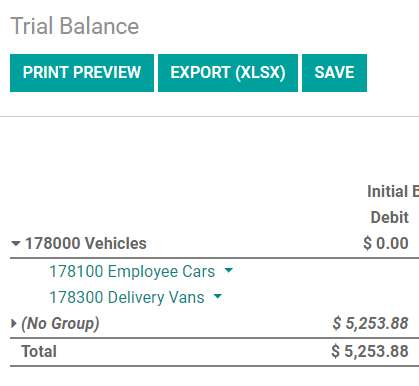
Module 4 - POS Integration with Accounting

As with Inventory: Accounting and Point of Sale apps are interdependent! This module discusses implications around accounting configurations, payment methods set-ups and accounting entries generated after each session. Advanced use cases are also part of this course to make sure you master all accounting aspects of the POS.
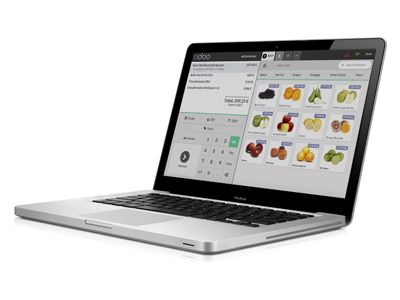
Module 5 - POS Integration with Sales and e-Commerce

This module is certainly a must-read! All aspects around the integration with Sales and e-Commerce will be discussed, including advanced features and use cases. The POS can function on its own but is far more powerful when used in parallel with the Sales and e-Commerce apps. You should certainly not skip it!
Module 6 - POS gets Technical
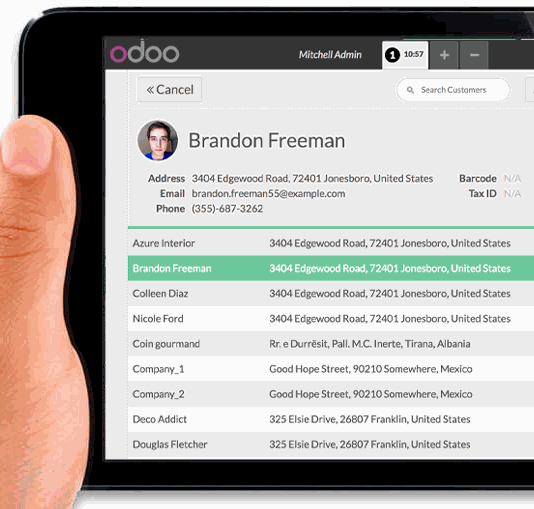

Module 7 - POS sector pain points, tip and tricks, specific configurations


How are the modules structured? 


The Smart Class is mostly organized the same way. Here is the structure you’ll find across most modules of this POS course

  1. Introduction: Redirects to the module’s prerequisites and gives you a bit of context
  2. Theory: A theoretical part where we talk about technical and functional app aspects to help you understand all features, implications, limitations and best practices to follow
  3. Use cases: Translate what you’ve learned into real use cases
  4. Exercises: Help you assimilate the topics by deep diving into the database
  5. Output: Summarizes what we learned and redirects to useful documentation


What are you waiting for ?
 You can start with Module 0 - Global POS Introduction
and you’ll be officially on your way to becoming a POS expert!


  • Informazioni
  • Comments (0)


Valutazione
0 0

Ancora nessun commento.

Community
  • Tutorial
  • Documentazione
  • Forum
Open source
  • Scarica
  • Github
  • Runbot
  • Traduzioni
Servizi
  • Hosting Odoo.sh
  • Supporto
  • Aggiornamenti
  • Sviluppi personalizzati
  • Formazione
  • Trova un contabile
  • Trova un partner
  • Diventa nostro partner
Chi siamo
  • La nostra azienda
  • Branding
  • Contattaci
  • Lavora con noi
  • Eventi
  • Podcast
  • Blog
  • Clienti
  • Note legali • Privacy
  • Sicurezza
الْعَرَبيّة Català 简体中文 繁體中文 (台灣) Čeština Dansk Nederlands English Suomi Français Deutsch हिंदी Bahasa Indonesia Italiano 日本語 한국어 (KR) Lietuvių kalba Język polski Português (BR) română русский язык Slovenský jazyk slovenščina Español (América Latina) Español ภาษาไทย Türkçe українська Tiếng Việt

Odoo è un gestionale di applicazioni aziendali open source pensato per coprire tutte le esigenze della tua azienda: CRM, Vendite, E-commerce, Magazzino, Produzione, Fatturazione elettronica, Project Management e molto altro.

Il punto di forza di Odoo è quello di offrire un ecosistema unico di app facili da usare, intuitive e completamente integrate tra loro.

Website made with

Odoo Experience on YouTube

1. Use the live chat to ask your questions.
2. The operator answers within a few minutes.

Live support on Youtube
Watch now
