
Performance management
Odoo provides robust tools to monitor and analyze your e-commerce’s performance and optimize the processing of order confirmation emails during high-traffic periods.
Data monitoring
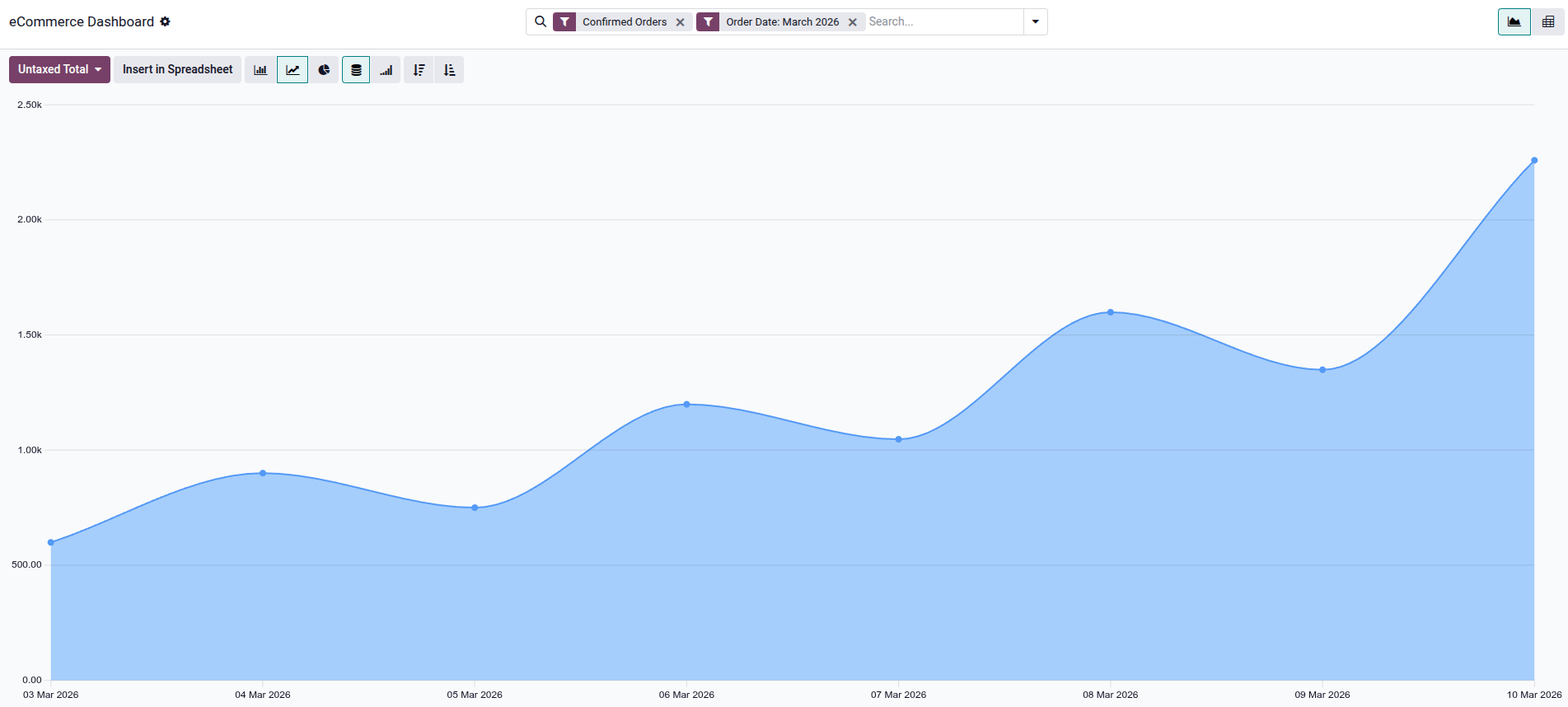
The eCommerce reporting view allows you to monitor and analyze the performance of your online sales. To access it, go to . The eCommerce Dashboard helps monitor everything related to the online shop, e.g., sales performance by product or category. By default, the graph shows data for Confirmed Orders and the current month.
Click the Untaxed Total button (default) to select the metric to analyze, such as Discount %, Margin, Qty Invoiced, or Volume. You can also switch between pivot and graph views, and create a spreadsheet by clicking Insert in Spreadsheet.
Email queue optimization
For websites handling flash sales (e.g., event ticket sales) or experiencing high traffic spikes, order confirmation emails can become a performance bottleneck, potentially slowing down the checkout process for other customers.
To improve performance, these emails can be queued and processed separately from the order confirmation flow. This is managed by the Sales: Send pending emails scheduled action, which sends queued emails as soon as possible.
To enable asynchronous email sending:
Enable the Developer mode (debug mode).
Open the Settings app and go to .
Search for the sale.async_emails system parameter, set its Value to
True, and click Save.Navigate to .
Select the Sales: Send pending emails scheduled action.
Ensure the Active switch is enabled.
Caution
This configuration is recommended only for high-traffic websites, as it may introduce unnecessary delays for order confirmation and invoice emails on websites with moderate traffic.