
Link tracker
The link tracker is used to create tracked links to measure the effectiveness of marketing campaigns, making it easier to identify which channels drive the most traffic and make more informed decisions.
To create and manage tracked links, install the Link Tracker
(website links) module.
Create traceable URLs
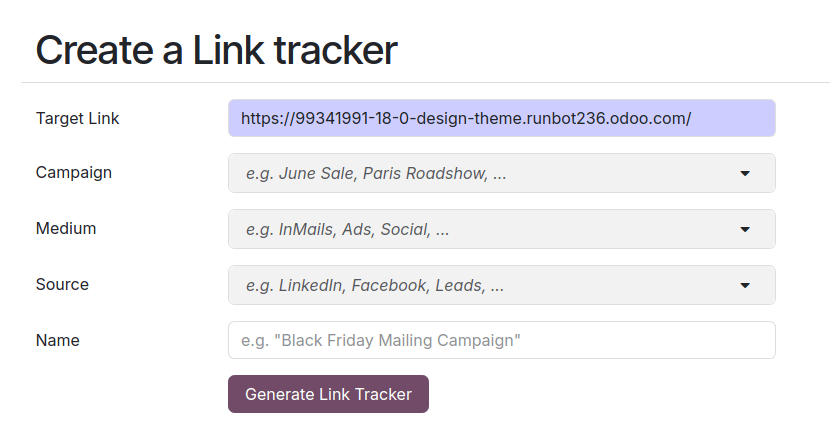
To create and manage tracked links, navigate to . Fill in the following information and click Generate tracked link to create a tracking URL.
URL: The URL that is the target of the campaign. It is automatically populated with the URL used to access the menu.
Campaign: The specific campaign the link should be associated with. This parameter is used to distinguish the different campaigns.
Medium: The medium describes the category or method through which the visitor arrives at your site, such as organic search, paid search, social media ad, email, etc.
Source: The source identifies the specific platform or website that referred the visitor, such as a search engine, newsletter, or website.
Tip
The Campaign, Medium, and Source are UTM parameters incorporated in the tracked URL. These can be used, for example, to customize the visibility of website building blocks.
Tracked links overview
To get an overview of your tracked links, go to and scroll down to Your tracked links section.

Statistics
To measure the performance of tracked links, click the track link and scroll down to the Statistics section to get an overview of the number of clicks for the tracked link. By default, the graph shows the total number of clicks. You can change the period to Last Month or Last Week using the options on the right side of the heading.