
I added some ribbons to images on products on ecomm website and cannot find how to do it again - it seemed so simple but need a reminder pls?
Bu soru işaretlendi
1
Cevapla
1479
Görünümler


Hi Saffron
While in debug mode, open Sales > Product view, go to the tab "Sales", and you must have the Ribbon option.
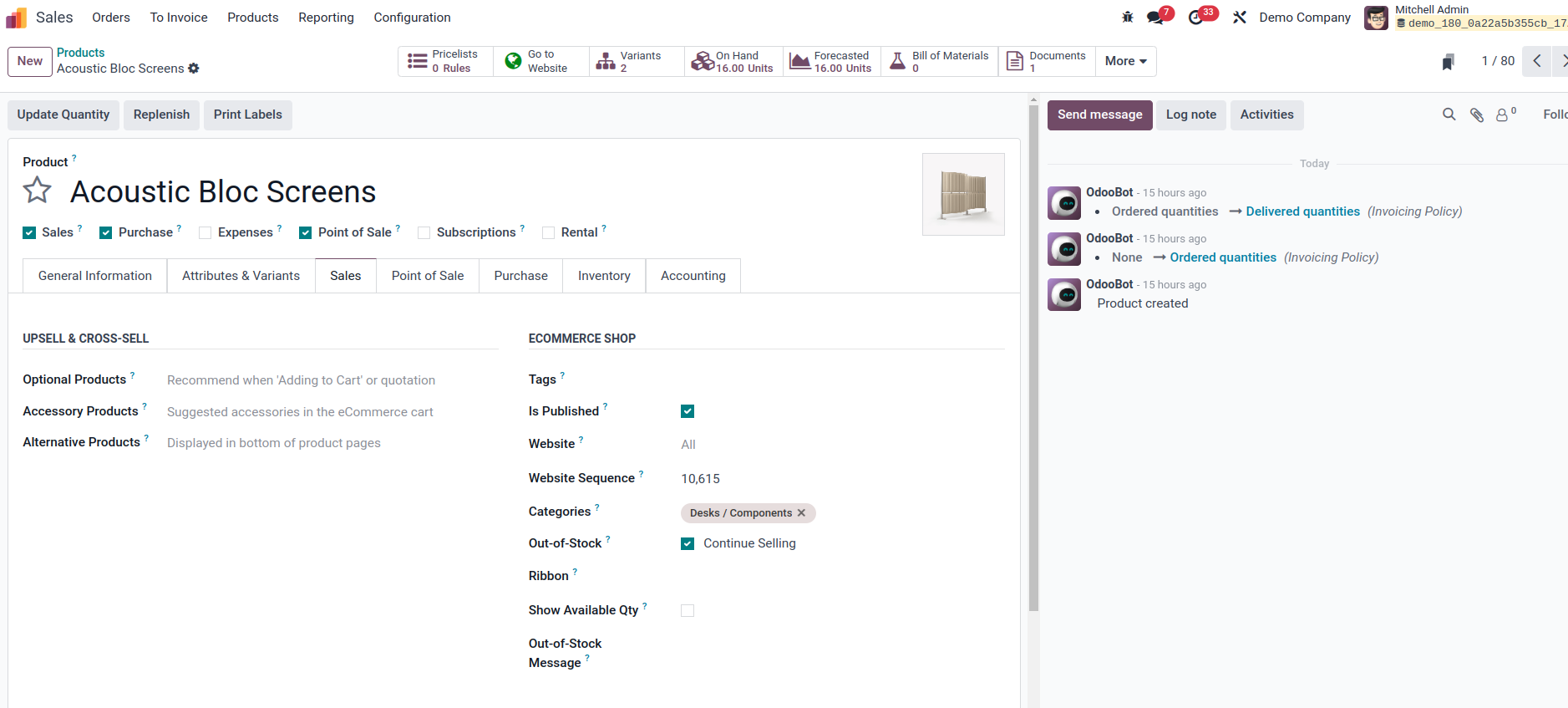
After picking a ribbon and saving, click the action button "Go on Website" to see your changes.
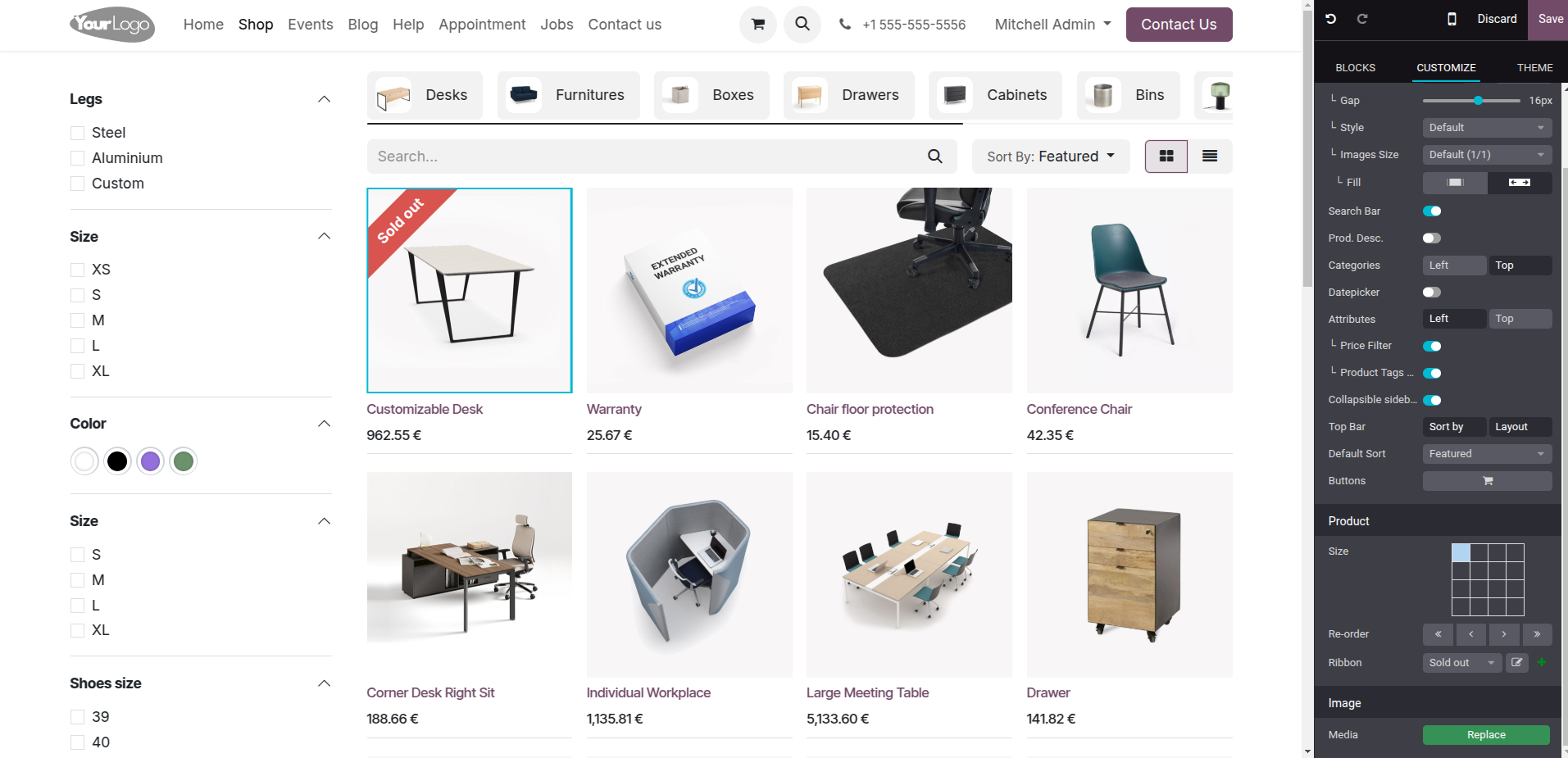
You can also add the ribbon on the Website, through the Product listing, open the "Edit", select a product, go to the tab Customize, and on the bottom, you should have the grid showing the ribbon position, and a list of possible ribbons you can use.
Tartışma hoşunuza mı gidiyor? Sadece okumakla kalmayın, katılın!
Özel özelliklerden yararlanmak ve harika topluluğumuzla etkileşime geçmek için bugün bir hesap oluşturun!
Üye Ol