
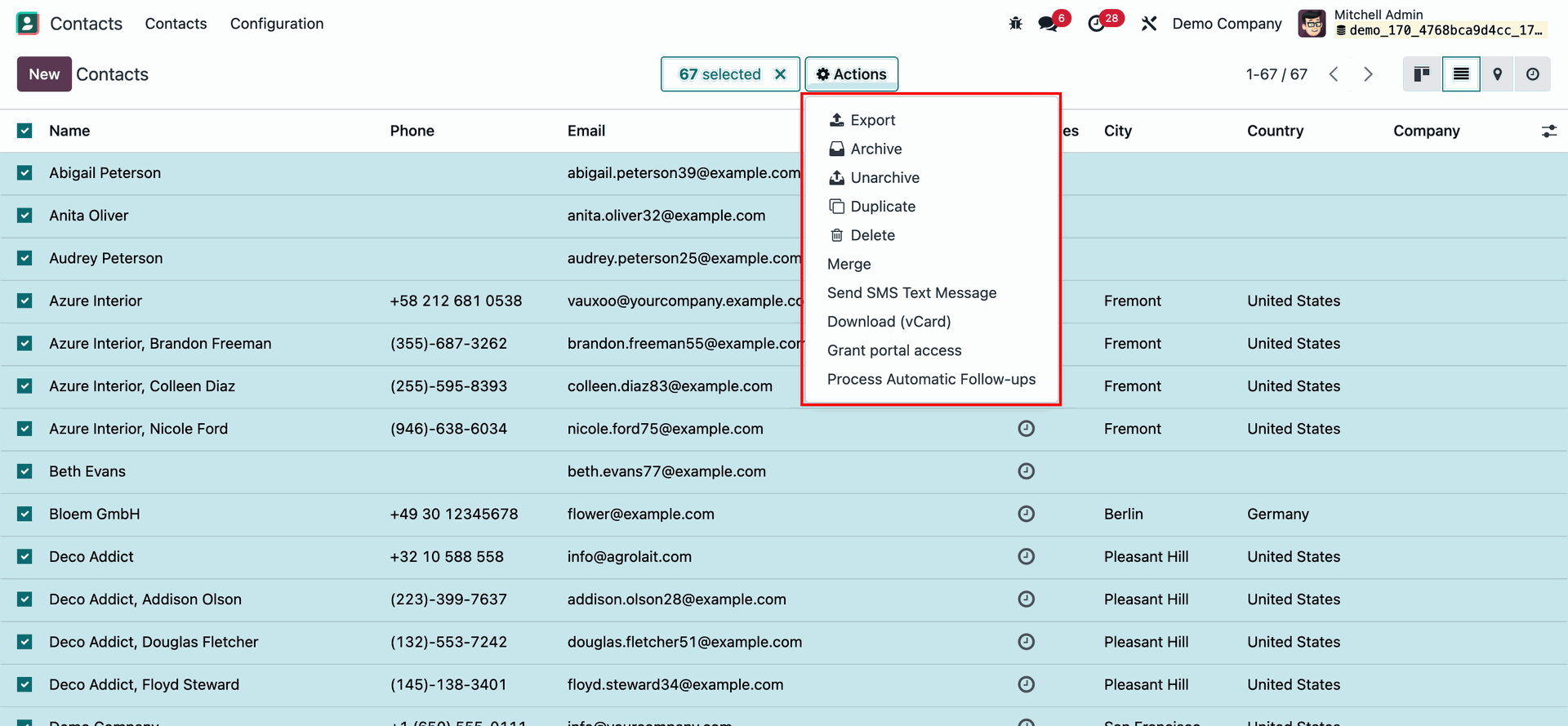
How can I disable the 'send mail' action in the contact view of Odoo please? I m a beginner in odoo
Odoo is the world's easiest all-in-one management software.
It includes hundreds of business apps:
- Müşteri İlişkileri Yönetimi
- e-Commerce
- Muhasebe
- Envanter
- PoS
- Proje Yönetimi
- MRP
Bu soru işaretlendi
3
Cevaplar
2538
Görünümler


Hi,
You can delete the action from Window actions.Go to Settings -> Technical -> Window Actions.
Search for Send Email and choose the action with context {'default_composition_mode': 'mass_mail', 'default_partner_to': "{{ object.id or '' }}", 'default_subtype_xmlid': 'mail.mt_comment', 'default_reply_to_force_new': True}.
After you delete that, you won't see the option to send email from contact.
Hope it helps
We can't delete that send email action like removing a server action?

You can disable the ‘send mail’ action in the contact view of Odoo by inheriting the mail.thread model and overriding the message_post method. This method is responsible for sending the email when the ‘send mail’ action is triggered. You can modify the method to prevent the email from being sent, or to add some conditions or validations before sending the email.
Here is an example of how to override the message_post method in a custom module:
from odoo import models, api
class MailThread(models.AbstractModel):
_inherit = 'mail.thread'
@api.returns('mail.message', lambda value: value.id)
def message_post(self, **kwargs):
# You can add your own logic here to disable or control the email sending
# For example, you can check the user's role or the message's content
# Or you can simply return without calling the super method
return super(MailThread, self).message_post(**kwargs)
Enjoying the discussion? Don't just read, join in!
Create an account today to enjoy exclusive features and engage with our awesome community!
Üye Ol| İlgili Gönderiler | Cevaplar | Görünümler | Aktivite | |
|---|---|---|---|---|


|
1
Eki 23
|
9712 | ||


|
2
Eki 23
|
6778 | ||


|
3
Eyl 23
|
3576 | ||

|
0
May 23
|
3577 | ||

|
1
May 23
|
2669 |
