Skip to Content
Odoo Menu
  • Zaloguj się
  • Wypróbuj za darmo
  • Aplikacje
    Finanse
    • Księgowość
    • Fakturowanie
    • Wydatki
    • Arkusz kalkulacyjny (BI)
    • Dokumenty
    • Podpisy
    Sprzedaż
    • CRM
    • Sprzedaż
    • PoS Sklep
    • PoS Restauracja
    • Subskrypcje
    • Wypożyczalnia
    Strony Internetowe
    • Kreator Stron Internetowych
    • eCommerce
    • Blog
    • Forum
    • Czat na Żywo
    • eLearning
    Łańcuch dostaw
    • Magazyn
    • Produkcja
    • PLM
    • Zakupy
    • Konserwacja
    • Jakość
    Zasoby Ludzkie
    • Pracownicy
    • Rekrutacja
    • Urlopy
    • Ocena pracy
    • Polecenia Pracownicze
    • Flota
    Marketing
    • Marketing Społecznościowy
    • E-mail Marketing
    • SMS Marketing
    • Wydarzenia
    • Automatyzacja Marketingu
    • Ankiety
    Usługi
    • Projekt
    • Ewidencja czasu pracy
    • Usługi Terenowe
    • Helpdesk
    • Planowanie
    • Spotkania
    Produktywność
    • Dyskusje
    • Zatwierdzenia
    • IoT
    • VoIP
    • Baza wiedzy
    • WhatsApp
    Aplikacje trzecich stron Studio Odoo Odoo Cloud Platform
  • Branże
    Sprzedaż detaliczna
    • Księgarnia
    • Sklep odzieżowy
    • Sklep meblowy
    • Sklep spożywczy
    • Sklep z narzędziami
    • Sklep z zabawkami
    Żywienie i hotelarstwo
    • Bar i Pub
    • Restauracja
    • Fast Food
    • Pensjonat
    • Dystrybutor napojów
    • Hotel
    Agencja nieruchomości
    • Agencja nieruchomości
    • Biuro architektoniczne
    • Budowa
    • Zarządzanie nieruchomościami
    • Ogrodnictwo
    • Stowarzyszenie właścicieli nieruchomości
    Doradztwo
    • Biuro księgowe
    • Partner Odoo
    • Agencja marketingowa
    • Kancelaria prawna
    • Agencja rekrutacyjna
    • Audyt i certyfikacja
    Produkcja
    • Tekstylia
    • Metal
    • Meble
    • Jedzenie
    • Browar
    • Prezenty firmowe
    Zdrowie & Fitness
    • Klub sportowy
    • Salon optyczny
    • Centrum fitness
    • Praktycy Wellness
    • Apteka
    • Salon fryzjerski
    Transakcje
    • Złota rączka
    • Wsparcie Sprzętu IT
    • Systemy energii słonecznej
    • Szewc
    • Firma sprzątająca
    • Usługi HVAC
    Inne
    • Organizacja non-profit
    • Agencja Środowiskowa
    • Wynajem billboardów
    • Fotografia
    • Leasing rowerów
    • Sprzedawca oprogramowania
    Przeglądaj wszystkie branże
  • Community
    Ucz się
    • Samouczki
    • Dokumentacja
    • Certyfikacje
    • Szkolenie
    • Blog
    • Podcast
    Pomóż w nauce innym
    • Program Edukacyjny
    • Scale Up! Gra biznesowa
    • Odwiedź Odoo
    Skorzystaj z oprogramowania
    • Pobierz
    • Porównaj edycje
    • Wydania
    Współpracuj
    • Github
    • Forum
    • Wydarzenia
    • Tłumaczenia
    • Zostań partnerem
    • Usługi dla partnerów
    • Zarejestruj swoją firmę rachunkową
    Skorzystaj z usług
    • Znajdź partnera
    • Znajdź księgowego
    • Spotkaj się z doradcą
    • Usługi wdrożenia
    • Opinie klientów
    • Wsparcie
    • Aktualizacje
    Github Youtube Twitter Linkedin Instagram Facebook Spotify
    +1 (650) 691-3277
    Zaplanuj demo
  • Cennik
  • Pomoc

Odoo is the world's easiest all-in-one management software.
It includes hundreds of business apps:

  • CRM
  • e-Commerce
  • Księgowość
  • Zapasy
  • PoS
  • Projekt
  • MRP
All apps
Musisz się zarejestrować, aby móc wchodzić w interakcje z tą społecznością.
Wszystkie posty Osoby Odznaki
Tagi (Zobacz wszystko)
odoo accounting v14 pos v15
O tym forum
Musisz się zarejestrować, aby móc wchodzić w interakcje z tą społecznością.
Wszystkie posty Osoby Odznaki
Tagi (Zobacz wszystko)
odoo accounting v14 pos v15
O tym forum
Pomoc

Website Issue

Zaprenumeruj

Otrzymaj powiadomienie o aktywności w tym poście

To pytanie dostało ostrzeżenie
website_builder
4 Odpowiedzi
9562 Widoki
Awatar
Allbest Meat Co. Ltd

Hi,


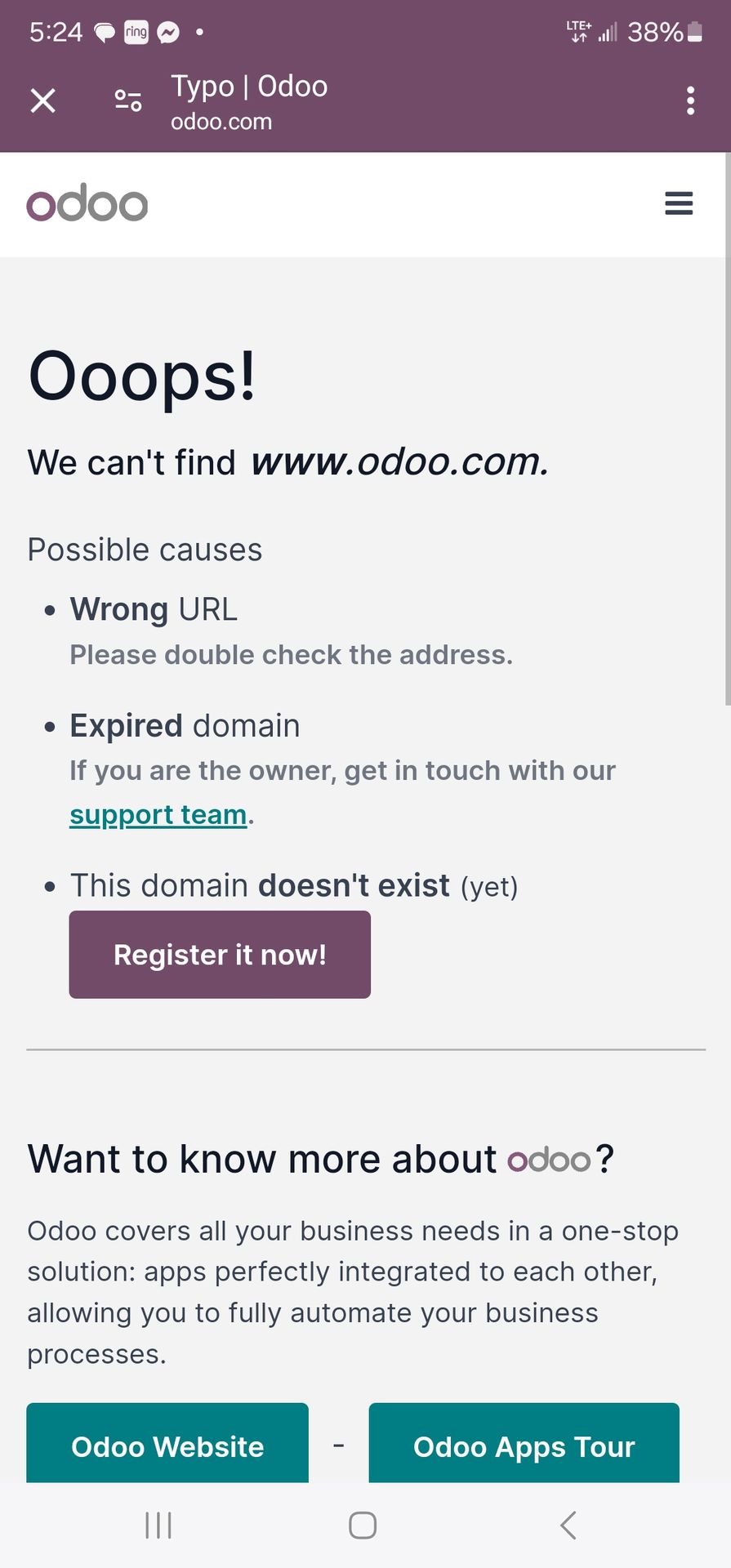
I've been having problems with Odoo Website maker. I followed the steps and have my domain registered, but whenever I go through the Odoo website app it says domain does not exist. I tried to just use the url without odoo app to see if the website works and same pop up error occurs. Does anyone else have this issue or have a solution? Thanks

0
Awatar
Odrzuć
Niyas Raphy (Walnut Software Solutions)

Could you provide an image showing the pop up that you are receiving

Awatar
Piyush H
Najlepsza odpowiedź

Okay, you're having trouble accessing your Odoo website with your registered domain, and you're getting a "domain does not exist" error both within the Odoo website app and when accessing the URL directly. This is a frustrating issue, but here's a breakdown of the possible causes and how to troubleshoot them:

1. DNS Propagation (Most Common):

  • What it is: When you register a domain name and point it to a new server (in this case, Odoo's servers), it takes time for the DNS (Domain Name System) records to propagate across the internet. This means that different computers and servers around the world need to update their information about where your domain points to.
  • How long it takes: DNS propagation can take anywhere from a few hours to 48 hours (in rare cases, up to 72 hours).
  • Solution: This is the most likely cause, especially if you recently registered your domain or changed its DNS settings. Wait at least 24-48 hours and try again.
  • Check Propagation: You can use online tools like https://www.whatsmydns.net/ to check if your DNS records have propagated to different locations around the world. Enter your domain name and check if the A record (or CNAME record, depending on your setup) points to the correct Odoo server IP address or hostname.

2. Incorrect DNS Settings:

  • What it is: Your domain's DNS records might be configured incorrectly. You need to make sure that the A record (or CNAME record) points to the correct Odoo server.
  • Solution:
    1. Find Odoo's DNS Information: Odoo should provide you with the specific DNS records you need to configure for your domain. This information is usually found in the Odoo Website app settings or in the Odoo documentation. Look for the A record IP address or the CNAME record hostname.
    2. Access Your Domain Registrar: Log in to your domain registrar's website (e.g., GoDaddy, Namecheap, Google Domains).
    3. Manage DNS Records: Find the DNS management section for your domain.
    4. Verify/Update DNS Records:
      • A Record: If you're using an A record, make sure it points to the correct Odoo server IP address.
      • CNAME Record: If you're using a CNAME record, make sure it points to the correct Odoo hostname (usually something like yourdomain.odoo.com).
    5. Save Changes: Save your DNS settings.
  • Common Mistakes:
    • Typing the IP address or hostname incorrectly.
    • Forgetting to add the trailing dot (.) to the hostname in a CNAME record (sometimes required).
    • Having conflicting DNS records.

3. Odoo Configuration Issues:

  • Domain Not Registered in Odoo: You need to register your domain name within the Odoo Website app settings.
  • Solution:
    1. Go to Odoo Website App: Open the Website app in Odoo.
    2. Settings: Go to Configuration > Settings.
    3. Domain Name: Enter your domain name in the "Domain Name" field.
    4. Save: Save the settings.
  • Incorrect Odoo Configuration: There might be an issue with Odoo's internal configuration that prevents it from recognizing your domain.
  • Solution: Contact Odoo support. They can check your Odoo instance and identify any configuration problems.

4. SSL/TLS Certificate Issues:

  • What it is: If your website is not properly configured with an SSL/TLS certificate, you might encounter errors when accessing it over HTTPS.
  • Solution:
    1. Check SSL Status: Use an online tool like https://www.sslshopper.com/ssl-checker.html to check the SSL status of your domain.
    2. Odoo Configuration: Odoo usually handles SSL certificate configuration automatically, but if there's an issue, contact Odoo support.

5. Browser Cache:

  • What it is: Your browser might be caching old DNS information or website data.
  • Solution:
    1. Clear Browser Cache: Clear your browser's cache and cookies.
    2. Try a Different Browser: Try accessing your website with a different browser to see if the issue persists.
    3. Incognito Mode: Try accessing your website in your browser's incognito or private browsing mode.

6. Odoo Server Issues (Less Likely):

  • What it is: There might be a problem with Odoo's servers that is preventing your website from being accessed.
  • Solution: Contact Odoo support. They can check the status of their servers and investigate any potential issues.

Troubleshooting Steps:

  1. Wait for DNS Propagation: This is the first and most important step. Wait at least 24-48 hours after registering your domain or changing its DNS settings.
  2. Check DNS Settings: Verify that your DNS records are configured correctly at your domain registrar.
  3. Register Domain in Odoo: Make sure you've registered your domain name in the Odoo Website app settings.
  4. Clear Browser Cache: Clear your browser's cache and cookies.
  5. Check SSL Status: Verify that your website has a valid SSL certificate.
  6. Contact Odoo Support: If you've tried all of the above steps and the issue is still not resolved, contact Odoo support for assistance.

Example Scenario:

Let's say you registered your domain name 2 hours ago and you're getting the "domain does not exist" error. The most likely cause is DNS propagation. You should wait at least 24 hours and try again.

By following these steps, you should be able to identify and resolve the issue that is preventing you from accessing your Odoo website with your registered domain. Remember to be patient and check each potential cause systematically.


🚀 Did This Solve Your Problem?

If this answer helped you save time, money, or frustration, consider:

✅ Upvoting (👍) to help others find it faster

✅ Marking as "Best Answer" if it resolved your issue

Your feedback keeps the Odoo community strong! 💪

(Need further customization? Drop a comment—I’m happy to refine the solution!)

0
Awatar
Odrzuć
Awatar
jackd
Najlepsza odpowiedź

Hi there,

I’ve run into something similar before. If Odoo is saying your domain doesn’t exist, a few things might be going on:

  1. DNS Settings – Make sure your domain’s DNS records (like A record or CNAME) are correctly pointing to Odoo’s servers.
  2. Domain Verification – Odoo usually requires verifying the domain. Check if you’ve completed that step in the Website app.
  3. Propagation Time – If you just updated your DNS, it might take some time (up to 24–48 hours) to fully propagate.
  4. Typo or Formatting – Double-check that the domain name is entered correctly without any extra spaces or characters.

If everything seems correct and it’s still not working, I’d suggest opening a support ticket with Odoo—they can check on their end too.

Hope that helps! Let me know if you get it working.

0
Awatar
Odrzuć
Awatar
isaciu65
Najlepsza odpowiedź

Clear your browser cache and try accessing the website again. You can also try accessing the website in a different browser or incognito mode.


0
Awatar
Odrzuć
isaciu65

Make sure you're entering the domain name correctly in the address bar, including any typos.
Ensure you haven't made any mistakes while adding the CNAME record.
https://pixel-speedrun.com

Awatar
Allbest Meat Co. Ltd
Autor Najlepsza odpowiedź


0
Awatar
Odrzuć
Allbest Meat Co. Ltd
Autor

I checked the domain url to see if it is registered, and it shows it is

Podoba Ci się ta dyskusja? Dołącz do niej!

Stwórz konto dzisiaj, aby cieszyć się ekskluzywnymi funkcjami i wchodzić w interakcje z naszą wspaniałą społecznością!

Zarejestruj się
Powiązane posty Odpowiedzi Widoki Czynność
(((Guia~JetBlue!@!Oficial^Hablo//+182)) ¿Cómo llamar a JetBlue desde República Dominicana?
website_builder
Awatar
0
gru 25
41
(((Guia~ Latam!@!Oficial^Hablo//0800))) ¿Cómo llamar a LATAM Airlines desde Chile?
website_builder
Awatar
0
gru 25
142
Website Builder theme breaks after upgrading to Odoo 17 — CSS not loading
website_builder
Awatar
0
gru 25
32
AssertionError while install Appoinment in website
website_builder
Awatar
Awatar
Awatar
2
lis 25
422
Hide website menu items on mobile
website_builder
Awatar
Awatar
Awatar
2
sty 25
3110
Społeczność
  • Samouczki
  • Dokumentacja
  • Forum
Open Source
  • Pobierz
  • Github
  • Runbot
  • Tłumaczenia
Usługi
  • Hosting Odoo.sh
  • Wsparcie
  • Aktualizacja
  • Indywidualne rozwiązania
  • Edukacja
  • Znajdź księgowego
  • Znajdź partnera
  • Zostań partnerem
O nas
  • Nasza firma
  • Zasoby marki
  • Skontaktuj się z nami
  • Oferty pracy
  • Wydarzenia
  • Podcast
  • Blog
  • Klienci
  • Informacje prawne • Prywatność
  • Bezpieczeństwo Odoo
الْعَرَبيّة Català 简体中文 繁體中文 (台灣) Čeština Dansk Nederlands English Suomi Français Deutsch हिंदी Bahasa Indonesia Italiano 日本語 한국어 (KR) Lietuvių kalba Język polski Português (BR) română русский язык Slovenský jazyk slovenščina Español (América Latina) Español ภาษาไทย Türkçe українська Tiếng Việt

Odoo to pakiet aplikacji biznesowych typu open source, które zaspokoją wszystkie potrzeby Twojej firmy: CRM, eCommerce, księgowość, inwentaryzacja, punkt sprzedaży, zarządzanie projektami itp.

Unikalną wartością Odoo jest to, że jest jednocześnie bardzo łatwe w użyciu i w pełni zintegrowane.

Website made with

Odoo Experience on YouTube

1. Use the live chat to ask your questions.
2. The operator answers within a few minutes.

Live support on Youtube
Watch now