
Hey everyone. My client is a distributor (vendor). He gives products to his customers just for the show like a Vitrina (Showcase/Showroom) it is not sold they are just shown. And my client wants to track how many what kind of products he has given to his clients. For situation i made solution like this: There will be a warehouse called Vitrina and there will be locations in it with the names of shops he provided with products. So at the end what i want to do is to make a smart button or a new section on a contact for where my client as a Vendor can see what he has given to thi certain client of his. Can someone teach how i can show the stock report of a location that is linked to a contact in contact's form.
Odoo is the world's easiest all-in-one management software.
It includes hundreds of business apps:
- إدارة علاقات العملاء
- e-Commerce
- المحاسبة
- المخزون
- PoS
- المشروع
- MRP
لقد تم الإبلاغ عن هذا السؤال
2
الردود
1419
أدوات العرض


No-Code Solution to Track Showroom Products in Odoo
Your client wants to track products given to customers for display (not sales) in showrooms (vitrinas). Here’s a simple, no-coding solution using Odoo’s built-in features.
Step 1: Set Up a "Showroom" Warehouse & Locations
1. Create a Dedicated Warehouse
- Go to: Inventory → Configuration → Warehouses → Create
- Name: Vitrina or Showroom
- Disable Operations: Uncheck Manufacturing, Receipts, Delivery (since these are non-sale items).
2. Add Client Locations
- Go to: Inventory → Configuration → Locations → Create
- Parent Location: Select Vitrina
- Name: [Client Name] Showroom (e.g., "Client A Showroom")
- Type: Internal Location
- Repeat for each client.
✅ Result:
Vitrina (Warehouse)
├── Client A Showroom
├── Client B Showroom
└── Client C Showroom
Step 2: Move Products to Showroom Locations
1. Transfer Products to Client Showrooms
- Go to: Inventory → Operations → Transfers → Create
- Operation Type: Internal Transfer
- From: Your main stock location
- To: Select the client’s showroom (e.g., "Client A Showroom")
- Add Products: Select items given to the client.
- Validate the transfer.
2. Return Products (When Needed)
- Create a new transfer from the client’s showroom back to your main stock.
Step 3: Track Products per Client (No Coding)
Option 1: Inventory Report by Location
- Go to: Inventory → Reporting → Inventory → Location
- Filter by Location: Select a client’s showroom (e.g., "Client A Showroom")
- Save Filter: Click Favorites → Save Current Filter (e.g., "Client A Products").
Option 2: Product Log (Manual Tracking)
- Go to: Contacts → Open Client → Internal Notes
- Manually note:
Showroom Products:
- Product X (Qty: 2)
- Product Y (Qty: 1)
Location: Client A Showroom
(This is manual but works for small-scale tracking.)
Step 4: Automate with Custom Fields (Optional, Minimal Setup)
If you want semi-automated tracking without coding, use Custom Fields:
1. Add a Custom Field to Products
- Go to: Settings → Technical → Fields → Create
- Model: product.template
- Field Name: showroom_client
- Field Type: Many2one (Contacts)
- Description: "Client where product is displayed"
2. Update Products Manually
- Edit each product:
- Set showroom_client = Client Name
- Helps filter products by client in reports.
Step 5: Export Reports for Management
- Go to: Inventory → Reporting → Inventory Valuation
- Filter by Location: Vitrina/Client A Showroom
- Export to Excel/PDF for record-keeping.
Why This Works Without Coding
✅ Uses built-in Odoo features (no modules needed).
✅ Clear tracking via location-based inventory.
✅ Works for small to medium businesses.
Limitations
- No smart button on contacts (requires coding).
- Manual updates needed for product returns.
🚀 Did This Solve Your Problem?
If this answer helped you save time, money, or frustration, consider:
✅ Upvoting (👍) to help others find it faster
✅ Marking as "Best Answer" if it resolved your issue
Your feedback keeps the Odoo community strong! 💪
(Need further customization? Drop a comment—I’m happy to refine the solution!)

Hello there,
Create a new Warehouse,

Create a location that belongs to the 2nd warehouse.
Set the Location Type as Internal Location, then we can only track the product in customer location

Set the Customer Location as desired, in Contacts, Sales & Purchase tab
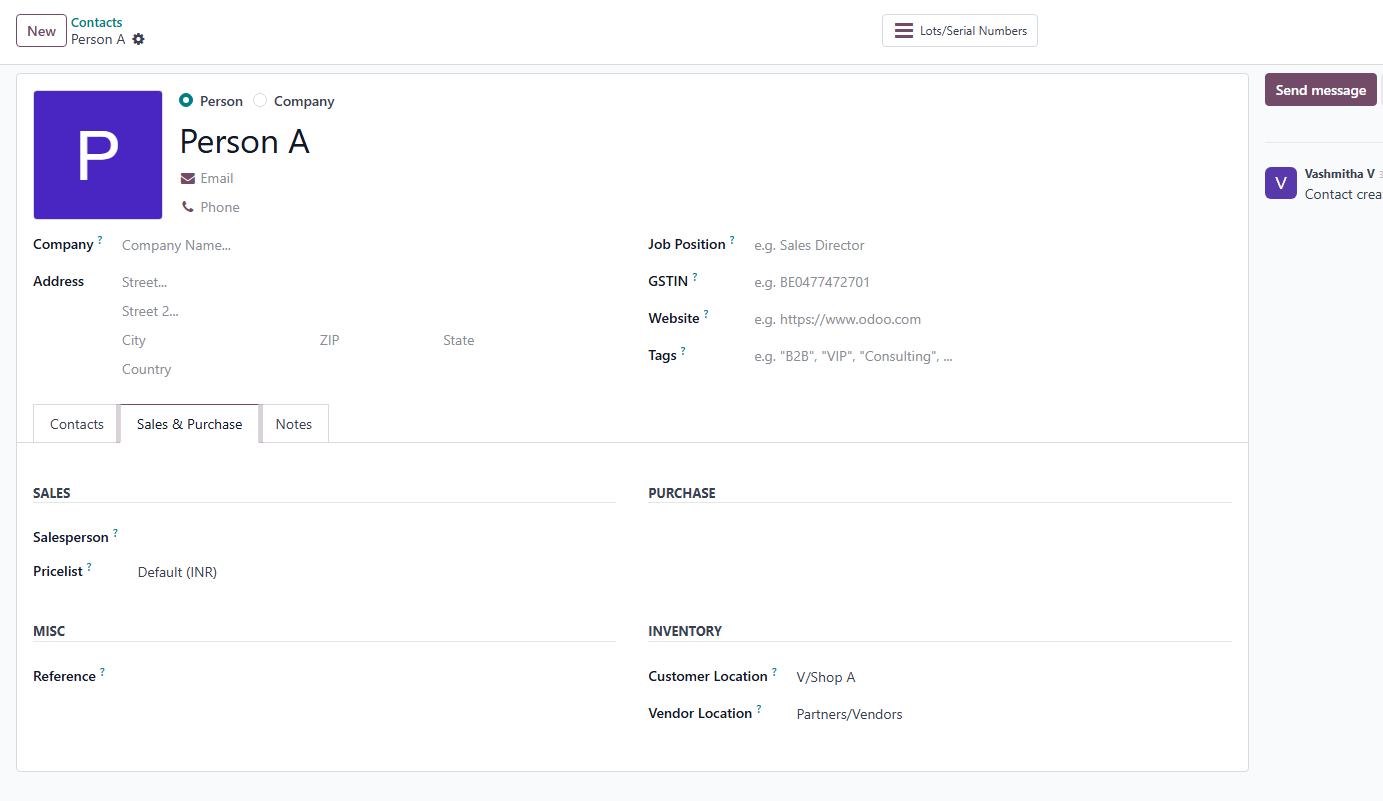
Add product or perform a stock move in the customer location.
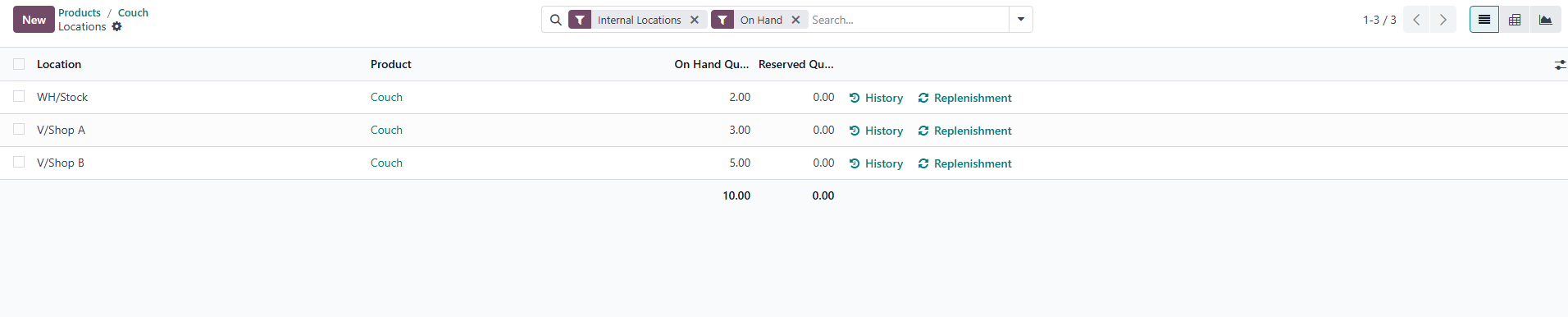
Stock Move
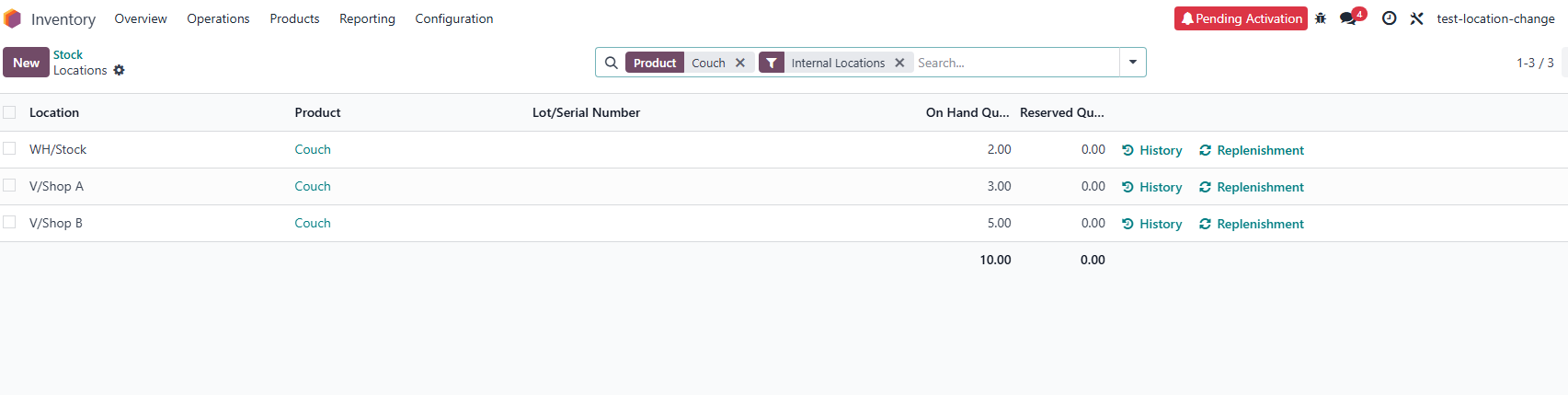
No additional code/ studio used
Check and clarify your doubts.
I see one important issue with the proposed solution: if we update the customer's location directly on the Contact form, all products (including regular sales deliveries) will be sent to that location. This becomes problematic, especially since the location is of type Internal, and the customer receives both display (vitrina) and regular products.
In my opinion, a better approach would be to:
Create a separate location (type = "Customer Location") for each partner specifically for vitrina/display products.
Use internal transfers to move products from the vendor's warehouse to the partner's vitrina location.
This way:
Regular sales deliveries are not affected.
The vendor’s warehouse stock is properly maintained and accounted for.
Display products are separated from regular sold items.
The vendor can easily track what is currently with each customer by opening that specific vitrina location and using the “Current Stock” smart button to view the status.
This approach ensures clean stock valuation and proper separation of display vs. sold inventory.
Yes, that’s right. 1. The location has to be type customer location2. You might need to make tranfer with a delivery order directly from o this location (not an internal transfer) 3. Products at each of these locations can be report d by grouping by location and filtering by customer location
هل أعجبك النقاش؟ لا تكن مستمعاً فقط. شاركنا!
أنشئ حساباً اليوم لتستمتع بالخصائص الحصرية، وتفاعل مع مجتمعنا الرائع!
تسجيل| المنشورات ذات الصلة | الردود | أدوات العرض | النشاط | |
|---|---|---|---|---|

|
1
ديسمبر 17
|
4927 | ||


|
1
أبريل 16
|
6869 | ||
|
|
1
فبراير 16
|
6804 | ||


|
2
مارس 15
|
6093 | ||

|
0
مارس 15
|
5654 |

Hello there,
The posted answer may help you. Just check it.
Maybe this third-party module - https://apps.odoo.com/apps/modules/18.0/vendor_portal_management - might be helpful. The app enables vendors to manage their products, stock, and warehouses directly within the Odoo portal.