

Tired of manually entering every professional expense to handle reimbursements and accounting? Fed up with the endless approvals and controls you need to deal with every time an employee incurs an expense? Odoo, Mastercard, and Stripe have been working hard to provide a unique Expense Card feature, available within Odoo’s platform in Europe. This tool will make the expense management process much easier and safer, through increased automation and reconciliation.
Revolutionizing the way companies manage expenses
Managing expenses traditionally means that the company needs to set up a system to control the employees’ spending while processing reimbursements when applicable and keeping track of all those transactions for bookkeeping purposes.
Often, the company must manage the administration of policies and resources (software and physical card) and can only define the maximum spending limits. On the other hand, employees have to either use the given card following strict guidelines, or enter each expense manually in order to get reimbursed. Finally, the accountant needs to reconcile all the transactions when taking care of the accounting and lacks real-time visibility. It often leads to errors, user frustration, an increased risk of fraud, and wasted time that could be used for more strategic ends.
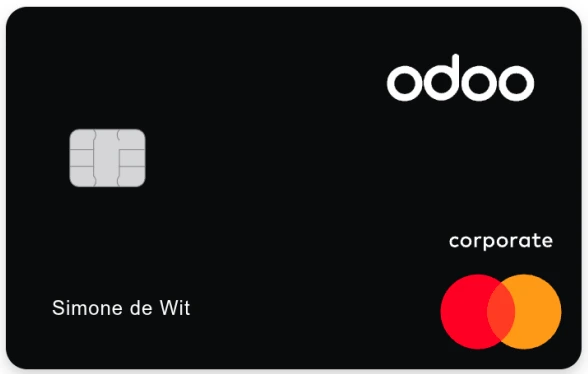 What if you could simplify and automate the way you oversee the employees’ spending? That’s what Odoo, Mastercard, and Stripe have been tirelessly working on over the past few months: providing an expense card, both virtual and physical, that enables greater automation and control.
This feature is only available for European companies for now, but will soon be available in the United States as well.
How does the Expense Card feature work?
From now on, Odoo customers have the possibility to configure expense cards for their users. The goal is simple: issue an expense card for an employee’s spending, which is automatically linked to the Odoo Expense application through Stripe Issuing.
No further need to pay upfront and be reimbursed. No further need to handle extra administrative workload. All you have to do is configure and assign your expense card(s), and Odoo, Mastercard, and Stripe take care of the rest.
Using the Expense Card feature offers several benefits for the company, the employee, and the accountant:
For the company: In a few clicks, a card can be configured for specific merchant categories, countries, time windows, as well as spending limits. Virtual cards are then instantly available for employee use, cutting the waiting time for the physical card to arrive and be activated. The company gains more real-time control over the spending, with a clear and comprehensive overview of the transactions made. It also enhances the security and approval flows around the expense management.
For the employee: Manual data entry is eliminated, as the expense linked to the card is automatically created within the Odoo app. The only remaining task is to upload the receipt, using the built-in automated capture tool. And that’s it! It offers a smoother and simpler experience for the employees incurring professional expenses.
For the accountant: All transactions are automatically reconciled, making the accountant’s job easier and clearer. The Expense Card feature is integrated within the Expense and Accounting modules, offering seamless workflows.
Best practices to use the Expense Card feature
The Expense Card feature can be configured in a few simple steps, and used very easily afterwards:
Creating a Stripe Connect account: Activate the "Expense Card" feature and create a Stripe connect account. The “Know Your Customer” (KYC) questionnaire is validated by Stripe within the next 24 hours.
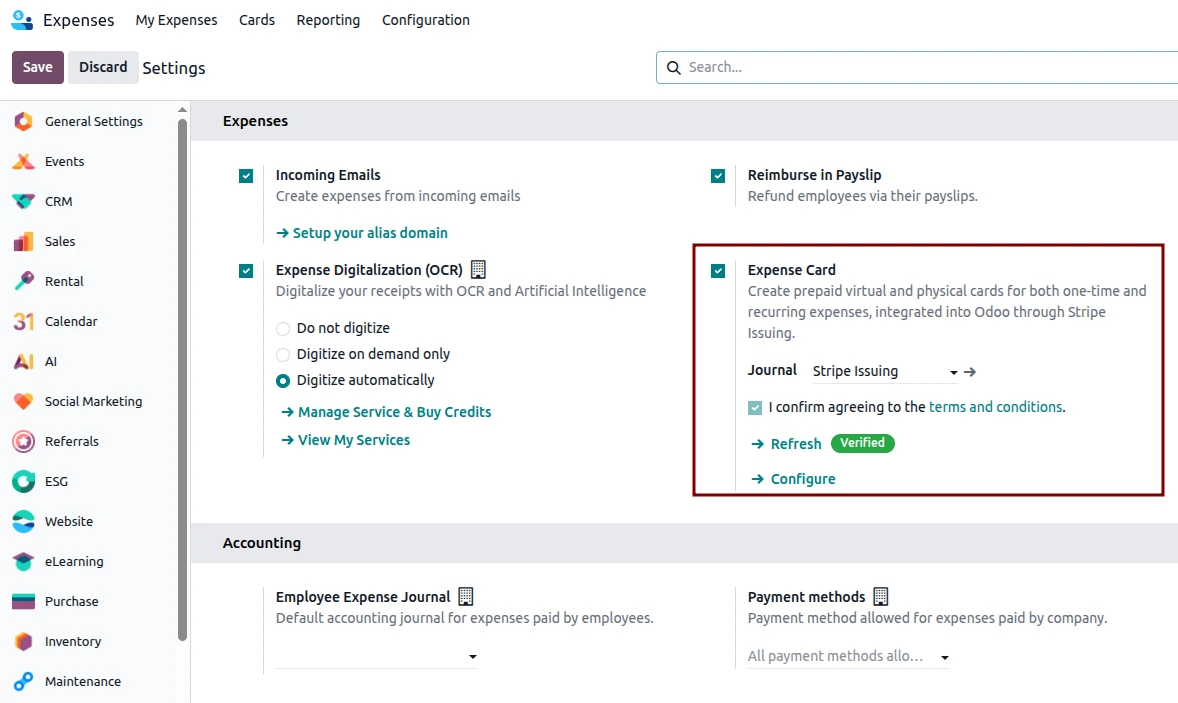
Topping up your wallet: Send money to your Stripe Issuing Balance using the top up button in your accounting Stripe journal. All cards (virtual + physical) draw funds from this single balance.
Creating an Expense Card: The next step is to create an Expense Card for an employee or a department, and set the merchant categories, amount limits, and time windows.
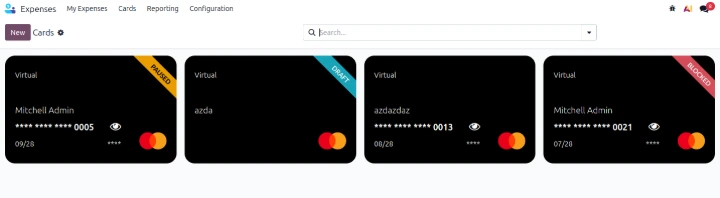
Using the Expense Card: The employee simply uses the Expense Card for their spending, according to the preconfigured settings on the card. Indeed, it won’t be possible to use the card for an expense that exceeds the maximum amount per transaction or per defined period, or for expenses that are not allowed within the set merchant categories. After using the card, the employee will be asked instantly to upload the receipt within Odoo.
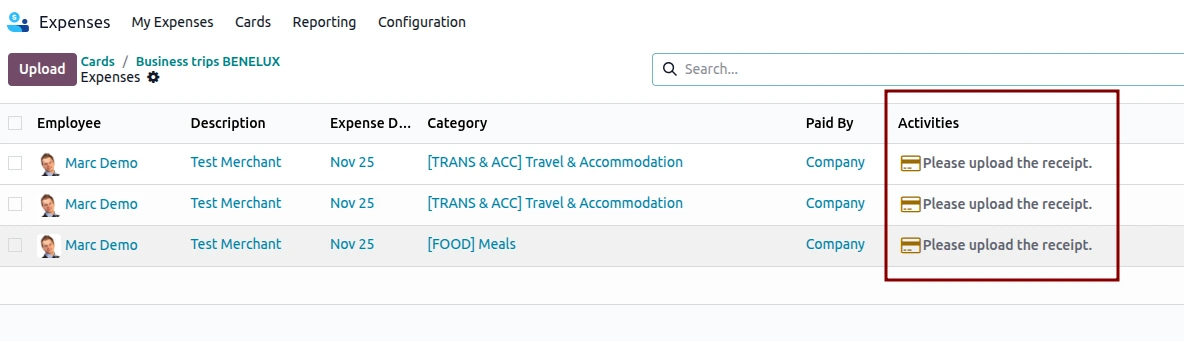
Automating the data transfer: When the card is used, an expense and a transaction are automatically created. Once approved, everything is directly reconciled, making life easier for the employer, the accountant, and the employee. Even the declined transactions are listed, providing a comprehensive overview of all activity on the virtual card.
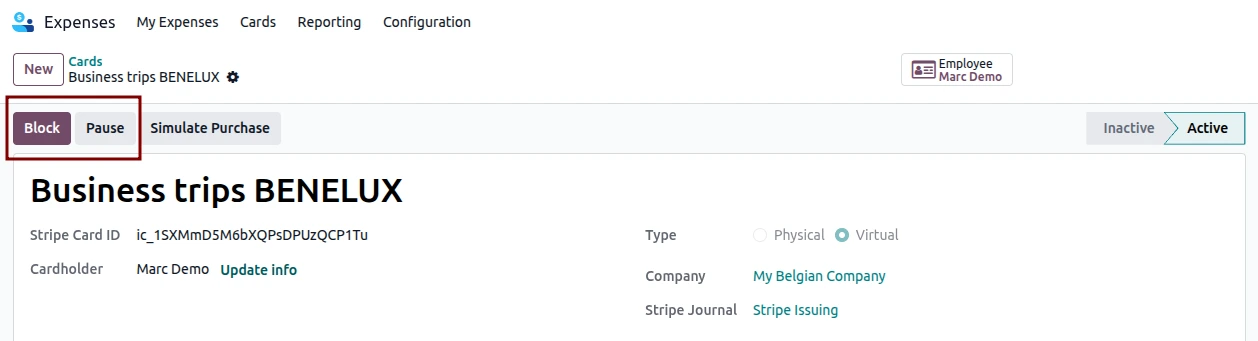
Blocking or pausing the Expense Card: With a single click, you can permanently block the card or pause it for a specified period.
Want to know more about this new Expense Card feature within Odoo’s management system?
Contact us to learn more about the Expense Card feature available within the Odoo Expense module. Our team of experts is available to answer any questions you may have, and provide a demonstration of the feature.
In the meantime, watch a live demo of the feature below.
