How can i edit the info about the LLM Model for the Default Agent? Is it only possible through the code, or is there a view for it?


Odoo is the world's easiest all-in-one management software.
It includes hundreds of business apps:

How can i edit the info about the LLM Model for the Default Agent? Is it only possible through the code, or is there a view for it?

If you access your PostgreSQL database, you can modify the all model in the ai_agent table. The AI that fills in fields is usually called Generate website pages.

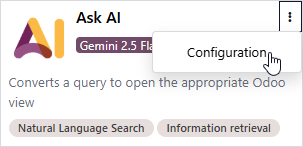
Open the Agent in the AI App and change via the Configuration Menu:
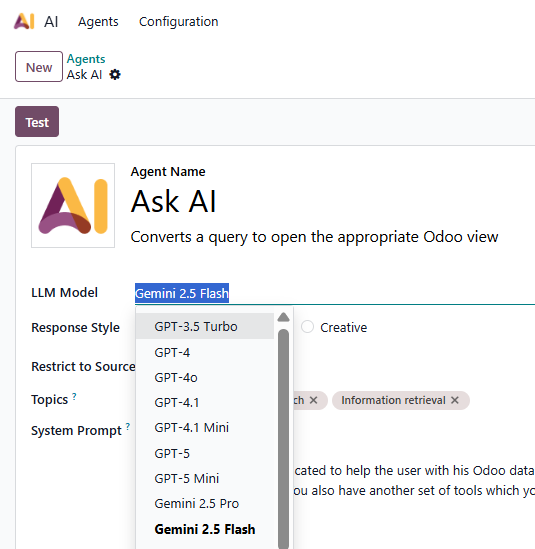
I'm talking specifically about the Default Agent, not the other ones. I cant find a way to change the llm model from the ai_fields
Already asked and answered - see https://www.odoo.com/forum/help-1/why-cant-i-use-google-gemini-to-create-ai-fields-in-odoo-19-288481
Create an account today to enjoy exclusive features and engage with our awesome community!
Înscrie-te| Related Posts | Răspunsuri | Vizualizări | Activitate | |
|---|---|---|---|---|

|
0
oct. 25
|
871 | ||
|
Upgrade to Odoo 19
Rezolvat
|

|
1
oct. 25
|
4914 | |

|
0
oct. 25
|
1533 | ||

|
0
iul. 23
|
5 | ||




|
3
nov. 25
|
373 |
1. Use the live chat to ask your questions.
2. The operator answers within a few minutes.
