
كيف أغير اسم الموديول بالأصح الاسم المخصص للموديول بعد أن أنشأته في أودو أستوديو ؟
Odoo is the world's easiest all-in-one management software.
It includes hundreds of business apps:
- CRM
- e-Commerce
- Apskaita
- Atsarga
- PoS
- Projektas
- MRP
This question has been flagged
1
Atsakyti
520
Rodiniai


Hi,
In Odoo Studio, you cannot rename the module’s technical name after it is created, because Odoo fixes the internal module name at creation time. However, you can change the display name that appears in the Apps menu and the main navigation.
To do this, activate Studio, and click on the module
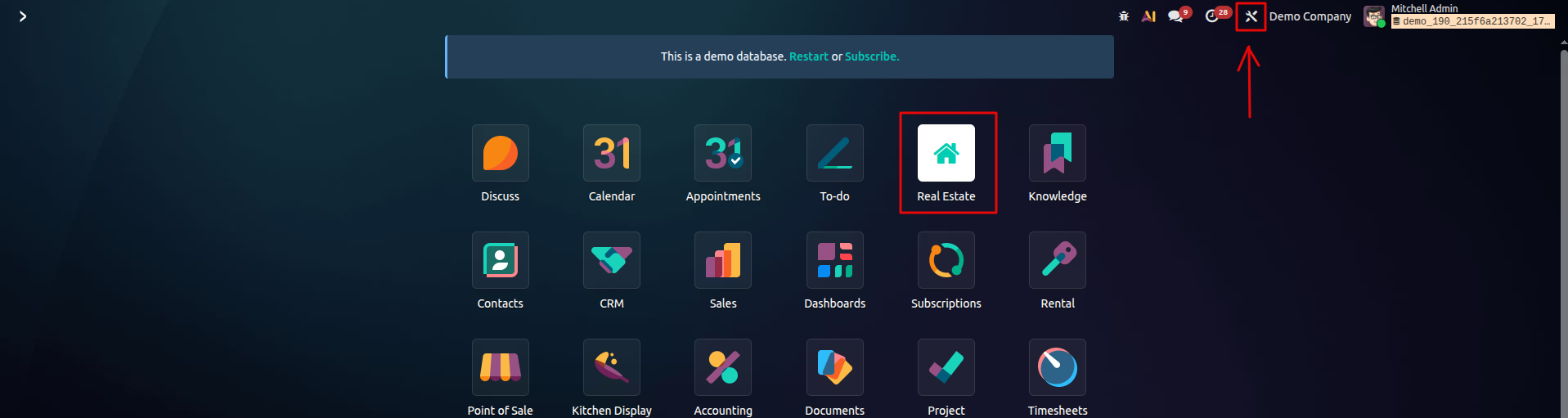
Then, use the Edit Menu option from the menu that appears.
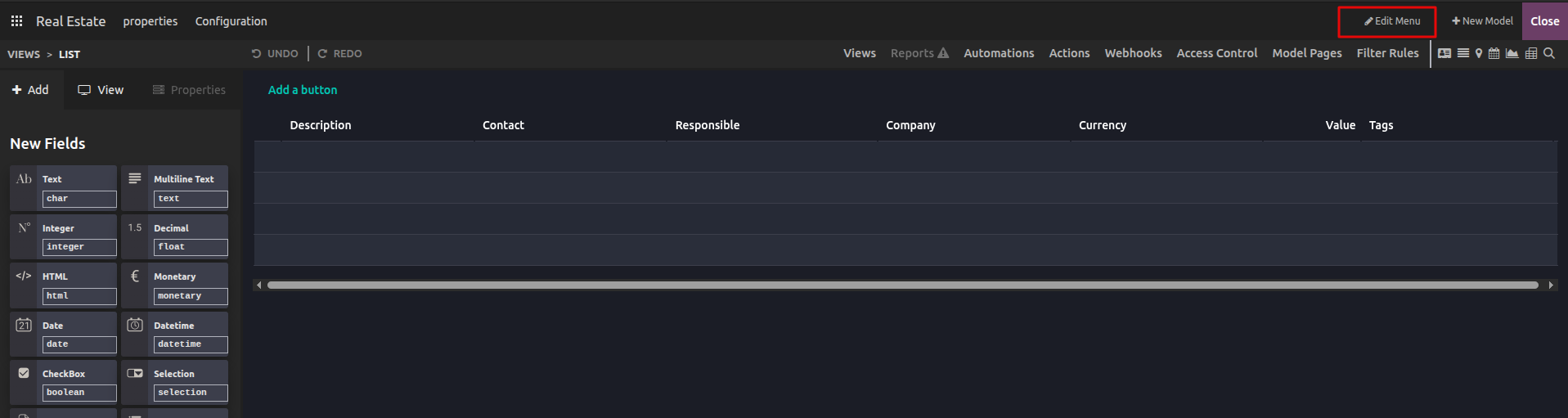
This will open a popup window where you can update the Root menu name.
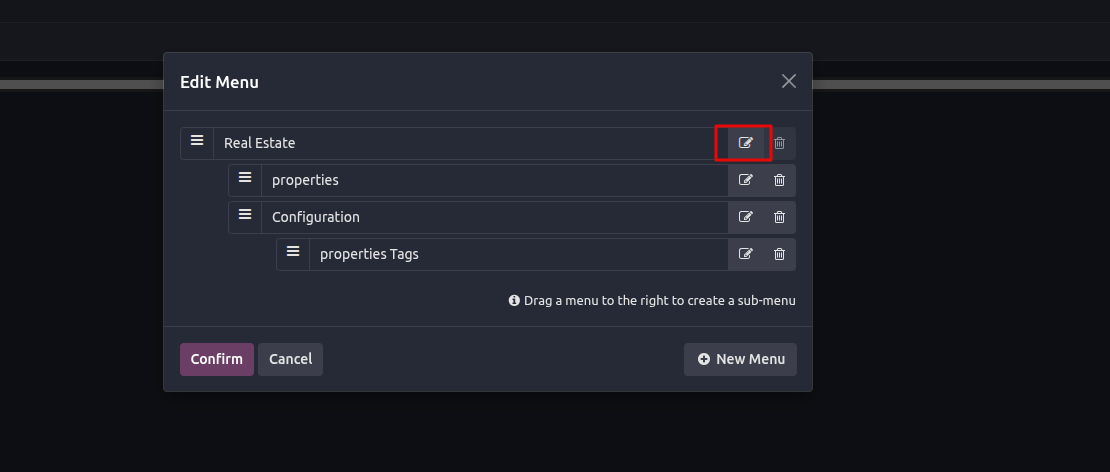
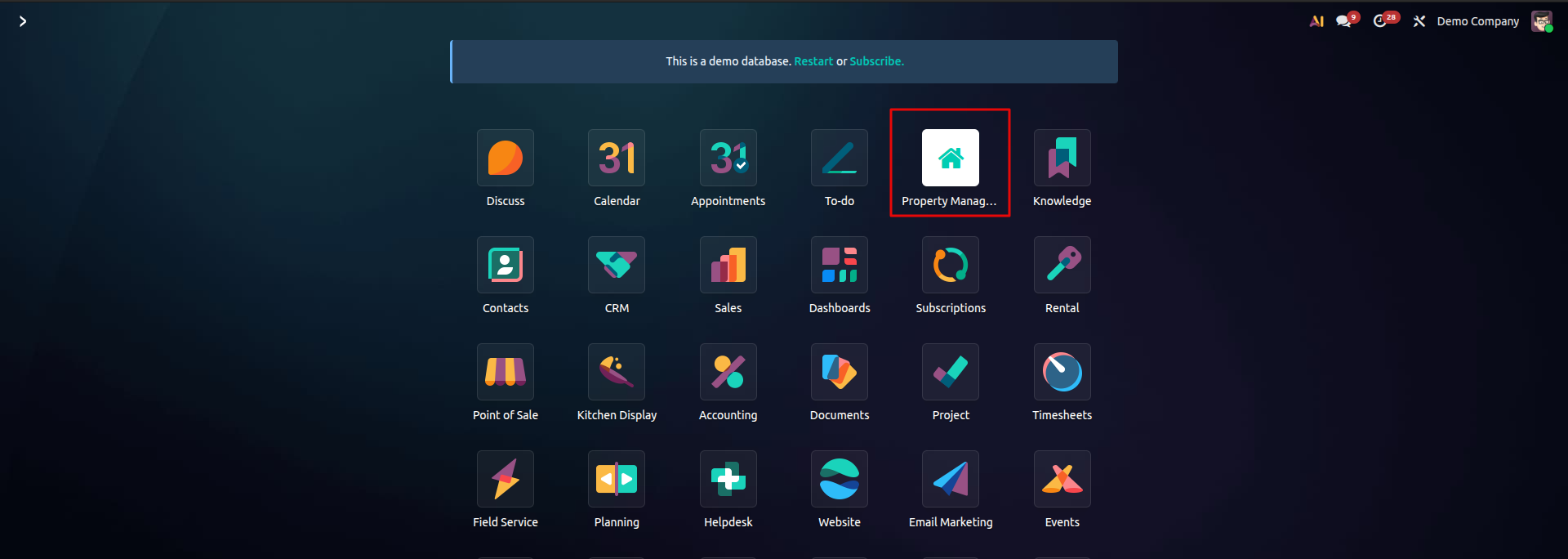
Once you save your changes, the updated name will immediately appear in the Apps dashboard and menu.
Hope. it helps
Enjoying the discussion? Don't just read, join in!
Create an account today to enjoy exclusive features and engage with our awesome community!
Registracija| Related Posts | Replies | Rodiniai | Veikla | |
|---|---|---|---|---|


|
1
gruod. 25
|
195 | ||

|
0
gruod. 25
|
1706 | ||

|
0
gruod. 25
|
2 | ||

|
0
lapkr. 25
|
225 | ||


|
2
lapkr. 25
|
1674 |
