
If you need to increase/decrease the size of the company’s logo in your report, it’s possible through adding some code in the architecture of the document layout.
Dette spørgsmål er blevet anmeldt
1
Svar
18614
Visninger

Context:
If you need to increase/decrease the size of the company’s logo in your report, it’s possible through adding some code in the architecture of the document layout.
Proe
1. Activate the developer mode
2. Go to Settings and then click on Edit Layout
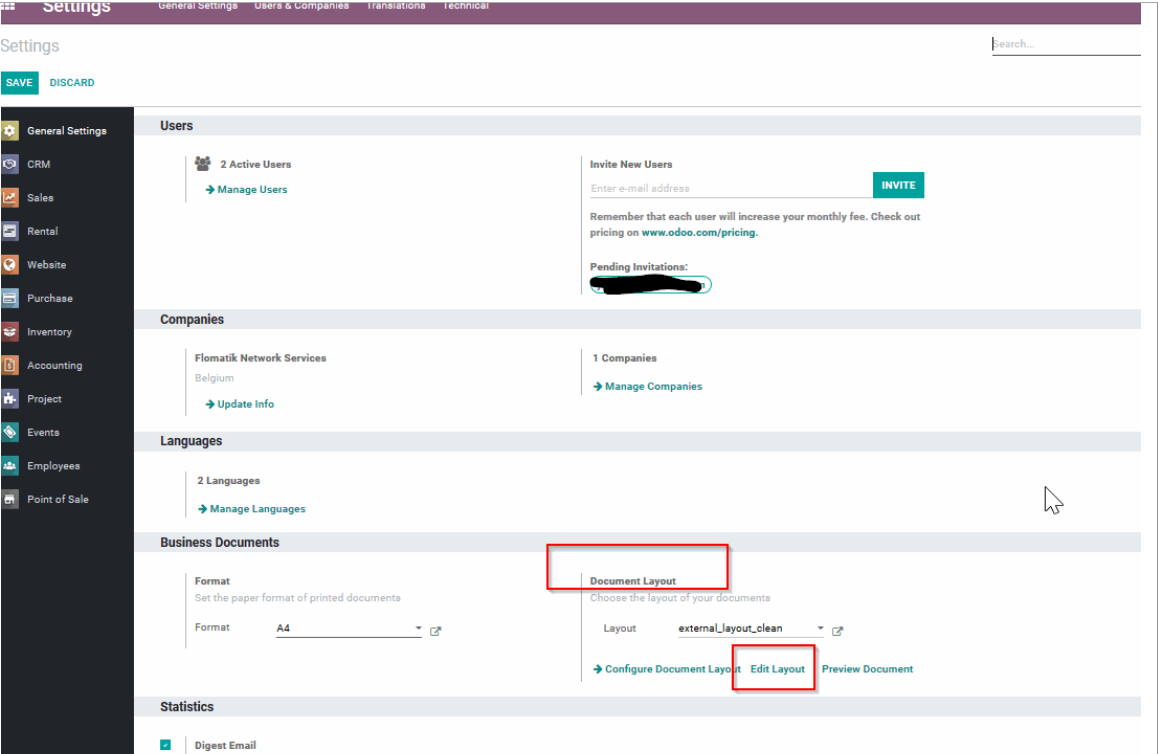
3. In the Architecture tab, add the following code [style="max-width: 200px; max-height: 150px;"], right after [
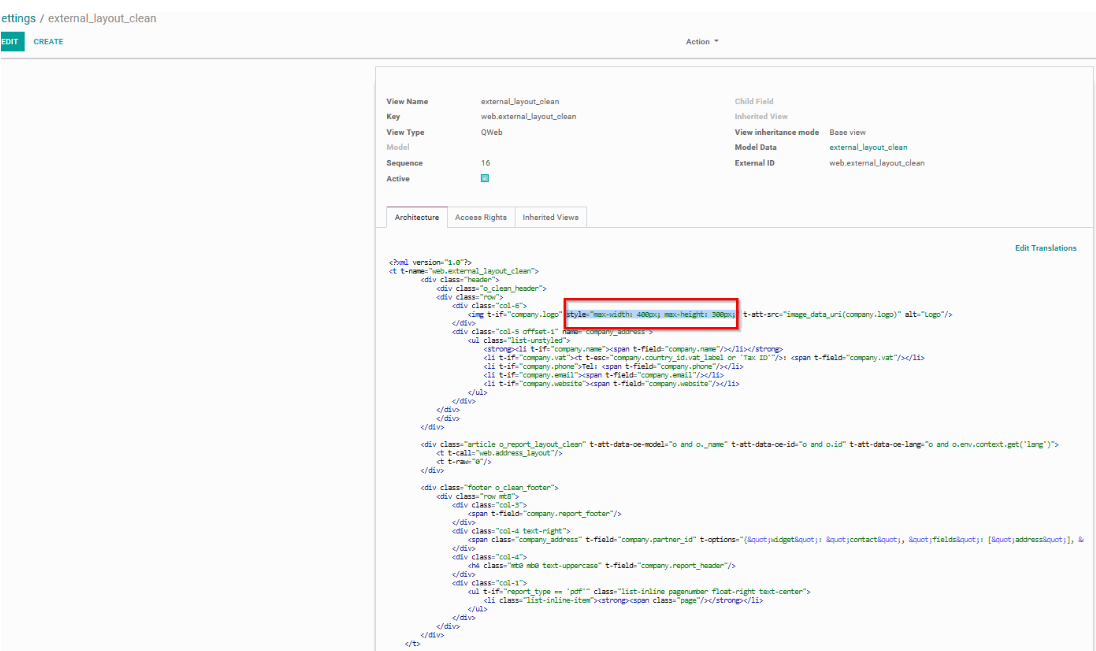
4. In order to increase/decrease the logo size, you need to manually change the value for “max-width:” and “max-height:”.
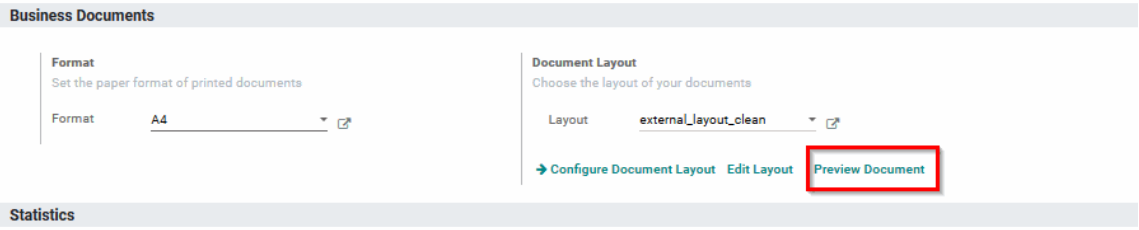
5. Test the document layout by clicking on Preview document
Kan du lide at diskutere? Læs ikke bare med, deltag aktivt i debatten!
Opret en konto i dag for at få glæde af eksklusive funktioner, og bliv en del af vores skønne fællesskab!
Tilmeld dig| Relaterede indlæg | Besvarelser | Visninger | Aktivitet | |
|---|---|---|---|---|

|
1
jan. 25
|
7308 | ||
|
|
1
jul. 24
|
6401 | ||
|
|
1
apr. 21
|
11845 | ||
|
|
2
jan. 25
|
8028 | ||
|
|
1
jul. 25
|
7996 |
