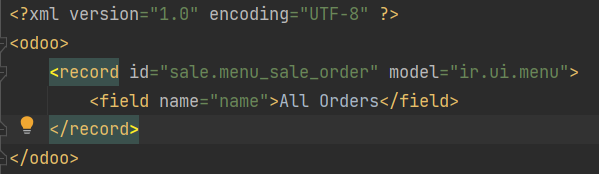
<record id="sale.menu_sale_order" model="ir.ui.menu">
<field name="name">All Orders</field>
</record>
- That the module is up to date
- That the menu ID is correct
- That the cache is refreshed
Thanks in advance for your help!
Odoo is the world's easiest all-in-one management software.
It includes hundreds of business apps:
<record id="sale.menu_sale_order" model="ir.ui.menu">
<field name="name">All Orders</field>
</record>
Thanks in advance for your help!
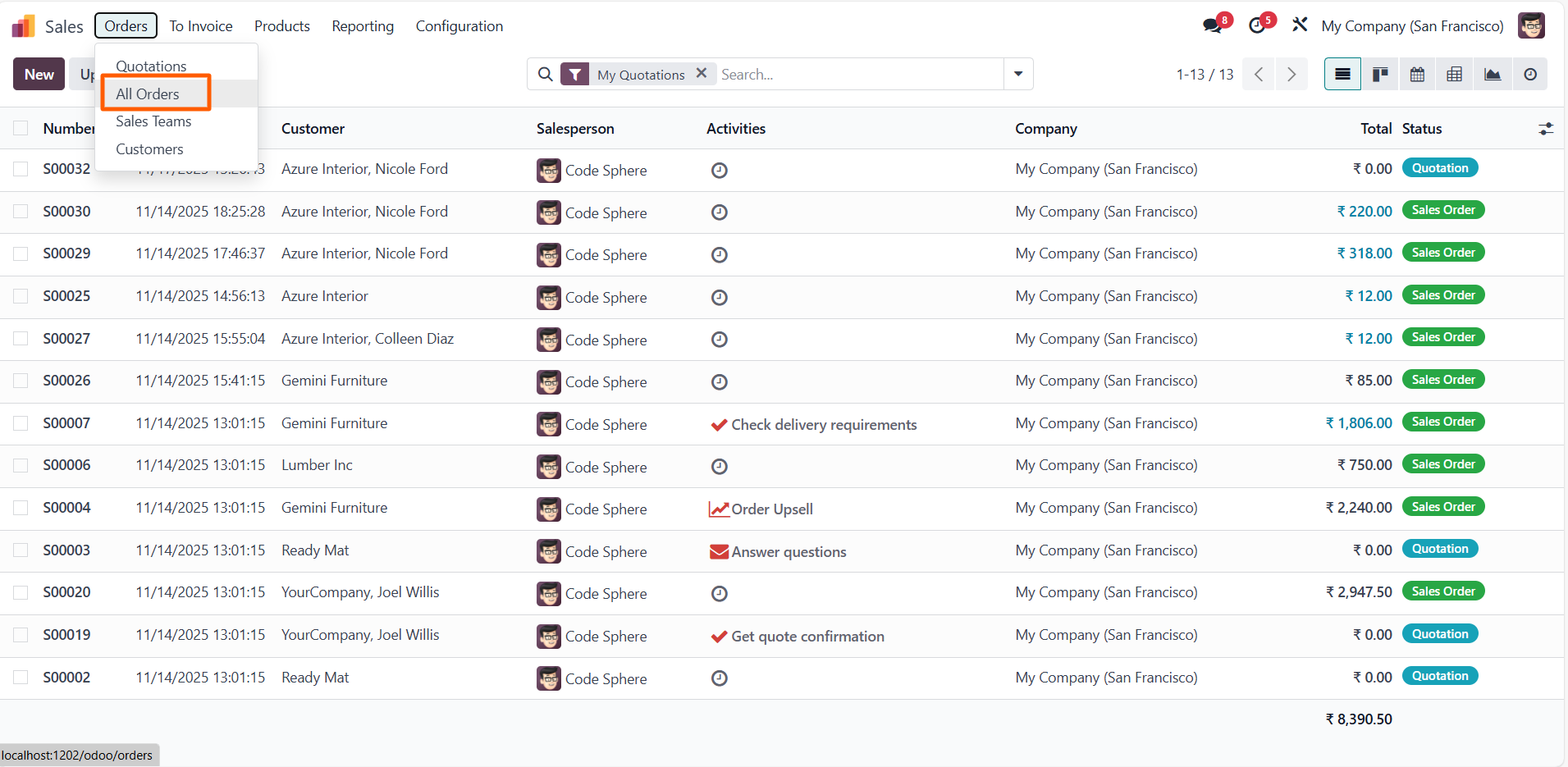
Update: I finally succeeded to make it works, I just had to add the translation corresponding to the name change I made in the .po file, so the method I used was finally the right one.
Hi,
Menu names are translatable fields, so even if you override the menu label in XML, the translation system loads afterward and replaces your value with the existing translated term. This means your XML change is correct, but the translation system is overriding it in the user interface. To fix this, you need to update the corresponding entry in your module’s .po file or override the existing translation so that the translated value matches the new name you want to display.
Hope it helps
Hello,
I've tested the same code and working properly in odoo V18 enterprise version


Maak vandaag nog een account aan om te profiteren van exclusieve functies en deel uit te maken van onze geweldige community!
Aanmelden| Gerelateerde posts | Antwoorden | Weergaven | Activiteit | |
|---|---|---|---|---|
|
odoo 16 view inheritance
Opgelost
|
3
mei 23
|
5716 | ||
|
1
mrt. 23
|
5617 | |||
|
1
jun. 24
|
2218 | |||
|
3
nov. 25
|
361 | |||
|
3
nov. 25
|
8402 |
1. Use the live chat to ask your questions.
2. The operator answers within a few minutes.
Hello,
I've tested the code change the root menu and it is working properly..